Implement Workload Identity: Secure Cloud Apps Without Secrets
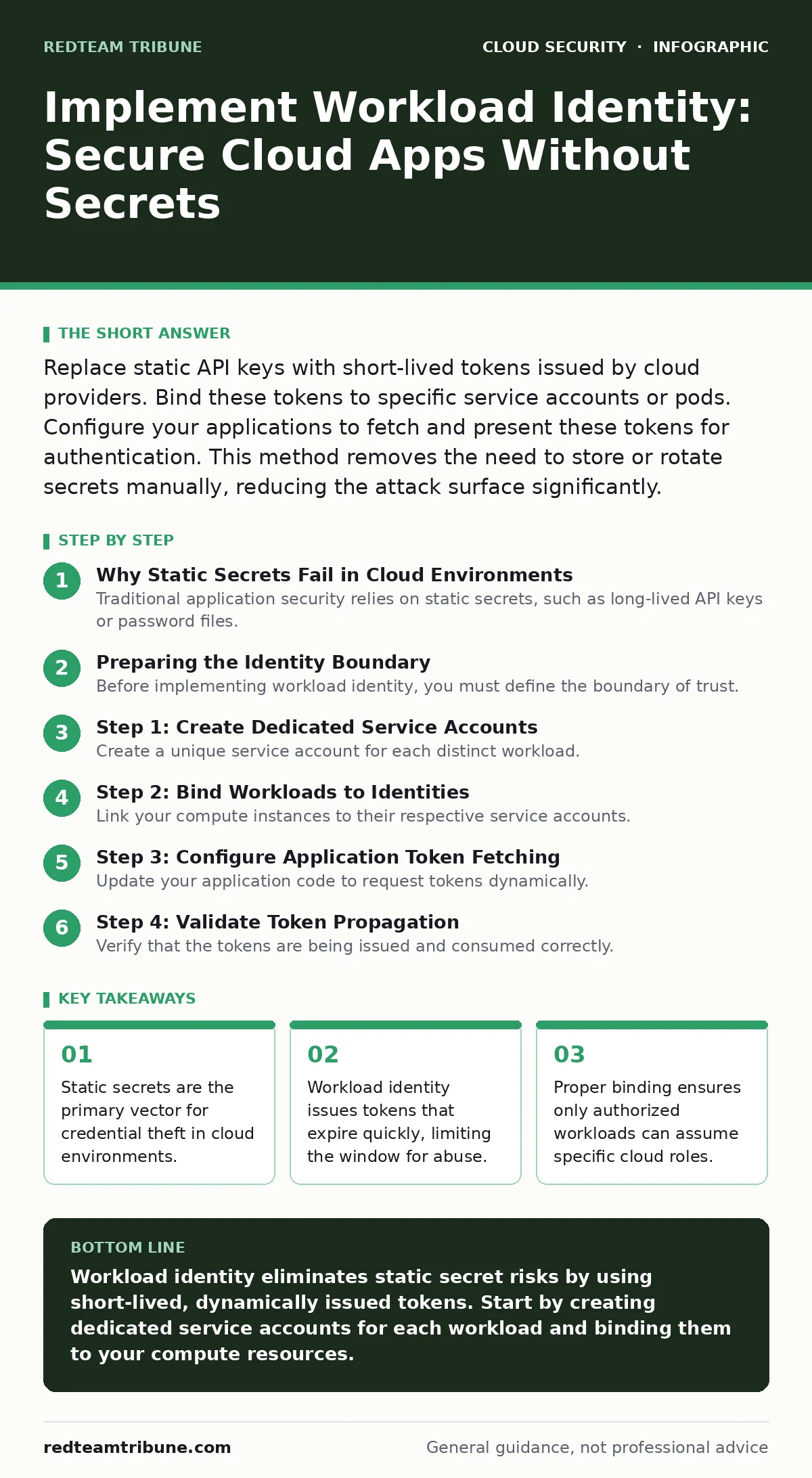
Workload identity replaces static credentials with dynamic, short-lived tokens that automatically expire, eliminating the risk of leaked secrets while maintaining application connectivity.
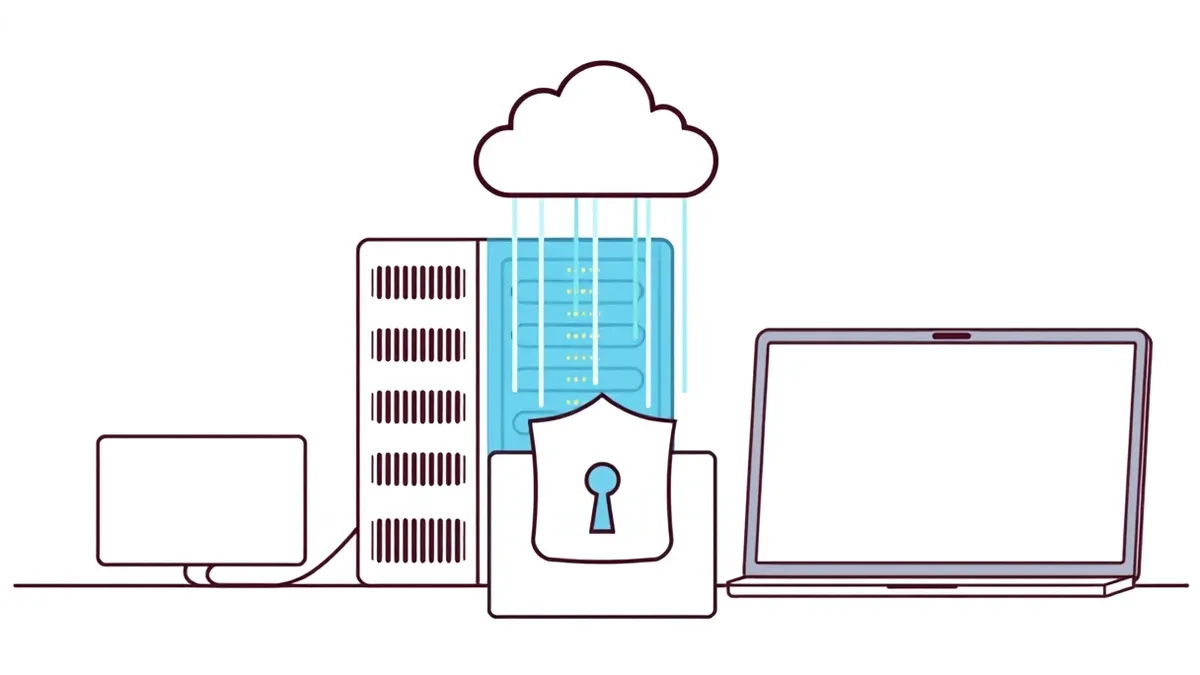
Replace static API keys with short-lived tokens issued by cloud providers. Bind these tokens to specific service accounts or pods. Configure your applications to fetch and present these tokens for authentication. This method removes the need to store or rotate secrets manually, reducing the attack surface significantly.
Why Static Secrets Fail in Cloud Environments
Traditional application security relies on static secrets, such as long-lived API keys or password files. These credentials remain valid until a human or automated process rotates them. If an attacker steals one of these secrets, they retain access indefinitely. This creates a persistent vulnerability that is difficult to detect and even harder to remediate.
Workload identity changes this dynamic by issuing short-lived tokens. These tokens are valid only for a brief period, often minutes or hours. When a token expires, it becomes useless to an attacker. The application simply requests a new token from the identity provider. This mechanism ensures that compromised credentials have a minimal impact window.
Preparing the Identity Boundary
Before implementing workload identity, you must define the boundary of trust. This involves mapping each workload to a specific identity. A workload is any process that needs to access cloud resources, such as a web server or a database connector. You must determine the minimum permissions each workload requires.
Avoid assigning broad administrative rights to any single identity. Instead, follow the principle of least privilege. Grant only the specific actions needed for the workload to function. For example, if a service only needs to read from a storage bucket, do not grant write permissions. This preparation prevents privilege escalation if a workload is compromised.
Step 1: Create Dedicated Service Accounts
Create a unique service account for each distinct workload. A service account is a non-human identity used by applications to interact with cloud services. Do not share service accounts between multiple applications. Sharing identities makes it impossible to trace which application performed a specific action.
Name these accounts clearly to reflect their function. This clarity aids in auditing and troubleshooting. Ensure these accounts have no human login capabilities. They should only be usable by the specific workloads you bind to them in later steps.
Verification Checklist
- Each workload has a unique service account.
- Service accounts have no direct login permissions.
- Permissions are scoped to the minimum required actions.
Step 2: Bind Workloads to Identities
Link your compute instances to their respective service accounts. In virtual machine environments, this often involves attaching the service account to the instance metadata. In container orchestration platforms, you bind the pod or deployment to a service account. This binding tells the cloud provider which identity the workload should assume.
This step establishes the trust relationship. The cloud provider verifies that the request for a token comes from an authorized compute resource. If the binding is incorrect, the workload will fail to authenticate. Test this binding by attempting to access a protected resource. The access should succeed only if the binding is correct.
Step 3: Configure Application Token Fetching
Update your application code to request tokens dynamically. Most cloud providers offer a standard library or endpoint for this purpose. The application should fetch a token when it needs to make an API call. It should then include this token in the authentication header of the request.
Do not hardcode any credentials in the application configuration. The application should rely entirely on the runtime environment to provide the token. This decoupling ensures that even if the application code is exposed, the credentials remain secure. The token lifecycle is managed by the cloud provider, not the application logic.
See also: 7 Common CASB Mistakes That Create Blind Spots · Stop Cloud Data Exfiltration: Small Business Risks and Low-Cost Fixes
Step 4: Validate Token Propagation
Verify that the tokens are being issued and consumed correctly. Use logging to track authentication events. Check that the token issuer matches the expected identity provider. Ensure that the token audience, which defines who the token is intended for, matches the target service.
This validation confirms that the entire chain of trust is functional. If tokens are not propagating, the workload will fail to access resources. Identify any misconfigurations in the token audience or issuer settings. Correct these issues before proceeding to broader deployment.
Checking Implementation Success
After deployment, perform a series of validation tests. Attempt to access resources using the new identity. Confirm that access is granted when expected and denied when permissions are insufficient. This negative testing is just as important as positive testing. It ensures that the identity constraints are enforced strictly.
Monitor the authentication logs for anomalies. Look for repeated failed authentication attempts. These may indicate misconfigured bindings or unauthorized access attempts. Regular monitoring helps you detect issues early. It also provides an audit trail for compliance purposes.
Long-Term Upkeep and Maintenance
Workload identity reduces but does not eliminate maintenance. You must still manage the permissions associated with each service account. Periodically review these permissions to ensure they remain aligned with business needs. Remove any permissions that are no longer required.
Automate the rotation of any remaining static secrets. For topics related to this, see our guide on access key rotation. Regularly audit the bindings between workloads and identities. Ensure that new workloads are automatically assigned appropriate identities. This automation prevents drift and maintains security posture over time.
Handling Edge Cases and Failures
Consider how your system behaves when the identity provider is unavailable. If the token service is down, your workloads may fail to authenticate. Implement fallback mechanisms where appropriate. These might include cached tokens with short expiration times. However, ensure that cached tokens are invalidated quickly to maintain security.
Also, consider cross-cloud or hybrid environments. Workload identity solutions often vary between providers. If you use multiple clouds, you may need to implement a federated identity solution. This allows identities from one cloud to be trusted in another. Ensure that the trust boundaries are clearly defined and secured.
Conclusion of Implementation
Implementing workload identity is a significant step toward securing cloud applications. It eliminates the risks associated with static secrets. By following these steps, you create a more resilient security posture. The initial effort pays off in reduced risk and simplified management.
Remember that security is an ongoing process. Continuously monitor and adjust your configurations. Stay informed about new features and best practices. This guide complements our resources on cloud security assessments and cloud landing zones. Use these resources to build a comprehensive security strategy.
Key takeaways
- Static secrets are the primary vector for credential theft in cloud environments.
- Workload identity issues tokens that expire quickly, limiting the window for abuse.
- Proper binding ensures only authorized workloads can assume specific cloud roles.
Workload identity eliminates static secret risks by using short-lived, dynamically issued tokens. Start by creating dedicated service accounts for each workload and binding them to your compute resources.
Frequently asked questions
Can workload identity be used with on-premises applications?
Yes, but it requires additional configuration to establish trust between on-premises environments and cloud identity providers. You may need to use identity federation or bridge solutions.
How do I handle legacy applications that cannot be updated?
Legacy applications may require a sidecar proxy or a wrapper that manages token fetching and injection. This allows the application to remain unchanged while still using workload identity.
Is workload identity supported by all cloud providers?
Most major cloud providers support workload identity or similar mechanisms. However, the implementation details vary. Check your provider’s documentation for specific instructions.
What happens if a token is stolen?
Stolen tokens expire quickly, limiting the window for abuse. The attacker would need to continuously steal new tokens to maintain access, which is difficult to do undetected.
How this guide was produced: written by the RedTeam Tribune editorial team with AI assistance, checked against the public references listed below, and reviewed when the facts change. See our editorial policy or report an error.