Cloud Security Assessments: How to Find Hidden Risks
Most cloud failures stem from misconfigured settings rather than external breaches, making internal audits more effective than perimeter defenses alone.
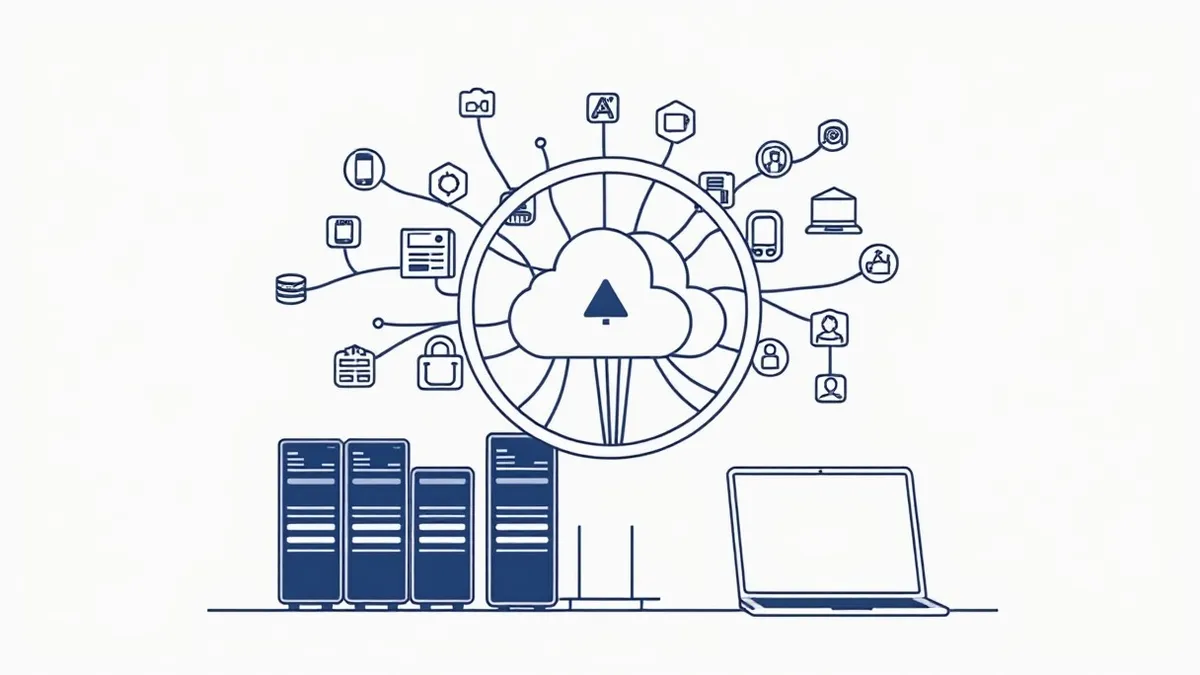
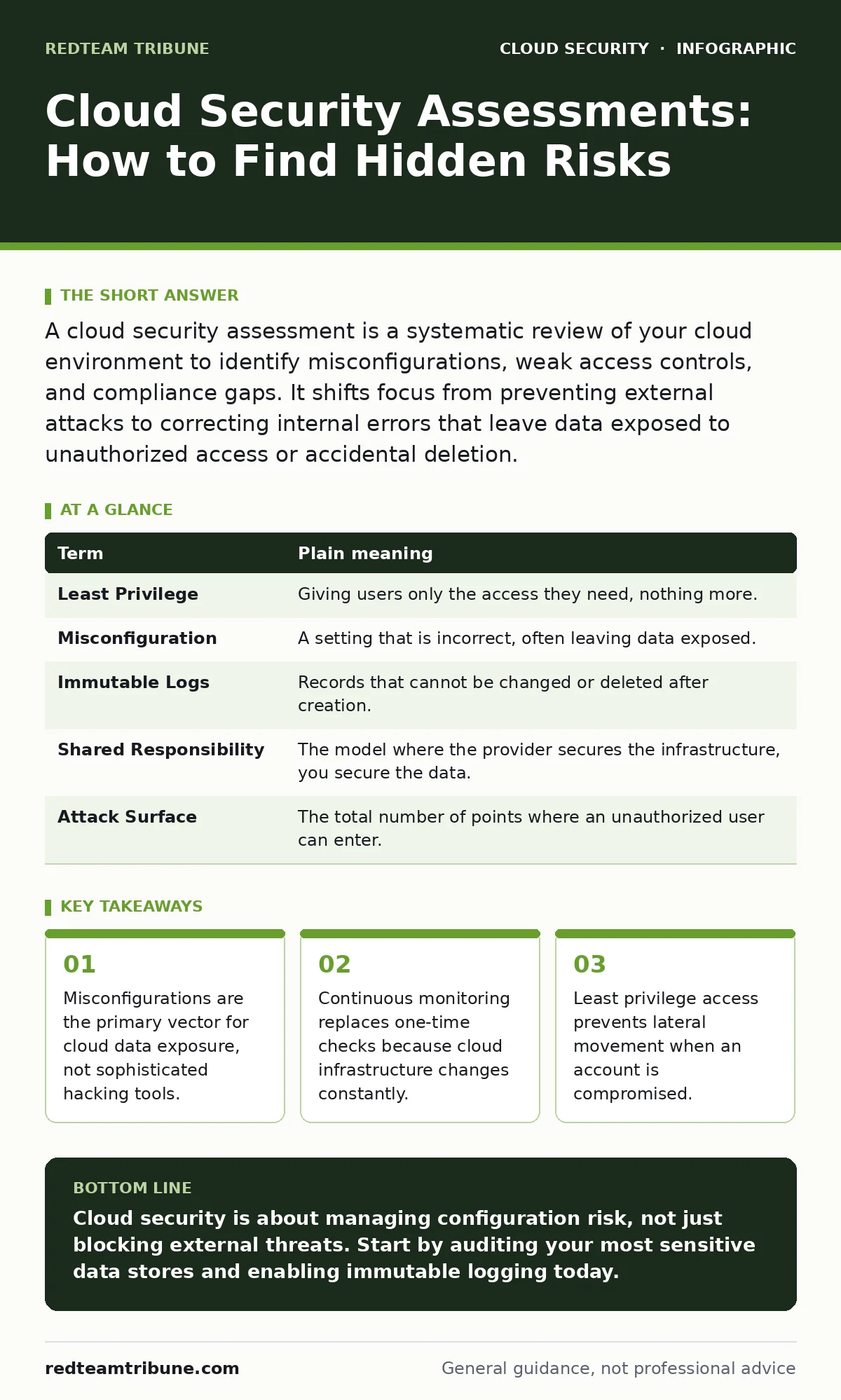
A cloud security assessment is a systematic review of your cloud environment to identify misconfigurations, weak access controls, and compliance gaps. It shifts focus from preventing external attacks to correcting internal errors that leave data exposed to unauthorized access or accidental deletion.
The Library Blueprint Analogy
Imagine you are building a massive library. You do not just lock the front door and leave. You check every shelf, every window, and every staff badge. A cloud security assessment is that inspection. It is not about assuming hackers will break the glass. It is about ensuring the librarian did not leave the back door open because they forgot to set the lock.
In the cloud, the "building" is code and configuration. If you configure a storage bucket to be public, you have effectively painted a sign on the door saying "Free Books." The assessment finds those signs before the public does. This approach recognizes that human error is the constant, while malicious intent is variable.
Defining the Assessment Scope
You must decide what you are checking. A full audit covers identity, network, storage, and compute. Many teams focus only on the network, ignoring identity. This is a mistake. Identity is the new perimeter. If an attacker has valid credentials, firewalls often do not matter.
The assessment verifies that only authorized people and services can access specific resources. It checks if permissions are too broad. It also ensures that logging is enabled so you can see who did what. Without logs, you are flying blind. You cannot secure what you cannot see.
Key Terms for Cloud Audits
Understanding the vocabulary helps you communicate risks to stakeholders. These terms appear in every report and configuration file. Knowing them allows you to spot issues faster.
| Term | Plain meaning |
|---|---|
| Least Privilege | Giving users only the access they need, nothing more. |
| Misconfiguration | A setting that is incorrect, often leaving data exposed. |
| Immutable Logs | Records that cannot be changed or deleted after creation. |
| Shared Responsibility | The model where the provider secures the infrastructure, you secure the data. |
| Attack Surface | The total number of points where an unauthorized user can enter. |
The Hidden Cost of Speed
Cloud environments change rapidly. Developers deploy code multiple times a day. A manual assessment takes days. By the time you finish, the environment has changed. This lag creates a false sense of security. You think you are safe because you checked yesterday. Today, a new vulnerability exists.
This is why manual checks fail in dynamic environments. You need automation. The assessment must become a continuous process, not a periodic event. Integrating checks into your deployment pipeline catches errors before they reach production. This reduces the window of exposure. It also shifts security left, meaning developers fix issues early.
Identity and Access Review
Identity management is often neglected until a breach occurs. You must review who has access to what. Look for unused accounts. Look for users with administrative privileges who do not need them. This is the principle of least privilege.
Imagine a library where every visitor has a master key. If one key is stolen, the whole library is compromised. In the cloud, if one service account has full admin rights, an attacker who compromises that account controls everything. Rotate access keys regularly. Disable accounts that are no longer needed. This limits the damage of a compromised credential.
Related topics like access key rotation and cloud compliance provide deeper frameworks for managing these identities. You should also consider Kubernetes RBAC if you run container workloads, as it enforces role-based access at the cluster level.
See also: 7 Common CASB Mistakes That Create Blind Spots · Stop Cloud Data Exfiltration: Small Business Risks and Low-Cost Fixes
Configuration Drift Detection
Configuration drift happens when settings change from their secure baseline. A server might start with secure settings. Over time, patches, updates, or manual tweaks alter those settings. The system becomes less secure without anyone realizing it.
An assessment must detect this drift. Compare current settings against a known good state. If a setting changes, alert the team. This is not about blaming individuals. It is about maintaining a consistent security posture. Drift is inevitable in large environments. Detection is the only control.
Try This Now
Start with a small, high-value scope. Do not try to audit everything at once. Focus on the data that matters most.
- Identify your most sensitive data stores. List the specific buckets or databases that hold customer or financial information.
- Check their access policies. Ensure they are not publicly readable or writable. Verify that only specific service accounts have access.
- Enable logging for these resources. Ensure logs are sent to a separate, immutable storage location. This preserves evidence if an incident occurs.
Integrating with Broader Security
A standalone assessment is a snapshot. It tells you the state at one moment. To maintain security, you must integrate these checks into your daily operations. This is where DevSecOps practices become relevant. Security becomes part of the development lifecycle.
You can use cloud security posture management (CSPM) tools to automate the continuous assessment. These tools scan your environment against best practices and report violations. They provide a dashboard of your security health. This allows you to prioritize fixes based on risk.
For teams using containers, Kubernetes admission controllers can block insecure deployments automatically. This prevents misconfigurations from reaching the live environment. Similarly, understanding cloud landing zones helps you build a secure foundation from the start, reducing the need for remediation later.
The Human Element
Technology alone cannot secure the cloud. People make the decisions. They write the code. They configure the services. Training is part of the assessment. You must understand if your team knows how to secure the cloud.
Do not just provide generic training. Use real examples from your environment. Show them the risks of misconfiguration. Explain the impact of weak access controls. Make security a shared responsibility. When developers understand the risk, they are more likely to write secure code.
Related guides on denial-of-wallet attacks highlight how financial risks can emerge from unchecked resource usage. This is another area where configuration and monitoring matter. By understanding these nuances, you build a culture of security rather than a checklist of compliance.
Key takeaways
- Misconfigurations are the primary vector for cloud data exposure, not sophisticated hacking tools.
- Continuous monitoring replaces one-time checks because cloud infrastructure changes constantly.
- Least privilege access prevents lateral movement when an account is compromised.
Cloud security is about managing configuration risk, not just blocking external threats. Start by auditing your most sensitive data stores and enabling immutable logging today.
Frequently asked questions
How often should I perform a cloud security assessment?
Perform automated checks continuously. Conduct a deeper manual review quarterly or after major infrastructure changes.
Can I automate the entire assessment process?
You can automate most technical checks, such as configuration validation. Human review is still needed for policy decisions and complex architecture issues.
What is the first thing I should check?
Start with public-facing resources. Ensure no storage buckets or databases are accessible to the internet without authentication.
Do I need a separate tool for assessment?
Native cloud provider tools offer basic checks. Dedicated CSPM tools provide deeper analysis and continuous monitoring across multiple accounts.
How this guide was produced: written by the RedTeam Tribune editorial team with AI assistance, checked against the public references listed below, and reviewed when the facts change. See our editorial policy or report an error.