Prevent Cloud Storage Leaks: Configuration Hardening Steps
Most cloud data leaks stem from default public access settings that remain active until a manual review explicitly disables them for every new bucket.
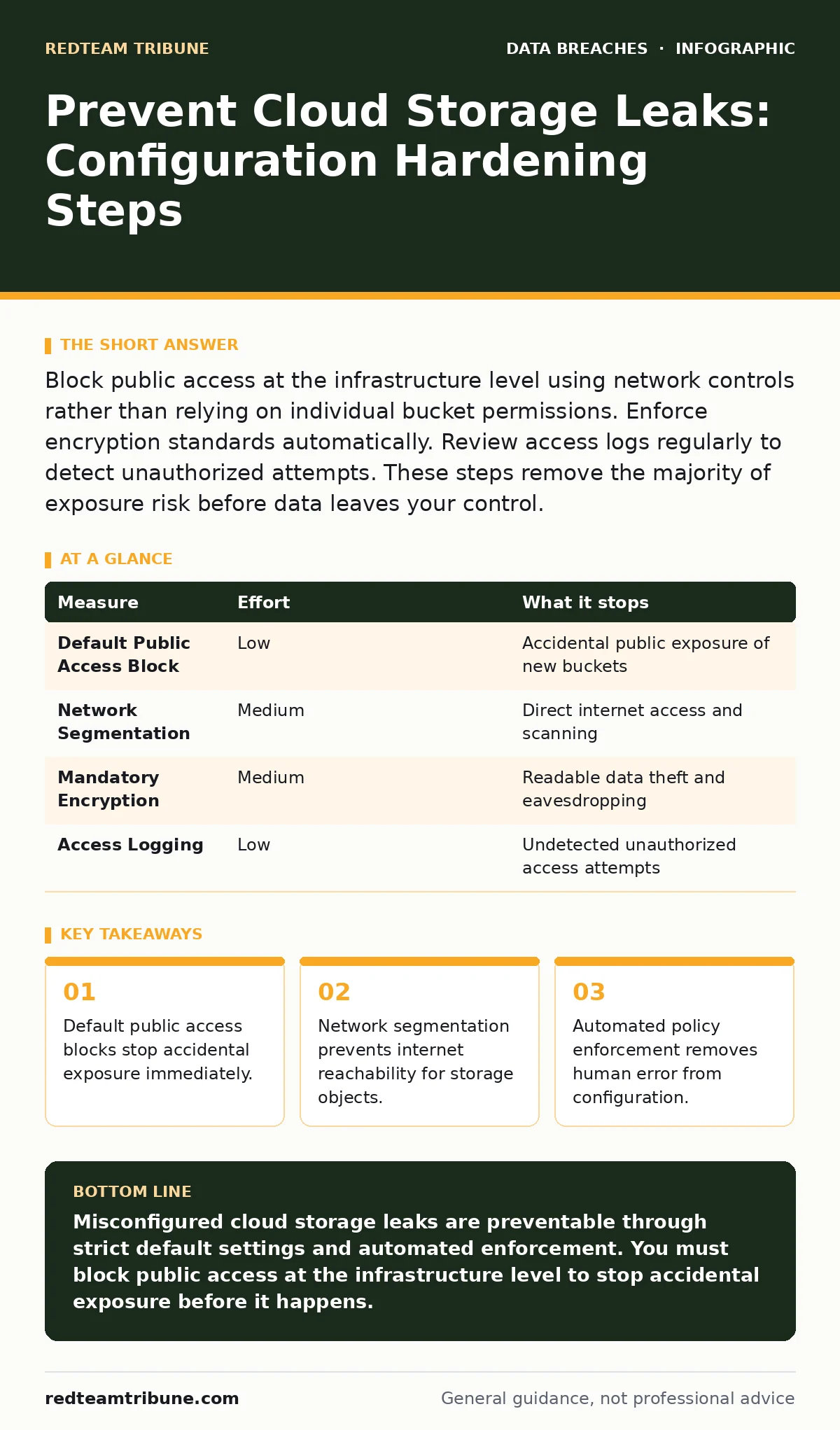
Block public access at the infrastructure level using network controls rather than relying on individual bucket permissions. Enforce encryption standards automatically. Review access logs regularly to detect unauthorized attempts. These steps remove the majority of exposure risk before data leaves your control.
Block Public Access by Default
Most storage leaks occur because administrators create storage containers with default public access enabled. You must disable public access at the account or organizational level, not just per container. This setting acts as a global kill switch. It prevents any new storage resource from accepting traffic from the public internet unless you explicitly whitelist a specific exception.
This approach removes the risk of a junior administrator forgetting to secure a new development bucket. You gain immediate protection against accidental exposure. The trade-off is that you must plan carefully for any legitimate public-facing content, such as website assets, and configure those exceptions with strict network rules.
Enforce Network Segmentation for Storage
Storage resources should never sit on the public internet. You place them behind virtual private clouds or internal network boundaries. This ensures that only authorized services within your infrastructure can read or write data. External attackers cannot reach the storage endpoint because there is no public IP address attached. This measure stops direct internet-based scanning and brute-force attempts.
It also prevents data exfiltration if an attacker compromises a public-facing application but lacks network access to the storage layer. You must configure private endpoints or service connections to allow your applications to communicate with the storage securely. This adds complexity to network routing but significantly reduces the attack surface.
Apply Mandatory Encryption Policies
Encryption protects data even if an attacker bypasses network controls. You enforce encryption at rest for all storage objects. This means data is scrambled before it is written to disk. Without the decryption keys, the stolen data remains unreadable. You also enforce encryption in transit to protect data moving between your servers and the storage service.
This prevents eavesdropping on the network. You should use customer-managed keys for higher sensitivity data, giving you control over key rotation and access. The key management service becomes the new security boundary. If an attacker steals the data, they cannot use it without compromising the key infrastructure. This measure does not prevent the theft but renders the stolen data useless.
| Measure | Effort | What it stops |
|---|---|---|
| Default Public Access Block | Low | Accidental public exposure of new buckets |
| Network Segmentation | Medium | Direct internet access and scanning |
| Mandatory Encryption | Medium | Readable data theft and eavesdropping |
| Access Logging | Low | Undetected unauthorized access attempts |
Automate Configuration Compliance
Manual checks fail because humans make mistakes and configurations drift over time. You implement automated policy engines that scan your cloud environment continuously. These tools compare your actual settings against your security baseline. If a bucket violates the policy, such as enabling public access, the system alerts you or automatically remediates the issue.
This removes the dependency on periodic manual audits. You catch misconfigurations within minutes of creation rather than waiting for a quarterly review. The effort lies in defining the correct policies and tuning the remediation actions. You must ensure that automated fixes do not break legitimate business processes. This measure provides continuous assurance that your environment remains secure.
Restrict Access with Least Privilege
You grant users and applications only the permissions they need to perform their specific tasks. This follows the principle of least privilege. Instead of giving broad read-write access to a storage account, you create specific roles that allow access only to designated folders or objects. You use identity-based policies to define these restrictions.
This limits the damage if an account is compromised. An attacker with a stolen credential can only access the data allowed by that specific role. You must review these permissions regularly to remove access for employees who change roles or leave the organization. This measure requires ongoing maintenance but significantly reduces the blast radius of a credential leak.
See also: Stop Cloud Data Exfiltration: Small Business Risks and Low-Cost Fixes · Federated Identity vs SSO: The Architectural Difference That Matters
Monitor Access Logs for Anomalies
You enable detailed logging for all access attempts to your storage resources. These logs record who accessed what data, when, and from where. You analyze these logs for unusual patterns, such as access from unexpected geographic locations or large data downloads at odd hours. Automated monitoring tools can trigger alerts when these anomalies occur.
This allows you to detect a breach in progress rather than after the data is gone. You must ensure that the logs themselves are stored securely and cannot be modified by attackers. This measure provides visibility into your environment but does not prevent the initial misconfiguration. It serves as a detective control to complement your preventive measures.
What Does Not Work for Prevention
Many organizations rely on vulnerability scanners to find misconfigured storage. These tools often miss issues because they only check for known signatures or specific configurations. They do not understand the context of your application or the intent behind a configuration. Another common failure is relying on the cloud provider’s default security settings.
These defaults are often designed for ease of use, not security, and may leave public access enabled. You must assume that defaults are insecure and explicitly configure secure settings. You also should not rely on manual documentation of configurations. Documentation becomes outdated quickly and does not enforce security. Automated enforcement and continuous monitoring are the only reliable methods.
Implementing Secure File Sharing Practices
When you need to share data externally, you use secure file sharing mechanisms rather than exposing storage buckets. These services provide temporary, expiring links that require authentication. You set expiration times and download limits to restrict access. This prevents long-term exposure of the data. You also avoid using personal email attachments for sensitive data. This practice reduces the risk of data being stored on unsecured devices or intercepted in transit. You integrate these sharing tools with your identity management system to ensure only authorized users can generate share links. This measure adds friction to the sharing process but significantly enhances security.
Closing Checklist for Immediate Action
- Enable default public access blocks for all new storage containers in your cloud account settings.
- Verify that all existing storage resources are placed behind internal network boundaries with no public IP addresses.
- Configure automated compliance scanning to alert you if any storage resource violates your security policies.
Key takeaways
- Default public access blocks stop accidental exposure immediately.
- Network segmentation prevents internet reachability for storage objects.
- Automated policy enforcement removes human error from configuration.
Misconfigured cloud storage leaks are preventable through strict default settings and automated enforcement. You must block public access at the infrastructure level to stop accidental exposure before it happens.
Frequently asked questions
How do I know if my cloud storage is publicly accessible?
Use your cloud provider’s security dashboard or a third-party compliance tool to scan for public access settings. Look for any storage containers with public read or write permissions enabled.
Can I use encryption to fix a misconfigured bucket?
Encryption protects the data content but does not fix the misconfiguration. You must still restrict network access and disable public permissions to prevent unauthorized access to the encrypted files.
How often should I review cloud storage permissions?
You should review permissions quarterly or whenever there is a change in staff or application requirements. Automated tools can help you monitor changes in real-time to ensure continuous compliance.
What is the first step to prevent a cloud storage leak?
The first step is to disable public access by default for all new storage resources. This prevents accidental exposure and forces you to explicitly configure secure access for any legitimate public content.
How this guide was produced: written by the RedTeam Tribune editorial team with AI assistance, checked against the public references listed below, and reviewed when the facts change. See our editorial policy or report an error.