Defense Evasion Prevention Checklist: Stop Adversaries From Hiding
Attackers hide by mimicking normal system activity, making standard log reviews insufficient for catching stealthy intrusion techniques that bypass basic monitoring.

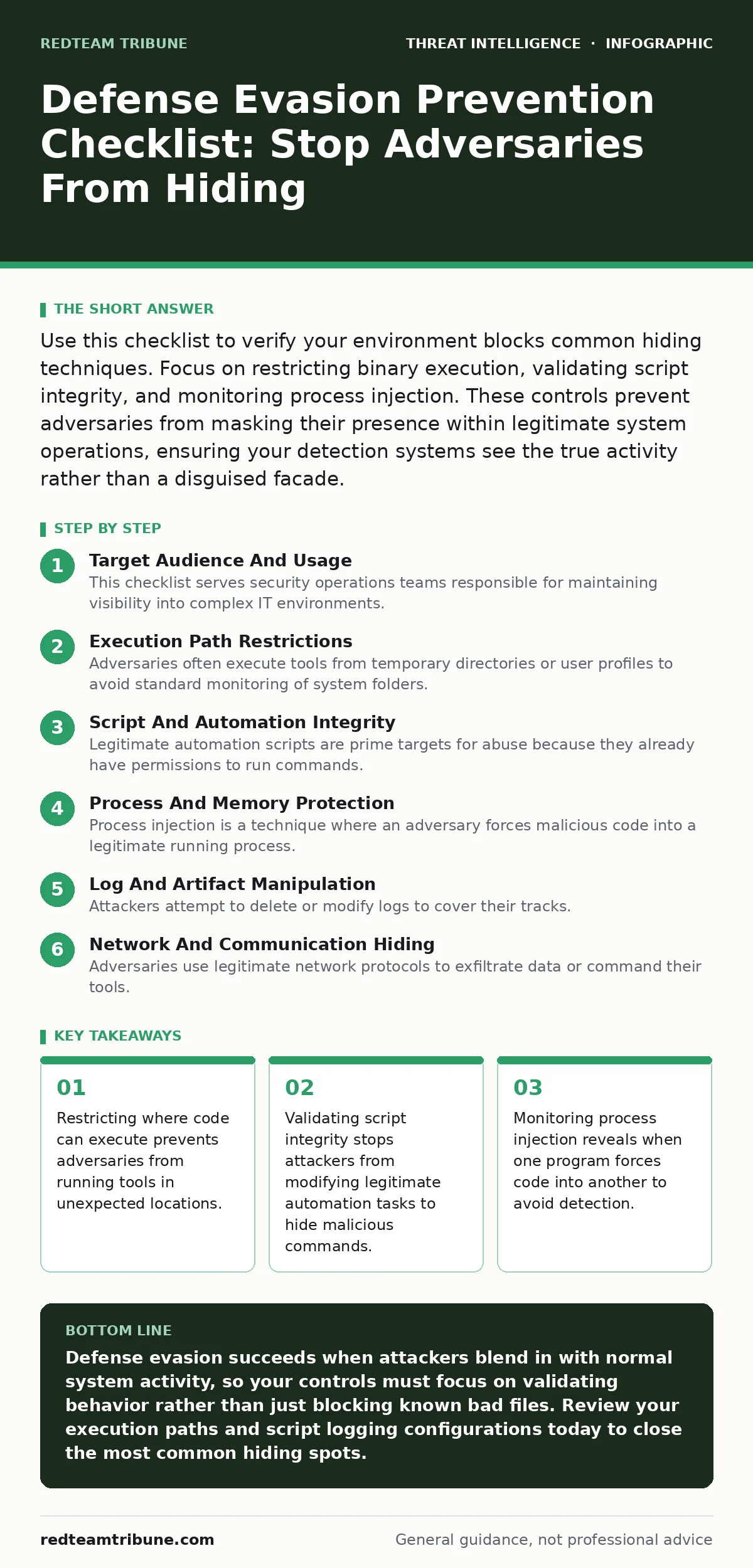
Use this checklist to verify your environment blocks common hiding techniques. Focus on restricting binary execution, validating script integrity, and monitoring process injection. These controls prevent adversaries from masking their presence within legitimate system operations, ensuring your detection systems see the true activity rather than a disguised facade.
Target Audience And Usage
This checklist serves security operations teams responsible for maintaining visibility into complex IT environments. You use this list to audit your current controls against known evasion tactics. Each item represents a specific configuration or monitoring rule that reduces the surface area for stealthy activity. Implementing these checks ensures your detection engineering efforts focus on meaningful signals rather than noise. Regular audits prevent configuration drift from opening new hiding spots for intruders.
Execution Path Restrictions
Adversaries often execute tools from temporary directories or user profiles to avoid standard monitoring of system folders. Restricting execution paths forces malicious code to run in monitored locations where behavior is easier to analyze. This control limits the ability to drop and run arbitrary binaries without triggering alerts.
- Restrict execution to known application directories: Prevents running tools from temp folders where they are less likely to be monitored.
- Block PowerShell from non-standard paths: Stops attackers from invoking scripting engines outside of managed administrative locations.
- Validate binary signatures before execution: Ensures only trusted publishers can run code, blocking unsigned or modified tools.
Script And Automation Integrity
Legitimate automation scripts are prime targets for abuse because they already have permissions to run commands. Attackers modify these scripts or inject commands into them to blend in with routine maintenance tasks. Without integrity checks, these modifications look like normal administrative work.
- Enable script block logging: Captures the full content of executed scripts, revealing injected commands that bypass file-based scanning.
- Implement application whitelisting for automation: Ensures only pre-approved automation frameworks can execute, blocking ad-hoc scripting.
- Monitor for changes to scheduled tasks: Detects when adversaries modify existing jobs to run malware at specific intervals.
Process And Memory Protection
Process injection is a technique where an adversary forces malicious code into a legitimate running process. This hides the malicious activity within the memory space of a trusted application, such as a web browser or system service. Standard file-based antivirus often misses this because no new file is created on disk.
- Monitor for process hollowing: Detects when a legitimate process is replaced with malicious code during startup.
- Alert on unusual process parent-child relationships: Identifies when unexpected programs spawn from trusted applications like browsers.
- Enable memory access monitoring: Reveals attempts to read or write memory in ways that typical applications do not perform.
Log And Artifact Manipulation
Attackers attempt to delete or modify logs to cover their tracks. This log tampering makes forensic investigation difficult and reduces the effectiveness of historical analysis. If an adversary can erase their footprint, your ability to detect and respond is severely compromised. Protecting log integrity is as important as generating the logs themselves.
- Centralize log collection immediately: Sends logs to a remote server before attackers can delete local records.
- Restrict access to log management tools: Prevents adversaries from using administrative rights to clear event logs.
- Monitor for log clearing events: Alerts when someone attempts to clear security or system logs, indicating active cover-up.
See also: Dark web threat intelligence implementation steps for early warnings · OSINT tools for investigators checklist to harden your footprint
Network And Communication Hiding
Adversaries use legitimate network protocols to exfiltrate data or command their tools. They may encode malicious traffic within DNS queries or HTTP requests to look like normal web browsing. This technique bypasses simple firewall rules that only block known malicious IP addresses or ports.
- Monitor DNS query length and frequency: Detects data exfiltration attempts that encode information in long or frequent domain lookups.
- Inspect encrypted traffic metadata: Analyzes connection patterns and certificate details to identify suspicious encrypted channels.
- Block unauthorized tunneling protocols: Prevents the use of tools that create hidden networks over standard internet connections.
Continuous Validation And Testing
Static controls degrade over time as systems change. New applications, updates, and configurations can introduce gaps in your defense evasion protections. Regular testing ensures your controls remain effective against evolving techniques. You must verify that your monitoring systems actually detect the evasion tactics you are trying to block.
- Conduct regular adversary emulation: Simulates real attack techniques to verify that your controls detect and block evasion attempts.
- Review false positives in threat detection: Ensures that legitimate administrative actions are not being flagged, allowing you to tighten rules safely.
- Audit remote desktop abuse controls: Verifies that lateral movement via remote access tools is monitored and restricted.
Integration With Broader Strategy
Defense evasion prevention does not exist in isolation. It must connect with your broader threat intelligence and incident response workflows. Understanding the Diamond Model of intrusion analysis helps you map evasion tactics to specific adversary capabilities. This context allows you to prioritize controls that block the most likely threats to your organization.
- Align controls with cyber espionage threat models: Focuses resources on blocking techniques used by advanced persistent threats relevant to your industry.
- Integrate findings into detection engineering rules: Uses insights from evasion attempts to create more precise monitoring signatures.
- Document evasion techniques in playbooks: Ensures responders know how to investigate and contain specific hiding tactics when detected.
Key takeaways
- Restricting where code can execute prevents adversaries from running tools in unexpected locations.
- Validating script integrity stops attackers from modifying legitimate automation tasks to hide malicious commands.
- Monitoring process injection reveals when one program forces code into another to avoid detection.
Defense evasion succeeds when attackers blend in with normal system activity, so your controls must focus on validating behavior rather than just blocking known bad files. Review your execution paths and script logging configurations today to close the most common hiding spots.
Frequently asked questions
How do I detect process injection if no new files are created?
Monitor for unusual memory access patterns and alert when trusted processes spawn unexpected child processes or exhibit abnormal behavior.
What is the difference between log tampering and log deletion?
Log tampering involves modifying log entries to hide specific actions, while log deletion removes entire logs to erase the audit trail completely.
Can application whitelisting prevent all defense evasion techniques?
No, it only prevents unauthorized code execution. Attackers can still abuse legitimate allowed applications or use living-off-the-land techniques.
How often should I test my defense evasion controls?
Test after every major system change and at least quarterly to ensure new vulnerabilities or configurations have not introduced gaps.
How this guide was produced: written by the RedTeam Tribune editorial team with AI assistance, checked against the public references listed below, and reviewed when the facts change. See our editorial policy or report an error.