Detect Identity Theft: Log Signals and Hidden Blind Spots
Identity theft often hides in routine system noise, requiring teams to correlate authentication anomalies with data access patterns rather than relying on single-point alerts.

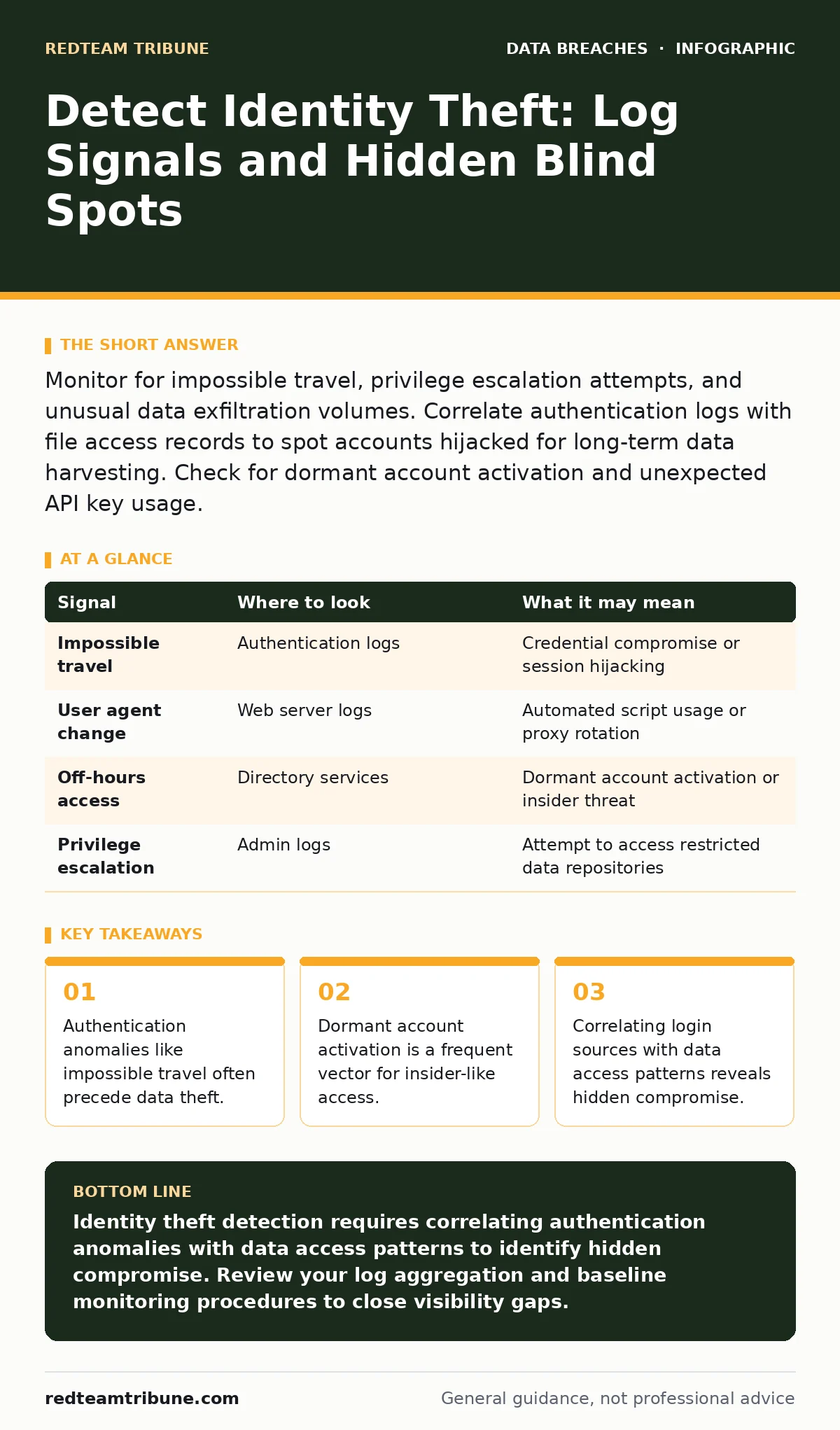
Monitor for impossible travel, privilege escalation attempts, and unusual data exfiltration volumes. Correlate authentication logs with file access records to spot accounts hijacked for long-term data harvesting. Check for dormant account activation and unexpected API key usage.
Authentication Anomalies as Early Warning Signs
Identity theft rarely begins with a massive data dump. It starts with a single compromised credential. You must look at authentication logs for patterns that deviate from the user’s established baseline. Standard intrusion detection systems often miss these subtle shifts because they focus on known malicious signatures rather than behavioral context.
Imagine a user who typically logs in from a specific geographic region during business hours. Suddenly, the same account authenticates from a different continent at midnight. This is known as impossible travel. While multi-factor authentication can block this, it does not always prevent replay attacks or session hijacking where the token is stolen after the initial verification.
You should also watch for failed login attempts that succeed after many failures. This pattern often indicates brute-force attacks or credential stuffing. However, the more dangerous signal is a sudden change in the user agent string. A user who always accesses the system via a web browser on Windows may suddenly appear using a Linux-based API client. This shift suggests an automated script is using the stolen credentials.
| Signal | Where to look | What it may mean |
|---|---|---|
| Impossible travel | Authentication logs | Credential compromise or session hijacking |
| User agent change | Web server logs | Automated script usage or proxy rotation |
| Off-hours access | Directory services | Dormant account activation or insider threat |
| Privilege escalation | Admin logs | Attempt to access restricted data repositories |
Data Access Patterns Reveal Intent
Once an attacker gains access, they need to find what they want. They will not browse randomly. They will search for high-value data. You must monitor file access logs for unusual volume or type. A finance employee downloading their own payslip is normal. The same employee downloading the entire customer database is not.
Look for bulk exports. Many systems allow users to export data to CSV or Excel files. A sudden spike in these exports, especially from accounts that rarely perform them, is a strong indicator of data theft. Attackers often try to blend in by exporting small amounts over time. This technique, known as low-and-slow exfiltration, avoids triggering volume-based alerts.
You must also examine query logs in databases. Complex queries that join multiple tables to create a new dataset often indicate an attacker piecing together identity information. If you have implemented strict database security measures, these queries may be blocked. If not, they leave a trace in the audit trail. The key is to establish a baseline of normal query complexity and alert on deviations.
Device and Endpoint Behavior
The device used to access the system provides critical context. You should monitor for changes in the operating system, browser version, or security software status. An attacker may use a virtual machine or a container to hide their true location. These environments often have distinct digital fingerprints, such as missing hardware drivers or specific library versions.
Suppose a user’s endpoint suddenly reports a different MAC address or IP subnet. This could indicate the user is connecting via a personal device or a public network. While this may be benign, it increases the risk of credential interception. You should also look for the installation of new tools. Attackers often install remote access tools or data compression utilities to facilitate theft.
Endpoint detection and response platforms can help here, but they require proper tuning. You must ensure that legitimate administrative actions do not trigger false positives. The goal is to identify when a device’s behavior changes in a way that aligns with data collection rather than normal work tasks.
Network Traffic and Exfiltration Channels
Data must leave the network to be stolen. You should monitor outbound traffic for unusual protocols or destinations. Attackers often use encrypted channels to hide their activity. This makes it difficult to inspect the content of the traffic. However, you can still look at metadata.
Large outbound transfers to cloud storage services or personal email accounts are red flags. You should also watch for DNS tunneling, where data is encoded in DNS queries. This technique can bypass traditional firewalls because DNS traffic is often allowed freely. If you see a high volume of DNS queries to obscure domains, investigate further.
Secure file sharing solutions can help control how data leaves the organization. Without these controls, users may bypass security by using unauthorized cloud services. You must enforce data loss prevention policies that block or monitor uploads to unapproved destinations. This adds a layer of defense that catches theft even if the attacker has valid credentials.
Dormant Accounts and Privilege Creep
Not all identity theft involves external attackers. Sometimes, the threat comes from within. Dormant accounts that are suddenly activated are a common vector. These accounts may belong to former employees or contractors who were not properly deprovisioned. If you have not reviewed user access provisioning processes recently, you may have hundreds of such accounts.
Privilege creep is another blind spot. Over time, users accumulate permissions they no longer need. An attacker who compromises a low-privilege account may look for ways to escalate. They might exploit misconfigured permissions to access higher-level data. You should regularly review access rights and remove unnecessary privileges.
Imagine an account that has not logged in for six months suddenly accessing sensitive HR records. This is a classic sign of a compromised dormant account. You should set up alerts for any activity on accounts that have been inactive for a defined period. This helps catch theft before it scales.
See also: Detect Network Scanning: Log Signals, Blind Spots and Tools · Prevent Cloud Storage Leaks: Configuration Hardening Steps
Common Blind Spots in Detection
Many security teams focus too heavily on perimeter defenses. They forget that the attacker may already be inside. One major blind spot is the lack of correlation between different log sources. Authentication logs, file access logs, and network traffic logs are often siloed. You must integrate these sources to see the full picture.
Another blind spot is the assumption that multi-factor authentication stops all theft. While it prevents many attacks, it does not stop session hijacking or social engineering. Attackers can trick users into sharing their session tokens. You must treat MFA as one layer of defense, not a complete solution.
Finally, many teams ignore the logs of third-party applications. These apps often have their own authentication and data access mechanisms. If you do not monitor them, attackers can use them to steal data. Ensure that your visibility extends to all systems that store or process sensitive information.
Tools and Techniques for Detection
You do need specialized tools to detect identity theft effectively. Security information and event management platforms can aggregate logs from multiple sources. They allow you to create custom rules that look for specific patterns, such as impossible travel or bulk data exports.
User and entity behavior analytics tools use machine learning to detect deviations from normal behavior. These tools can identify subtle changes that rule-based systems miss. However, they require time to learn normal patterns. You should allow a training period before relying on their alerts.
Endpoint detection and response solutions provide visibility into device activity. They can detect the installation of malicious tools and monitor process execution. Combine these with network traffic analysis to get a complete view of the threat.
Integrating Detection with Response
Detection is only half the battle. You must have a plan for responding to suspected identity theft. This includes isolating the affected account, revoking access, and investigating the scope of the breach. You should also consider the need for breach notification if sensitive data was exposed.
Regularly test your detection and response plans with simulations. This helps you identify gaps in your coverage and improve your procedures. You should also review your privacy impact assessments to ensure that you are collecting and monitoring the right data.
Imagine a scenario where an attacker steals a large amount of customer data. Your response plan should include steps to contain the threat, notify affected parties, and prevent recurrence. By preparing for these scenarios, you can reduce the impact of identity theft.
Key takeaways
- Authentication anomalies like impossible travel often precede data theft.
- Dormant account activation is a frequent vector for insider-like access.
- Correlating login sources with data access patterns reveals hidden compromise.
Identity theft detection requires correlating authentication anomalies with data access patterns to identify hidden compromise. Review your log aggregation and baseline monitoring procedures to close visibility gaps.
Frequently asked questions
How do I distinguish between a legitimate user traveling and an attacker?
Look for additional signals like user agent changes or unusual data access. Legitimate users typically do not change their device profile or access patterns simultaneously with their location.
Can multi-factor authentication prevent all identity theft?
No. MFA prevents credential guessing but does not stop session hijacking or social engineering where the token is stolen after verification.
What is the best way to monitor dormant accounts?
Set up alerts for any authentication or data access activity on accounts that have been inactive for a defined period, such as 90 days.
How often should I review user access privileges?
You should review access privileges quarterly or whenever there is a change in the user’s role to prevent privilege creep.
How this guide was produced: written by the RedTeam Tribune editorial team with AI assistance, checked against the public references listed below, and reviewed when the facts change. See our editorial policy or report an error.