Privacy Impact Assessments: 8 Practices to Prevent Data Breaches
Most privacy assessments fail because they audit controls after deployment rather than designing privacy into the architecture from the start.

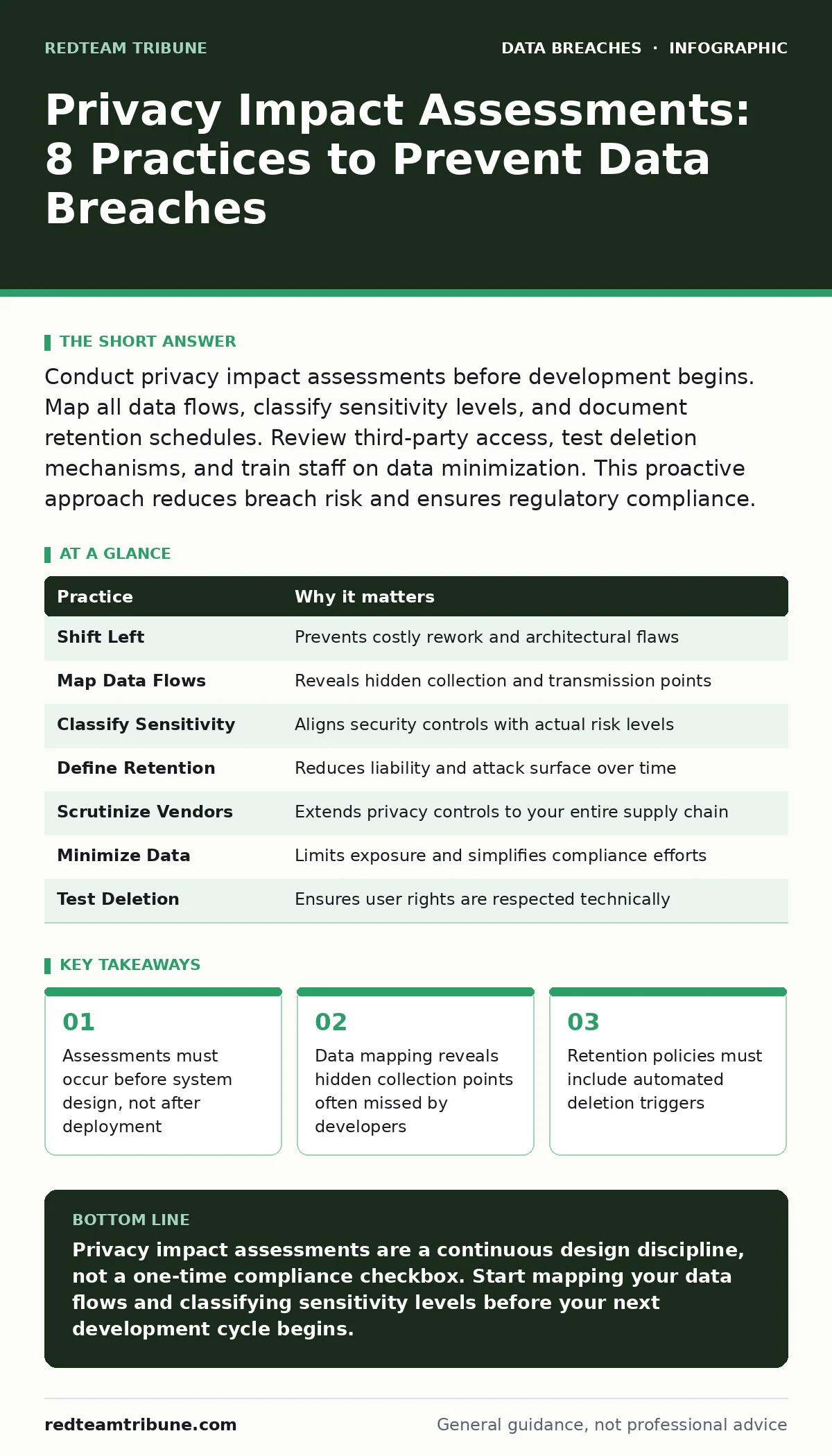
Conduct privacy impact assessments before development begins. Map all data flows, classify sensitivity levels, and document retention schedules. Review third-party access, test deletion mechanisms, and train staff on data minimization. This proactive approach reduces breach risk and ensures regulatory compliance.
Shift Left in the Development Lifecycle
Traditional security reviews often happen after a system is built. This creates a costly cycle of remediation where privacy flaws are baked into the code. You should integrate privacy impact assessments into the initial design phase. This approach, known as privacy by design, prevents structural weaknesses that are expensive to fix later.
When you evaluate a system before writing code, you can choose architectures that naturally limit data exposure. Suppose a team plans to build a customer portal. If privacy is considered early, the team might decide to store only hashed identifiers instead of full names. This decision reduces the impact of a potential breach significantly.
Map Every Data Flow Explicitly
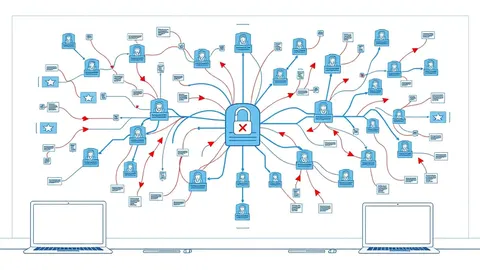
Developers often focus on the primary function of an application. They forget about telemetry, analytics, and background processes that also collect information. You must create a detailed map of every data element entering and leaving your environment. Include metadata, logs, and temporary cache files in this map.
Hidden data flows are a common source of exposure. An application might send diagnostic data to a cloud provider that includes more personal information than intended. By mapping these flows, you identify where data resides and who can access it. This visibility is the foundation of any effective risk assessment.
Classify Data by Sensitivity Level
Not all data carries the same risk. Treating a public email address the same as a medical record wastes resources and creates confusion. You need a clear classification scheme that defines sensitivity levels. Assign each data element a label such as public, internal, confidential, or restricted.
This classification drives your security controls. Restricted data requires encryption at rest and in transit, while public data may not. It also determines who can access the information. Without clear labels, employees may inadvertently expose sensitive records through standard sharing channels.
Define Strict Retention and Deletion Policies
Keeping data longer than necessary increases your liability. You must define how long each data type is retained and why. Link this policy to automated deletion mechanisms. Manual deletion is prone to error and often fails during audits.
Consider the hidden cost of storage. Old data often lacks the security controls applied to current systems. It sits in backups or archives that are rarely monitored. When a breach occurs, attackers often target these neglected repositories. Automated deletion ensures that expired data is removed consistently.
Related guidance on backup data exposure can help you secure the copies you must keep.
Scrutinize Third-Party Vendor Access
Your security posture is only as strong as your weakest partner. Vendors often require broad access to provide services. You must assess their privacy practices with the same rigor applied to your own systems. Review their contracts for data usage clauses and breach notification requirements.
Imagine a cloud storage provider that uses your data for machine learning training. If you did not explicitly prohibit this in your contract, you may have lost control of that information. Verify that vendors delete data when the service ends. Do not rely on their marketing claims; demand technical evidence of their controls.
See also: MITRE D3FEND: Map Defenses to Stop Attacks Today · Prevent Cloud Storage Leaks: Configuration Hardening Steps
Implement Data Minimization by Default
Collecting data "just in case" is a dangerous habit. You should limit collection to the minimum amount necessary to achieve the specific business purpose. This principle reduces the attack surface and simplifies compliance. If you do not have the data, you cannot lose it.
Review your forms and inputs critically. Do you really need a date of birth for a newsletter subscription? Removing unnecessary fields reduces the burden on your users and your security team. It also aligns with modern privacy regulations that penalize excessive collection.
Test Deletion and Portability Mechanisms
Users have the right to request deletion or export of their data. Many systems fail to handle these requests correctly. You must test these features regularly to ensure they work end-to-end. A broken deletion process can lead to legal penalties and loss of trust.
Suppose a user requests account closure. Does the system delete all associated records, or does it leave orphaned data in the database? Does it remove data from backups within a reasonable timeframe? Testing these scenarios reveals gaps in your automation.
Train Staff on Data Handling Procedures
Technology alone cannot prevent breaches. Employees make decisions about data every day. You must provide regular training on privacy principles and data handling procedures. Focus on real-world scenarios rather than abstract rules.
Training should cover how to recognize phishing attempts that target personal data. It should also explain how to handle data requests from customers. When staff understand the "why" behind privacy rules, they are more likely to follow them. This human layer is your last line of defense.
Proper user access provisioning ensures that staff only see the data they need to do their jobs.
Summary of Practices
| Practice | Why it matters |
|---|---|
| Shift Left | Prevents costly rework and architectural flaws |
| Map Data Flows | Reveals hidden collection and transmission points |
| Classify Sensitivity | Aligns security controls with actual risk levels |
| Define Retention | Reduces liability and attack surface over time |
| Scrutinize Vendors | Extends privacy controls to your entire supply chain |
| Minimize Data | Limits exposure and simplifies compliance efforts |
| Test Deletion | Ensures user rights are respected technically |
| Train Staff | Addresses the human element of data protection |
Key takeaways
- Assessments must occur before system design, not after deployment
- Data mapping reveals hidden collection points often missed by developers
- Retention policies must include automated deletion triggers
- Third-party vendors require the same scrutiny as internal systems
Privacy impact assessments are a continuous design discipline, not a one-time compliance checkbox. Start mapping your data flows and classifying sensitivity levels before your next development cycle begins.
Frequently asked questions
How often should I repeat a privacy impact assessment?
Repeat the assessment whenever you change data processes, add new technologies, or after a significant security incident. Annual reviews are a minimum baseline.
Who is responsible for conducting the assessment?
A cross-functional team including legal, security, and engineering leads should conduct the assessment. Privacy officers provide oversight but cannot assess technical risks alone.
What if we use third-party software?
You must still assess how the software handles your data. Review vendor documentation and contracts to ensure their practices align with your privacy requirements.
Does this apply to internal employee data?
Yes. Employee data is often as sensitive as customer data. Apply the same classification and retention rules to HR systems and internal directories.
How this guide was produced: written by the RedTeam Tribune editorial team with AI assistance, checked against the public references listed below, and reviewed when the facts change. See our editorial policy or report an error.