Secure File Sharing for Small Business: Protect Data Without Enterprise Costs
Most small business data leaks occur not through hacking, but through unencrypted emails and insecure cloud links that bypass your security controls entirely.

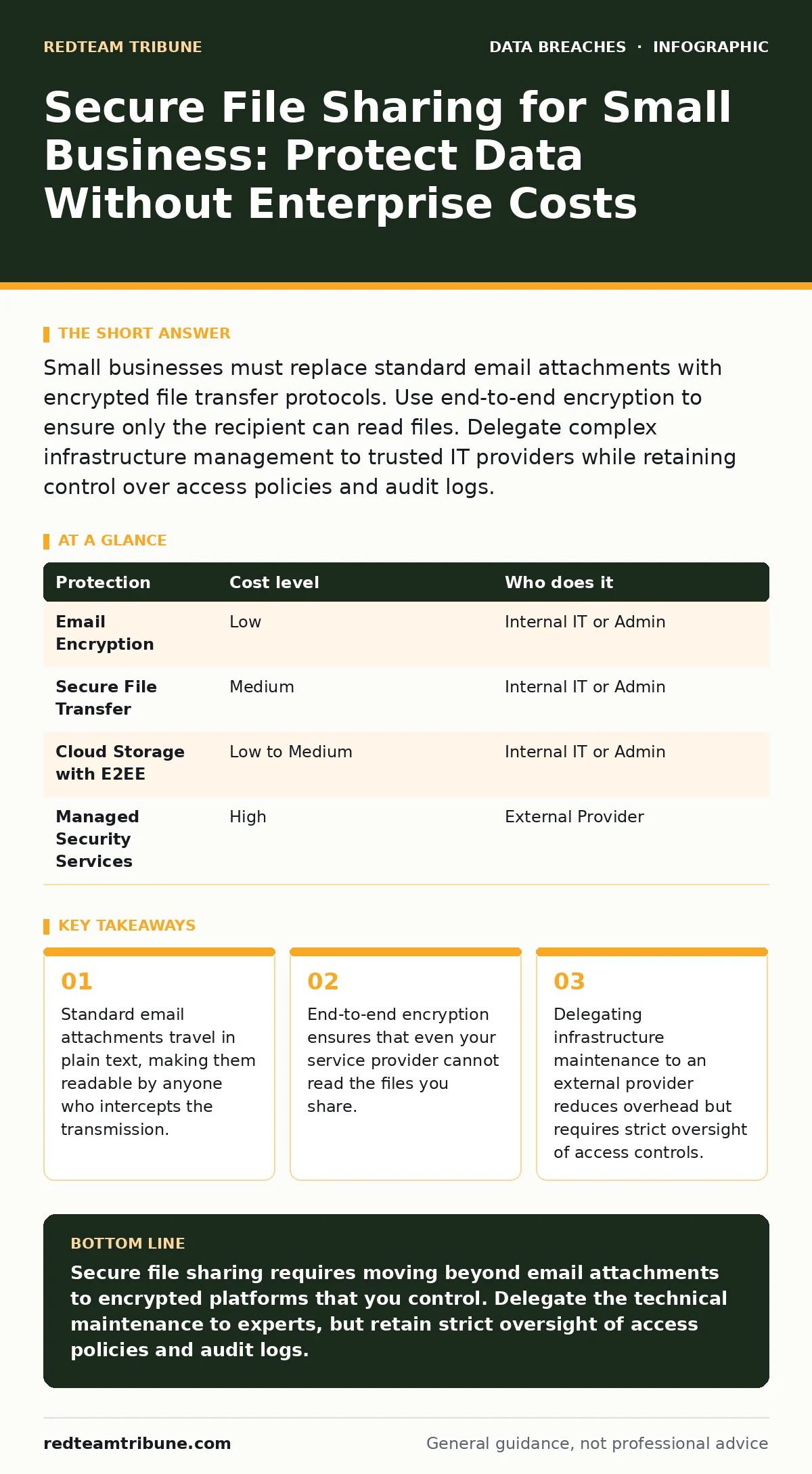
Small businesses must replace standard email attachments with encrypted file transfer protocols. Use end-to-end encryption to ensure only the recipient can read files. Delegate complex infrastructure management to trusted IT providers while retaining control over access policies and audit logs.
The Hidden Risk of Convenience
Small teams often rely on email because it is familiar. You send a file, the recipient gets it, and the task is done. This convenience hides a significant structural weakness. Standard email protocols do not encrypt the body of the message or its attachments by default. The data travels in plain text across multiple servers.
When you attach a file to an email, you lose control over who can read it once it leaves your outbox. The recipient can forward it, print it, or save it to an unsecured device. You have no way to recall the file or verify that only the intended person opened it. This lack of control is the primary vector for data exposure in small organizations.
Why Encryption Is Non-Negotiable
Encryption transforms readable data into scrambled code that requires a specific key to unlock. Without this key, the data is useless to anyone who intercepts it. For file sharing, you need end-to-end encryption. This means the file is encrypted on your device before it leaves your network and remains encrypted until it reaches the recipient’s device.
The service provider hosting the files sees only scrambled data. They cannot read your documents, nor can attackers who breach the provider’s servers. This shifts the risk from the transport layer to the endpoint layer. You must ensure the recipient has a secure environment, but at least the data in transit and at rest is protected.
Affordable Protection Strategies
You do not need expensive enterprise software to achieve high security. Many open standards and commercial tools offer strong encryption at a low cost. The goal is to move away from email attachments and toward dedicated transfer protocols. Look for solutions that support TLS (Transport Layer Security) for data in transit and AES (Advanced Encryption Standard) for data at rest.
Consider using a secure file transfer platform that generates expiring links. These links allow you to set a password and a time limit for access. Once the time expires or the file is downloaded, the link becomes invalid. This limits the window of opportunity for attackers. It also reduces the clutter of stale data sitting on servers.
| Protection | Cost level | Who does it |
|---|---|---|
| Email Encryption | Low | Internal IT or Admin |
| Secure File Transfer | Medium | Internal IT or Admin |
| Cloud Storage with E2EE | Low to Medium | Internal IT or Admin |
| Managed Security Services | High | External Provider |
What to Delegate to Experts
Managing encryption keys and maintaining secure infrastructure is complex. If you lack dedicated IT staff, you should delegate the technical implementation to a managed service provider. They handle the software updates, server patches, and network monitoring. This frees you to focus on business operations rather than technical maintenance.
However, delegation does not mean abdication. You must retain control over the policies. Who gets access to the files? How long are they kept? Who can approve new users? These decisions remain yours. A provider can set up the fence, but you must decide who gets the key.
Questions for Your IT Provider
Before handing over your file sharing infrastructure, ask specific questions. Vague promises of "security" are not enough. You need to know the mechanics of their protection. Ask about their incident response plan. What happens if their servers are compromised? How do they notify you?
Ask about their data retention policies. How long do they keep deleted files? Can they recover data for law enforcement without a warrant? These questions reveal the provider’s commitment to privacy and their legal obligations. If they cannot answer clearly, look elsewhere.
- How is data encrypted at rest and in transit?
- Do you hold the decryption keys, or do we?
- What is your process for rotating encryption keys?
- How do you handle access revocation for former employees?
- Can you provide an audit log of all file access?
See also: Prevent Cloud Storage Leaks: Configuration Hardening Steps · Data Inventory and Mapping: How to Track What You Cannot See
The Cost of Over-Engineering
Small businesses often try to implement complex security measures that they cannot maintain. You might buy a sophisticated data loss prevention tool but fail to configure it correctly. This creates a false sense of security. The system alerts you to violations, but you lack the time to investigate them.
Simplicity is a security feature. The best security measure is the one you actually use. If the secure file sharing process is too difficult, employees will bypass it. They will use personal email or unsecured cloud drives. This is known as shadow IT. It undermines all your other security efforts.
Integrating with Identity Security
File sharing is only as secure as the identity accessing it. If an attacker steals a user’s password, they can access shared files. You must implement multi-factor authentication for all accounts that handle sensitive data. This adds a second layer of verification, such as a code from a phone app.
This relates directly to password rotation policies. Changing passwords frequently can be tedious, but it limits the window of opportunity for attackers who have stolen credentials. Combine this with mobile device management to ensure that devices accessing shared files are secure and compliant.
Monitoring and Response
Even with strong encryption, mistakes happen. You might send a file to the wrong person, or an employee might leave a device unattended. You need a way to detect these incidents quickly. Monitor access logs for unusual activity. Look for large downloads or access from unfamiliar locations.
If you suspect a breach, act immediately. Revoke access to the files and change passwords. Investigate the scope of the exposure. This process is part of breach notification requirements. You must know what data was exposed and who it belonged to. Delaying this response can lead to legal penalties and loss of trust.
Key takeaways
- Standard email attachments travel in plain text, making them readable by anyone who intercepts the transmission.
- End-to-end encryption ensures that even your service provider cannot read the files you share.
- Delegating infrastructure maintenance to an external provider reduces overhead but requires strict oversight of access controls.
Secure file sharing requires moving beyond email attachments to encrypted platforms that you control. Delegate the technical maintenance to experts, but retain strict oversight of access policies and audit logs.
Frequently asked questions
Is end-to-end encryption different from standard encryption?
Yes. Standard encryption protects data while it travels between servers. End-to-end encryption ensures data is scrambled on your device and only unscrambles on the recipient’s device, meaning the service provider cannot read it.
Can I use free cloud storage for secure file sharing?
Free services often scan your files for advertising or security purposes, which means they can access your data. They also lack the advanced access controls and audit logs needed for business compliance.
How often should I review my file sharing permissions?
You should review permissions quarterly or whenever an employee leaves the company. Immediate revocation of access for departing staff is critical to prevent unauthorized data retrieval.
What if my IT provider goes out of business?
Ensure you have the ability to export your data in a standard format. Verify that you own the encryption keys so you can decrypt and move your files to a new provider without losing access.
How this guide was produced: written by the RedTeam Tribune editorial team with AI assistance, checked against the public references listed below, and reviewed when the facts change. See our editorial policy or report an error.