Phishing Kits: How Attackers Clone Your Brand in Minutes
Modern phishing kits automate the creation of convincing login pages, turning a simple email click into an immediate credential theft event for small teams.
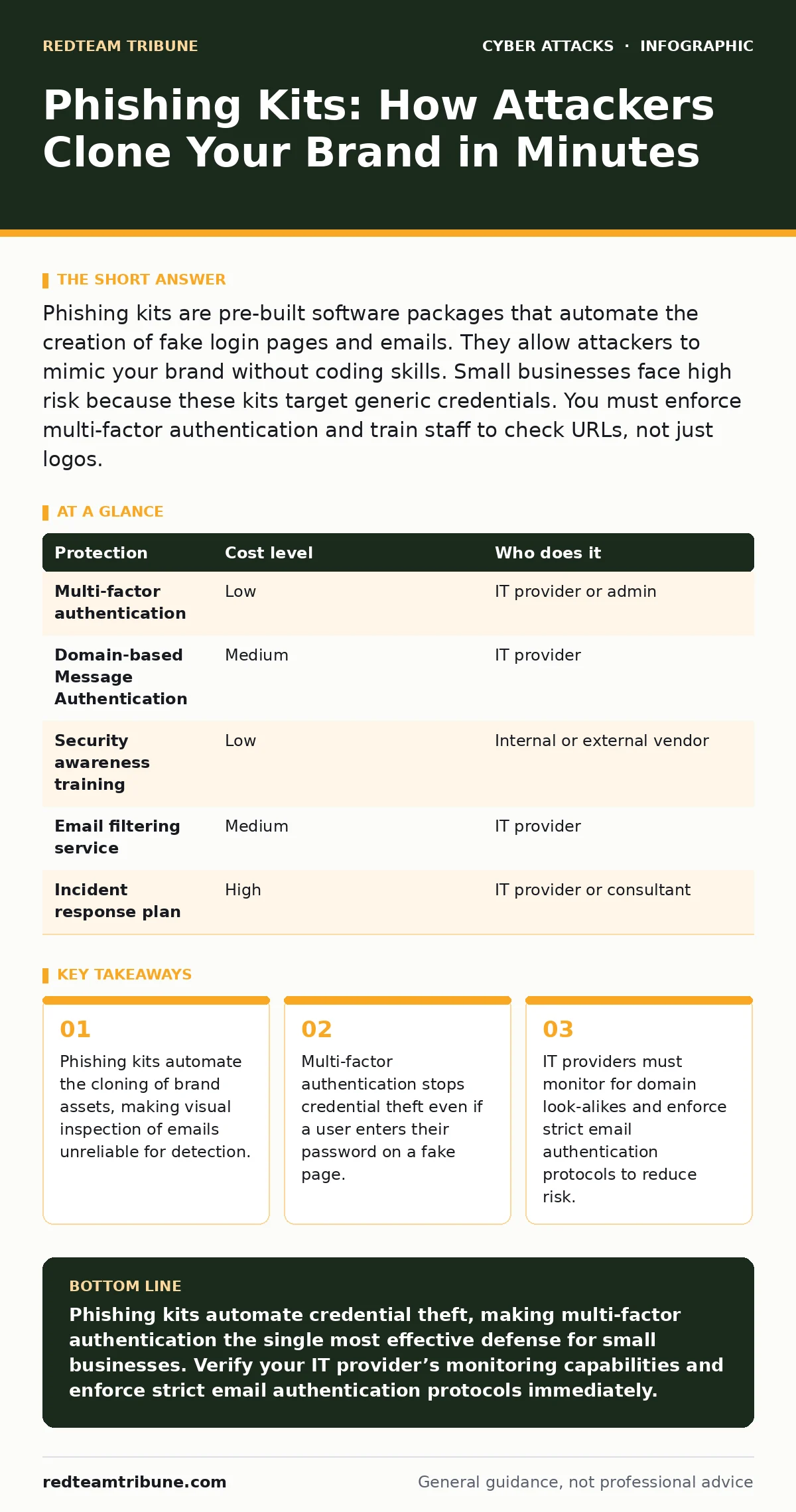
Phishing kits are pre-built software packages that automate the creation of fake login pages and emails. They allow attackers to mimic your brand without coding skills. Small businesses face high risk because these kits target generic credentials. You must enforce multi-factor authentication and train staff to check URLs, not just logos.
How Phishing Kits Automate Social Engineering
Phishing kits are downloadable archives containing HTML templates, CSS styles, and JavaScript code. Attackers use these kits to create fake websites that mirror legitimate services. The kits often include scripts that capture form data and redirect users to the real site after login. This redirection makes the theft harder to detect.
The automation removes the need for technical skill. An attacker can deploy a convincing fake login page in minutes. The kit handles the visual consistency. It ensures the fake page looks identical to the target service. This speed allows attackers to pivot quickly if one domain is taken down.
Small organizations are primary targets. They often lack dedicated security teams. They rely on standard email filters that may not catch sophisticated visual clones. The kits exploit trust in familiar brands. Users see a known logo and lower their guard. The visual fidelity of modern kits makes this deception highly effective.
The Mechanics of Credential Harvesting
When a user enters credentials on a phishing page, the data is sent to a server controlled by the attacker. The kit’s JavaScript captures this input. It may log the IP address and browser details. Some kits include a delay before redirecting to the real site. This delay masks the theft.
The attacker gains immediate access to the account. They can reset passwords, enable forwarding rules, or access sensitive data. The victim may not notice the breach for days. The attacker uses the stolen credentials to move laterally. They may target other accounts in the organization.
This process bypasses password complexity requirements. A strong password offers no protection if entered on a fake site. The security failure is not the password strength. It is the lack of a second verification step. The kit exploits the single point of failure in traditional login systems.
Why Visual Inspection Fails
Relying on logos and layout to detect phishing is ineffective. Phishing kits include high-resolution assets. They copy the exact branding of the target service. The fake page may even include dynamic content. It might show the user’s actual email address or recent activity.
Attackers use subdomain typosquatting. They register domains that look similar to legitimate ones. A single character difference may be invisible to a hurried user. The kit often generates multiple domain variations. This makes manual checking of URLs tedious and error-prone.
Hovering over links helps, but it is not foolproof. Some kits use URL shorteners. Others use legitimate URL forwarding services. The final destination may only be revealed after multiple clicks. Users must be trained to verify the domain directly. They should type the URL into a new browser tab.
Protection Layers for Small Teams
| Protection | Cost level | Who does it |
|---|---|---|
| Multi-factor authentication | Low | IT provider or admin |
| Domain-based Message Authentication | Medium | IT provider |
| Security awareness training | Low | Internal or external vendor |
| Email filtering service | Medium | IT provider |
| Incident response plan | High | IT provider or consultant |
Multi-factor authentication is the most effective defense. It requires a second form of verification. This step stops attackers who only have stolen passwords. The second factor is usually a code from a phone or a hardware token. It is not something the attacker can guess or steal via a phishing kit.
Email authentication protocols add another layer. These protocols verify that an email comes from a legitimate source. They prevent attackers from spoofing your domain. They also help identify emails that impersonate your brand. Proper configuration requires technical expertise.
Training reduces human error. It teaches users to recognize suspicious behavior. It emphasizes checking URLs and sender addresses. Training must be ongoing. New phishing techniques emerge regularly. Static training materials become outdated quickly.
What to Ask Your IT Provider
You need to verify that your provider understands modern phishing threats. Ask specific questions about their monitoring and response capabilities. Do not accept generic assurances about security. Demand details on their processes.
- How do you detect and block emails containing phishing kit links?
- What is your process for investigating a suspected phishing incident?
- Do you monitor for domain look-alikes that mimic our brand?
- How do you enforce multi-factor authentication across all accounts?
- What is the average time to contain a credential theft event?
- Do you provide regular security awareness training for staff?
- How do you handle account lockout policies to prevent brute force?
These questions reveal the depth of their service. A provider who cannot answer clearly may lack the necessary tools. They may rely on basic firewalls that do not inspect email content. You need active monitoring and rapid response.
See also: Domain Spoofing Warning Signs and Immediate Response Steps · How Email Attachment Scanning Works: The Hidden Mechanics
The Hidden Cost of Delayed Detection
Delayed detection increases the damage. Attackers use stolen credentials to access cloud storage. They may exfiltrate customer data or intellectual property. The longer they have access, the more data they steal.
Recovery is costly and time-consuming. You must reset passwords for all affected accounts. You may need to revoke access tokens. You must notify customers if their data was exposed. This damages your reputation.
Prevention is cheaper than remediation. Investing in multi-factor authentication and training reduces risk. It limits the impact of successful phishing attempts. Do not wait for a breach to act. Proactive measures save resources and trust.
Integrating with Broader Security Practices
Phishing defense must align with other security measures. Review your account lockout policies. Ensure they balance security and usability. Too strict policies cause operational disruption. Too lenient policies allow brute force attacks.
Monitor for DNS hijacking attempts. Attackers may try to redirect your domain to malicious sites. This complements phishing defense. It protects your brand identity. Implement strict access controls. Limit who can change DNS settings.
Consider the role of security operations centers. They provide 24/7 monitoring. They detect anomalies in real-time. For small businesses, managed detection services offer similar benefits. They provide expertise without the overhead of an in-house team.
Moving Beyond Basic Defenses
Basic defenses are no longer sufficient. Attackers adapt quickly. They update their kits to bypass filters. They use AI to generate convincing text. You must stay ahead of these changes.
Regular audits are necessary. Review your security posture quarterly. Test your incident response plan. Simulate phishing attacks to measure staff readiness. Identify gaps and address them promptly.
Collaborate with your IT provider. Share threat intelligence. Report suspicious emails immediately. Early reporting helps them block threats faster. It protects the entire community. Security is a shared responsibility.
Key takeaways
- Phishing kits automate the cloning of brand assets, making visual inspection of emails unreliable for detection.
- Multi-factor authentication stops credential theft even if a user enters their password on a fake page.
- IT providers must monitor for domain look-alikes and enforce strict email authentication protocols to reduce risk.
Phishing kits automate credential theft, making multi-factor authentication the single most effective defense for small businesses. Verify your IT provider’s monitoring capabilities and enforce strict email authentication protocols immediately.
Frequently asked questions
Can antivirus software stop phishing kits?
Antivirus software detects malicious files but often misses phishing emails. It does not prevent users from entering credentials on fake websites. You need email filtering and user training.
Is multi-factor authentication enough?
MFA stops most credential theft but does not prevent all attacks. Attackers may use session hijacking or social engineering. Combine MFA with email authentication and user training for better protection.
What should I do if I click a phishing link?
Change your password immediately. Enable multi-factor authentication if not already active. Report the incident to your IT provider. Monitor your account for unusual activity.
How this guide was produced: written by the RedTeam Tribune editorial team with AI assistance, checked against the public references listed below, and reviewed when the facts change. See our editorial policy or report an error.