Insider Threats: Why Small Teams Bleed Data and How to Stop It
Most data exfiltration starts with a legitimate user account that lacks granular access controls, turning everyday workflows into silent leaks.
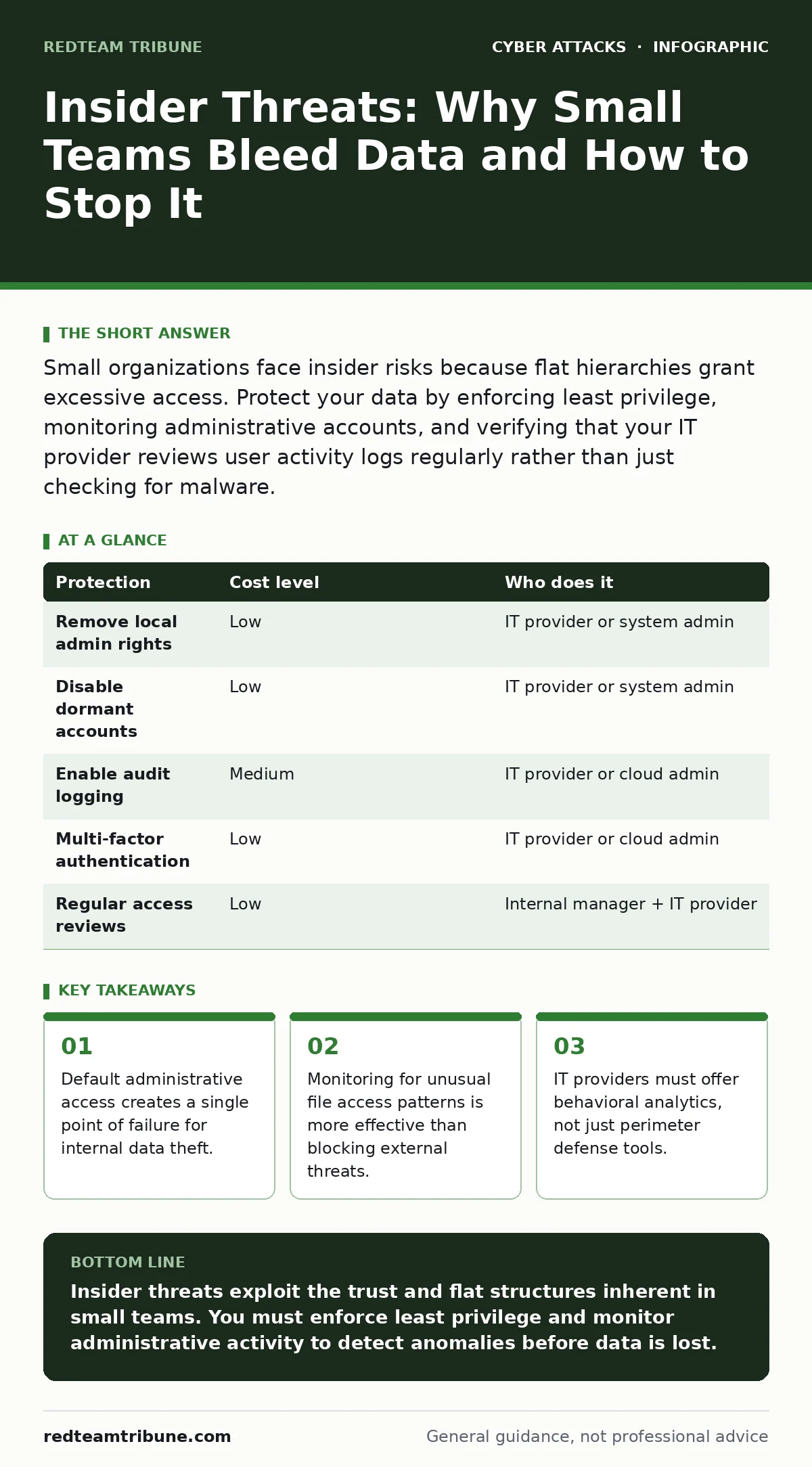
Small organizations face insider risks because flat hierarchies grant excessive access. Protect your data by enforcing least privilege, monitoring administrative accounts, and verifying that your IT provider reviews user activity logs regularly rather than just checking for malware.
The Illusion of Safety in Small Teams
Small organizations often believe their size protects them from sophisticated cyber attacks. This assumption fails when the threat comes from inside the office. In a team of ten, trust replaces technical controls. Employees share passwords to collaborate quickly. They grant each other administrative privileges to bypass slow approval processes.
This culture of convenience creates a hidden vulnerability. An insider threat does not require malicious intent to cause damage. A careless employee clicking a link in an adversary-in-the-middle phishing email can compromise the entire network. Because small teams rarely use network segmentation, one infected device allows an attacker to move freely across all systems.
The risk is not just about disgruntled staff. It is about the lack of barriers. When every user can access every file, a single compromised account gives an attacker full visibility. You cannot protect data that everyone can read.
Why Flat Hierarchies Leak Data
Large corporations use complex structures to limit data exposure. Small businesses operate with flat hierarchies. This efficiency becomes a security liability. In a flat structure, the difference between a viewer and an editor is often just a shared folder permission.
Consider the principle of least privilege. This concept states that users should only have access to the data necessary for their specific job. Most small teams ignore this. The marketing manager needs access to client lists, but also to financial records because "someone has to approve the invoice."
This overlap allows lateral movement. If an attacker compromises the marketing manager’s account, they can pivot to financial data. They do not need to break new defenses. They simply use the existing, excessive permissions. The cost of enforcing strict access controls feels high to small teams, but the cost of a breach is far greater.
Low-Cost Protections That Actually Work
You do not need expensive software to mitigate insider risks. Many protections rely on process changes rather than new tools. The first step is removing local administrator rights from standard user accounts. This prevents users from installing unauthorized software or changing system settings.
Second, implement mandatory password changes for service accounts. These are accounts used by applications or services to access data. They often have high privileges and are rarely monitored. If a service account credential is stolen, the attacker can operate silently for months.
Third, disable unused accounts immediately. Former employees, contractors, and interns often leave behind active credentials. These dormant accounts are prime targets for attackers. They are rarely monitored because no one is actively using them.
| Protection | Cost level | Who does it |
|---|---|---|
| Remove local admin rights | Low | IT provider or system admin |
| Disable dormant accounts | Low | IT provider or system admin |
| Enable audit logging | Medium | IT provider or cloud admin |
| Multi-factor authentication | Low | IT provider or cloud admin |
| Regular access reviews | Low | Internal manager + IT provider |
The Hidden Cost of Trust
Trust is a cultural asset, but it is a security liability. When you trust employees implicitly, you skip verification steps. You do not check who accessed sensitive files. You do not verify why a user downloaded large amounts of data at midnight.
This lack of verification creates a blind spot. You cannot detect an insider threat if you are not looking for it. Most small businesses focus their security budget on firewalls and antivirus software. These tools protect against external attackers. They do nothing to stop an employee with legitimate access from copying data.
You must shift your mindset. Security is not just about keeping strangers out. It is about verifying that everyone inside is doing what they are supposed to do. This requires logging and monitoring. It requires asking questions when behavior changes.
What to Ask Your IT Provider
Your IT provider is your first line of defense. However, many providers focus on uptime and basic connectivity. They may not prioritize insider threat detection. You need to verify their capabilities.
Ask them how they monitor administrative accounts. These accounts have the power to bypass many security controls. If your provider cannot show you logs of admin activity, you are flying blind.
Ask them about their process for offboarding employees. When staff leave, their access must be revoked immediately. Not in an hour. Not the next day. Immediately. Delays allow former employees to exfiltrate data or set up backdoors.
Also, inquire about their approach to MFA fatigue attacks. Attackers may spam a user with push notifications until they approve one by mistake. Your provider should have policies to limit this risk.
- How do you monitor administrative account activity?
- What is your immediate response process when an employee is terminated?
- Do you review user access rights quarterly?
- How do you detect unusual file access patterns?
- Can you provide a sample report of user activity logs?
See also: How to Write an Access Control Policy That Stops Broken Access Control
Monitoring Without Paranoia
Monitoring insider activity can feel invasive. You must balance security with privacy. The goal is not to watch every keystroke. It is to identify anomalies.
Focus on data movement. Normal users access files relevant to their job. They do not download entire databases. They do not access files from departments they do not work in. These are anomalies.
Use automated tools to flag these behaviors. Do not rely on manual checks. Humans miss patterns. Software does not. When a flag is raised, investigate. It may be a mistake. It may be a legitimate business need. Or it may be a threat.
The Role of External Verification
Internal teams often miss their own blind spots. An external perspective can identify gaps you have normalized. This is why security operations centers are valuable for larger enterprises, but small teams can still benefit from external audits.
Your IT provider should offer regular reviews. These are not just technical checks. They are process reviews. They verify that your policies are being followed. They check that access rights are still appropriate.
Do not wait for a breach to test your defenses. Conduct regular tabletop exercises. Imagine a scenario where an employee steals data. Walk through your response. Identify where you failed. Fix those gaps before they are exploited.
Final Steps for Immediate Protection
Review your current access controls. Identify accounts with excessive privileges. Reduce them. Enable logging for all critical systems. Verify that your IT provider is collecting and reviewing these logs.
Train your staff on the risks of insider threats. Not just malicious actors, but careless ones. Explain how their actions can compromise the business. Make security a shared responsibility.
Key takeaways
- Default administrative access creates a single point of failure for internal data theft.
- Monitoring for unusual file access patterns is more effective than blocking external threats.
- IT providers must offer behavioral analytics, not just perimeter defense tools.
Insider threats exploit the trust and flat structures inherent in small teams. You must enforce least privilege and monitor administrative activity to detect anomalies before data is lost.
Frequently asked questions
How do I distinguish between a curious employee and a malicious insider?
Focus on the volume and type of data accessed. Curiosity is usually random and limited. Malicious intent often involves systematic copying or accessing unrelated data sets.
Is it legal to monitor employee computer activity?
Laws vary by jurisdiction. Generally, you can monitor company-owned devices used for work. Always consult legal counsel and inform employees about monitoring policies to maintain trust and compliance.
Can multi-factor authentication stop insider threats?
MFA protects against stolen credentials. It does not stop an employee who legitimately logs in and then misuses their access. You need access controls and monitoring in addition to MFA.
How often should I review user access rights?
Review access rights quarterly or whenever an employee changes roles. Immediate review is required upon termination or significant role changes to prevent unauthorized access.
How this guide was produced: written by the RedTeam Tribune editorial team with AI assistance, checked against the public references listed below, and reviewed when the facts change. See our editorial policy or report an error.