MFA Fatigue Attacks: Step-by-Step Breakdown and Defense
Attackers exploit the psychological pressure of repeated notifications to force users into approving access requests they would normally reject.
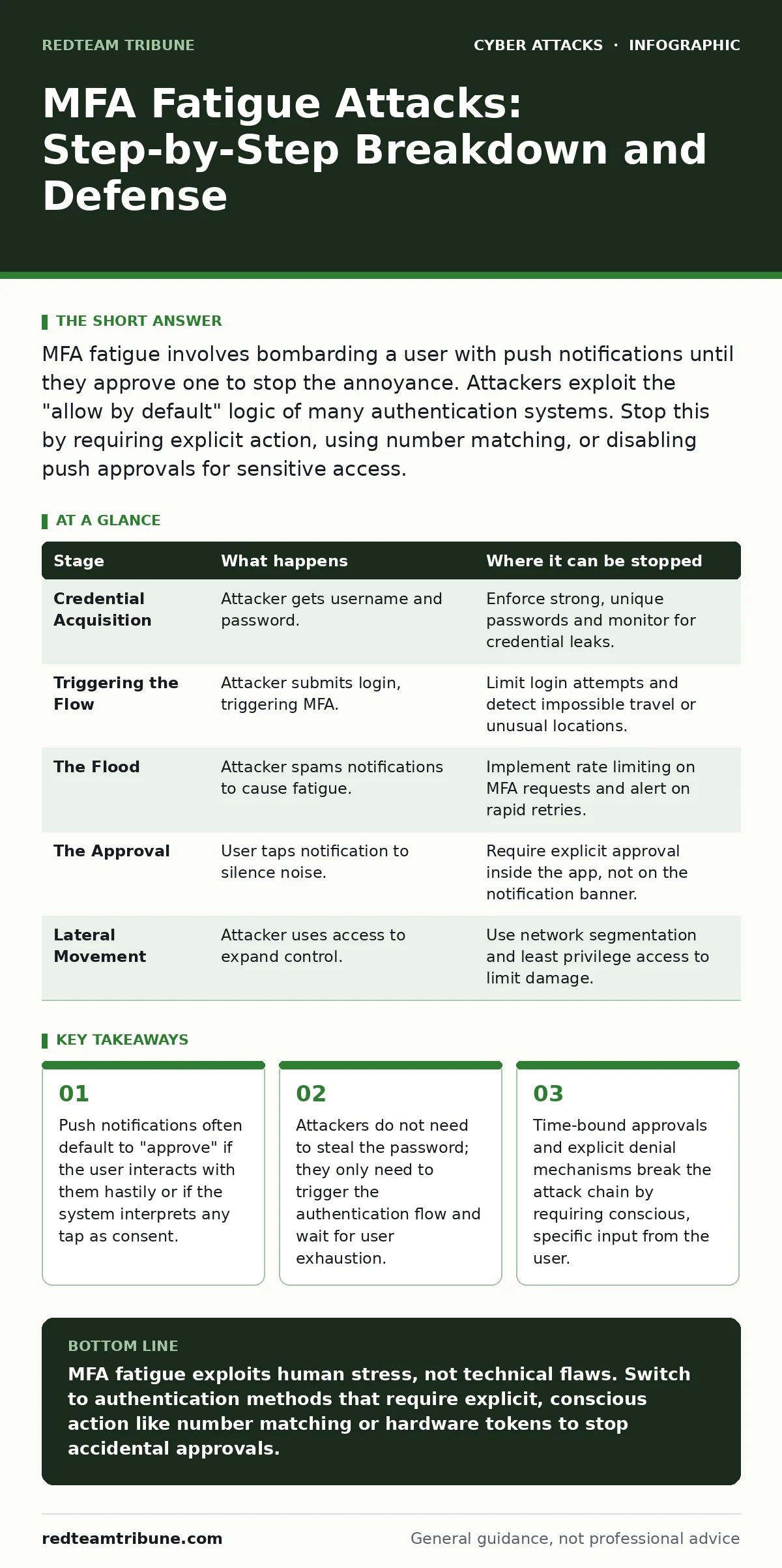
MFA fatigue involves bombarding a user with push notifications until they approve one to stop the annoyance. Attackers exploit the "allow by default" logic of many authentication systems. Stop this by requiring explicit action, using number matching, or disabling push approvals for sensitive access.
The Psychology of Notification Exhaustion
Multi-factor authentication is designed to add a layer of defense by requiring something you have, like a phone, in addition to something you know, like a password. However, the convenience of push-based approval introduces a human vulnerability. Attackers exploit the natural desire to silence a persistent noise. When a phone buzzes repeatedly, the brain seeks the quickest path to resolution. That path is often tapping the screen without reading the details. This behavior is not a sign of negligence; it is a predictable physiological response to sensory overload.
The attacker does not need sophisticated malware to initiate this. They only need to trigger the login request. The flaw lies in the design of the authentication prompt itself. Many systems treat any interaction with the notification as a positive signal. Even if the user intends to dismiss it, a misdirected tap can grant access. The attacker relies on this ambiguity. They flood the user with requests, hoping that fatigue will override caution.
Stage 1: Credential Acquisition
The attack begins with the attacker obtaining a valid username and password. This can happen through various methods. They might find the credentials in a data breach dump available on the dark web. They might guess a weak password that matches common patterns. They might use domain spoofing to trick the user into revealing their login details on a fake website. The specific method of acquisition matters less than the fact that they have the first factor. Without the password, the authentication flow never starts, and the fatigue attack is impossible.
Stage 2: Triggering the Authentication Flow
With the credentials in hand, the attacker attempts to log in to the target account. They enter the username and password on the legitimate service’s login page. The service validates these credentials and then sends a second-factor request to the registered device. This is usually a push notification to a smartphone app or a text message. The user’s phone lights up. The attack has now shifted from the server to the user’s pocket. The attacker’s goal is to make the user respond.
Stage 3: The Flood
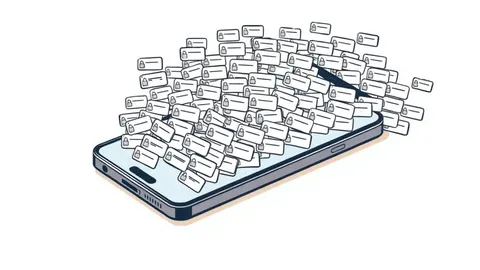
The attacker does not wait for a response. They know the user might ignore the first notification. They know the user might be in a meeting, asleep, or driving. Instead of waiting, the attacker rapidly re-submits the login attempt. This generates a new notification every few seconds. The phone buzzes, rings, or flashes repeatedly. The volume and frequency increase. The user feels pressured to stop the disturbance. This phase can last for minutes or hours. The attacker is patient. They are betting on the user’s need for peace.
Stage 4: The Accidental Approval
The user finally picks up the phone to silence the noise. In the rush to stop the buzzing, they tap the notification. Many authentication apps are designed with a "quick approve" feature. A single tap on the notification body often triggers the approval. The user may have intended to dismiss it or to open the app to read the context. But the system registers the tap as consent. The authentication token is generated. The attacker’s session is now active. The user is left with a quiet phone, unaware that their account is compromised.
Stage 5: Lateral Movement
The attacker now has access to the target account. They do not just steal data immediately. They often look for more access. If the account has administrative privileges, they may try to reset other users’ passwords. They may install persistence mechanisms to ensure they can return even if the MFA settings change. This stage turns a single compromised account into a broader security incident. The initial fatigue attack was just the key to the door. Now the attacker is inside the house.
Breaking the Chain
Understanding the stages reveals where to interrupt the attack. The most effective break points are at the design level and the user behavior level. Changing how the notification works is the strongest defense. Requiring the user to open the app and explicitly type a code or match a number forces conscious action. It removes the ambiguity of a quick tap.
| Stage | What happens | Where it can be stopped |
|---|---|---|
| Credential Acquisition | Attacker gets username and password. | Enforce strong, unique passwords and monitor for credential leaks. |
| Triggering the Flow | Attacker submits login, triggering MFA. | Limit login attempts and detect impossible travel or unusual locations. |
| The Flood | Attacker spams notifications to cause fatigue. | Implement rate limiting on MFA requests and alert on rapid retries. |
| The Approval | User taps notification to silence noise. | Require explicit approval inside the app, not on the notification banner. |
| Lateral Movement | Attacker uses access to expand control. | Use network segmentation and least privilege access to limit damage. |
Designing for Friction
Security often fights against convenience. MFA fatigue attacks thrive on convenience. To stop them, you must introduce friction. This means making the approval process slightly harder. Asking the user to confirm a transaction ID displayed on the login screen matches the one on their phone adds a step. This step prevents accidental approvals. It also slows down the attacker. If the user has to read and compare numbers, they are less likely to act in a panic.
Another layer of defense is monitoring. Security operations centers can detect patterns of repeated failed MFA attempts followed by a sudden success. This pattern is a strong indicator of a fatigue attack. Alerts should be triggered not just on successful logins, but on the volume of requests. If a user receives ten MFA prompts in an hour, that is an anomaly. It warrants immediate investigation.
The Role of Context
Not all logins are equal. A login from the user’s usual location and device is lower risk. A login from a new country or an unknown IP address is higher risk. MFA systems should adjust their behavior based on this context. For low-risk logins, a quick push might be acceptable. For high-risk logins, the system should demand stronger proof. This might mean disabling push notifications entirely and requiring a hardware token or a generated code.
This contextual approach reduces the attack surface. It makes the fatigue attack less effective because the attacker cannot trigger high-value approvals with low-effort methods. If the attacker has to wait for the user to physically insert a hardware key, the window of opportunity shrinks. The psychological pressure of the buzzing phone is irrelevant if the phone cannot approve the login.
Beyond the Push
Push notifications are not the only vector. Some systems use SMS codes. While these are less susceptible to fatigue because they do not require a tap to approve, they are vulnerable to SIM swapping. Attackers can port the user’s phone number to a new SIM card and intercept the codes. This is a different attack, but it highlights the weakness of relying on a single channel.
Hardware tokens and authenticator apps that generate time-based one-time passwords (TOTP) are more resilient. These require the user to actively look at the phone and type the code. There is no "tap to approve" option. This eliminates the fatigue vector. However, these methods are less convenient. Users must have their phone unlocked and the app open. The trade-off is between security and ease of use.
Incident Response
If a fatigue attack is suspected, immediate action is required. The first step is to disable the compromised account. This stops the attacker from moving laterally. Then, force a password reset. This invalidates any tokens the attacker may have captured. Finally, review the account activity. Look for changes to security settings, new devices, or data exports.
Communication with the user is critical. Explain what happened. Explain that the attack relied on their natural reaction to stress. This is not to blame the user, but to educate them. Teach them to ignore repeated notifications and to verify the source before acting. If the user knows that a flood of notifications is likely an attack, they are more likely to wait and check the app rather than tapping blindly.
Long-Term Resilience
Building resilience against MFA fatigue requires a shift in mindset. Security is not just about blocking attacks; it is about designing systems that account for human behavior. Users will get tired. Users will make mistakes. The system must be robust enough to handle these mistakes without compromising security.
This means moving away from passive approval mechanisms. It means embracing friction where it matters most. It means monitoring for anomalies and responding quickly. By understanding the step-by-step process of the attack, you can identify the weak links and strengthen them. The goal is not to eliminate risk, but to manage it. To make the attacker’s job harder and your users’ lives safer.
Key takeaways
- Push notifications often default to "approve" if the user interacts with them hastily or if the system interprets any tap as consent.
- Attackers do not need to steal the password; they only need to trigger the authentication flow and wait for user exhaustion.
- Time-bound approvals and explicit denial mechanisms break the attack chain by requiring conscious, specific input from the user.
MFA fatigue exploits human stress, not technical flaws. Switch to authentication methods that require explicit, conscious action like number matching or hardware tokens to stop accidental approvals.
Frequently asked questions
How do I know if I am being targeted by an MFA fatigue attack?
If you receive multiple MFA notifications in a short period for logins you did not initiate, you are likely being targeted. Do not approve any of them and report the incident immediately.
Are SMS codes safe from MFA fatigue?
SMS codes are not susceptible to fatigue in the same way because they do not require a tap to approve. However, they are vulnerable to SIM swapping and interception, which are different but serious risks.
Can I disable push notifications entirely?
Yes, you can disable push notifications and rely on TOTP codes or hardware tokens. This increases security by removing the passive approval vector, but it reduces convenience for the user.
What should I do if I accidentally approve a suspicious MFA request?
Immediately change your password and revoke all active sessions. Contact your security team to review account activity for any unauthorized changes or data access.
How this guide was produced: written by the RedTeam Tribune editorial team with AI assistance, checked against the public references listed below, and reviewed when the facts change. See our editorial policy or report an error.