Account Lockout Policies: 6 Hidden Flaws and How to Fix Them
Account lockout policies often create more exposure than they close, turning minor credential errors into severe service disruptions for legitimate users.
Account lockout policies do not stop targeted attacks. They primarily disrupt legitimate users when attackers guess passwords slowly. Misconfigured thresholds cause denial-of-service conditions. You must pair lockouts with step-up authentication and anomaly detection to actually secure accounts without breaking operations.
Misreading: Lockouts Stop Brute Force Attacks
Correct reading: Account lockout policies do not stop determined attackers. A brute force attack tries many passwords rapidly. Most modern systems lock the account after 5 failed attempts. This stops a single automated script. It does not stop an attacker who knows the username. The attacker can wait between attempts. They can spread attempts across many source addresses. The lockout timer resets. The attacker continues guessing at a slow pace. You are not stopping the attack. You are just slowing it down. The attacker has time. They can guess hundreds of passwords per day without triggering a permanent block. This is why lockouts alone are insufficient.
Imagine an attacker targets a remote worker. They use a list of common passwords. They try one password every hour. The account never locks. The attacker eventually finds the correct password. The lockout policy did nothing. The attacker bypassed the defense by controlling the pace. You must detect the pattern, not just the count.
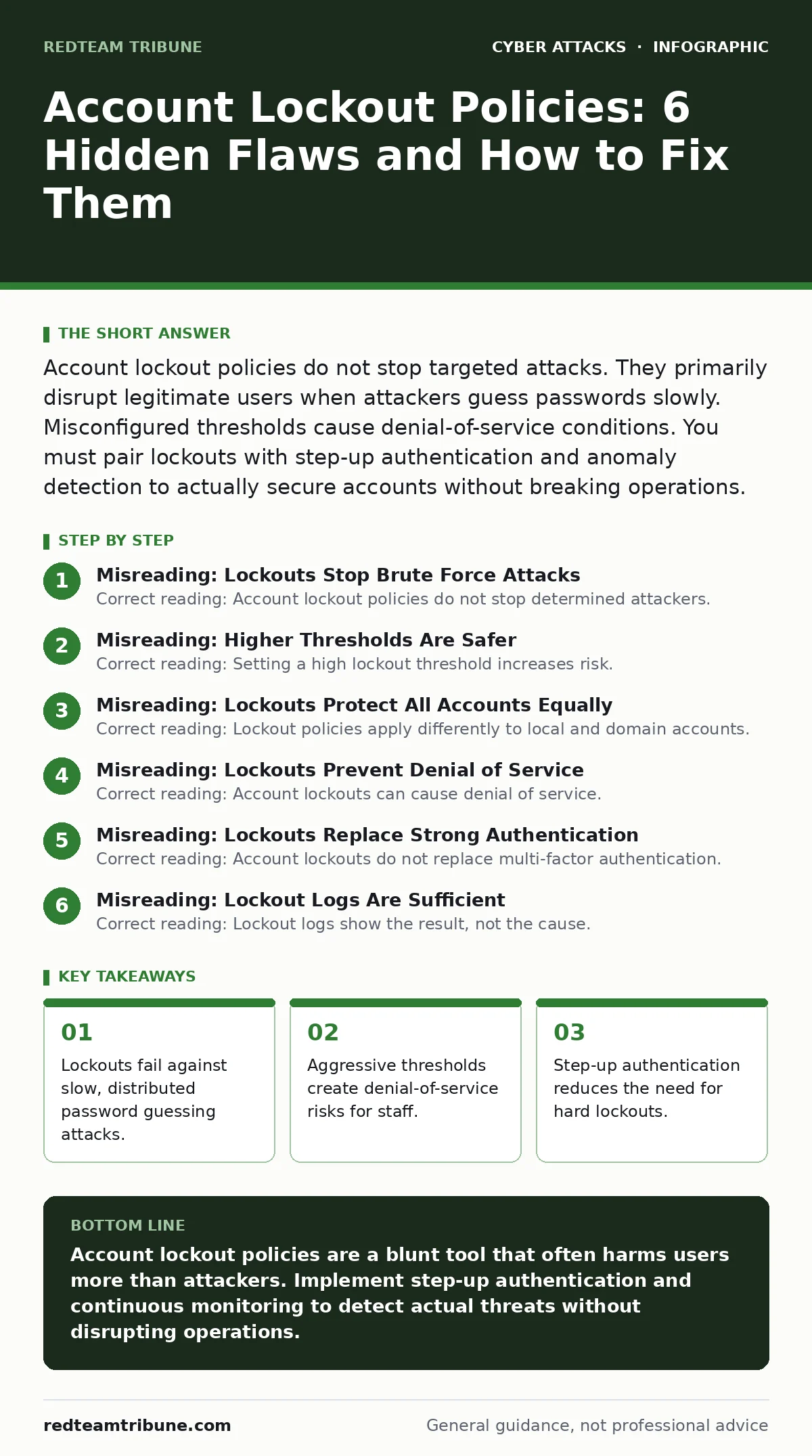
Misreading: Higher Thresholds Are Safer
Correct reading: Setting a high lockout threshold increases risk. A threshold of 10 or 20 attempts seems safe. It reduces false positives. Users rarely hit 10 wrong passwords by accident. However, it gives attackers more guesses. Each guess is a chance to succeed. An attacker with a list of 1,000 common passwords will succeed if your threshold is 20. They will guess 20 passwords per account. They will move to the next account. They will compromise many accounts before you notice. Low thresholds are better for security. High thresholds are better for user experience. You must find the balance. A threshold of 5 is standard. It balances security and usability.
Suppose you set the threshold to 50. An attacker tries 50 passwords. They fail. The account locks for 30 minutes. The attacker waits. They try another 50. This cycle repeats. The attacker compromises the account in two days. The high threshold helped the attacker. It did not help you.
Misreading: Lockouts Protect All Accounts Equally
Correct reading: Lockout policies apply differently to local and domain accounts. In a Windows environment, domain controllers enforce the policy. Local accounts on servers or workstations may not follow the same rules. An attacker can target local administrator accounts. These accounts might have no lockout policy. They might allow unlimited attempts. The attacker gains local access. They then pivot to the network. You think you are protected. You are only protected at the domain level.
You must check local accounts separately. Ensure local admin accounts have strong passwords. Disable unused local accounts. Do not rely on domain policies for local security. This is a common gap. Attackers exploit it frequently.
Misreading: Lockouts Prevent Denial of Service
Correct reading: Account lockouts can cause denial of service. An attacker can trigger lockouts intentionally. They guess a few passwords for a critical account. The account locks. The legitimate user cannot log in. This is a targeted denial of service. The attacker does not need to compromise the account. They only need to lock it. This disrupts business operations. It forces help desk calls. It wastes resources.
Imagine a competitor wants to disrupt your trading system. They lock out the lead trader. The trader cannot access the market. The company loses money. The attacker did not steal data. They just blocked access. This is why lockout policies must include auto-unlock features. The account must unlock after a short period. This limits the damage. It allows the user to recover quickly.
Misreading: Lockouts Replace Strong Authentication
Correct reading: Account lockouts do not replace multi-factor authentication. Lockouts protect against password guessing. They do not protect against stolen passwords. If an attacker has the correct password, the lockout does not trigger. They log in immediately. Multi-factor authentication adds a second layer. It requires something the user has or is. This stops attackers with stolen passwords. Lockouts and MFA serve different purposes. You need both.
Do not disable MFA because you have lockouts. Do not disable lockouts because you have MFA. They work together. Lockouts slow down guessing. MFA stops successful guesses. This layered approach is necessary. It covers different attack vectors.
See also: Implement Password Rotation Without Breaking Access Controls · Implement Access Key Rotation Without Downtime: A Step-by-Step Plan
Misreading: Lockout Logs Are Sufficient
Correct reading: Lockout logs show the result, not the cause. They show that an account locked. They do not show why. Did the user mistype? Did an attacker guess? Did a service account fail? You need more data. You need source IP addresses. You need timestamps. You need correlation. Security operations centers analyze this data. They look for patterns. They detect slow attacks. They identify compromised service accounts.
Suppose an account locks daily. The logs show a lockout. They do not show the pattern. You might think it is user error. It could be a persistent attacker. You need to aggregate logs. You need to analyze trends. This requires effort. It is worth it.
Misreading: Service Accounts Are Safe
Correct reading: Service accounts are vulnerable to lockouts. These accounts run automated processes. They often have static passwords. If the password changes, all services must update. If a service fails to update, it triggers failed attempts. The account locks. Services stop. This causes outages. You must manage service account passwords carefully. Use group-managed service accounts where possible. They rotate passwords automatically. They reduce lockout risk.
Imagine a backup service fails. It tries the old password. It fails 5 times. The account locks. Backups stop. You do not notice for days. You lose data. This is why service accounts need special handling. They are not like user accounts.
Key takeaways
- Lockouts fail against slow, distributed password guessing attacks.
- Aggressive thresholds create denial-of-service risks for staff.
- Step-up authentication reduces the need for hard lockouts.
- Monitoring failed attempts reveals more value than blocking them.
Account lockout policies are a blunt tool that often harms users more than attackers. Implement step-up authentication and continuous monitoring to detect actual threats without disrupting operations.
Frequently asked questions
What is the ideal account lockout threshold?
A threshold of 5 failed attempts is standard. It balances security and usability. Adjust based on your specific risk profile and user base size.
Do account lockouts work with MFA?
Yes, they work together. Lockouts stop password guessing. MFA stops access with stolen passwords. Use both for layered defense.
How do I prevent lockout denial of service?
Use short lockout durations. Implement auto-unlock features. Monitor for unusual lockout patterns. Investigate rapid lockouts immediately.
Can attackers bypass account lockouts?
Yes, attackers can bypass lockouts by slowing down attempts. They can also use distributed attacks. Monitoring and anomaly detection are needed to catch these.
How this guide was produced: written by the RedTeam Tribune editorial team with AI assistance, checked against the public references listed below, and reviewed when the facts change. See our editorial policy or report an error.