Network Scanning Myths: Why Common Beliefs Fail in Detection
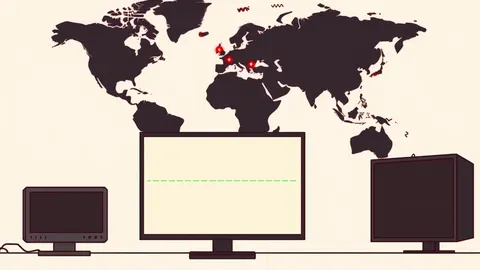
Scanning tools often bypass filters by mimicking legitimate traffic patterns, making volume-based detection methods ineffective against modern reconnaissance campaigns.

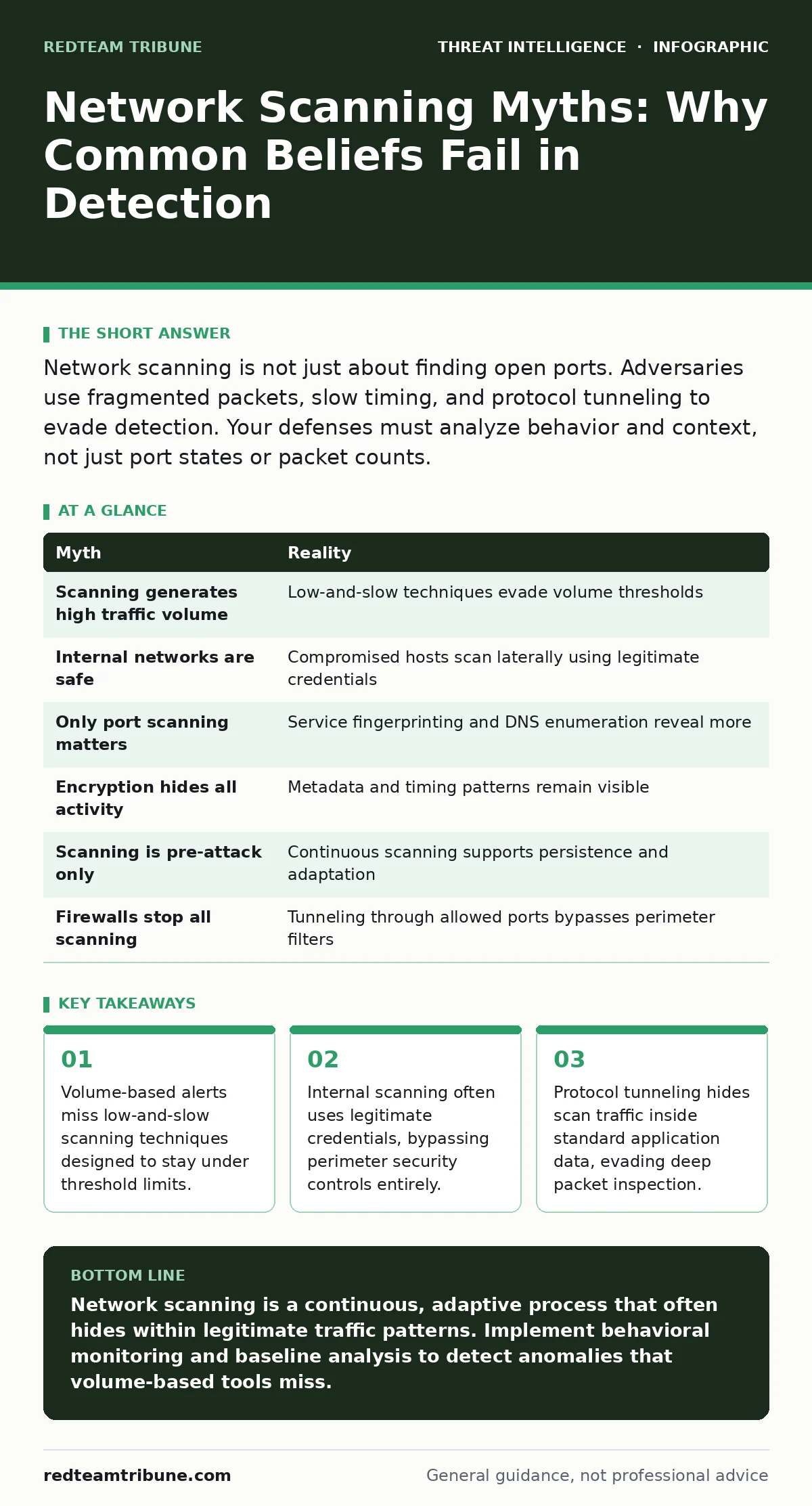
Network scanning is not just about finding open ports. Adversaries use fragmented packets, slow timing, and protocol tunneling to evade detection. Your defenses must analyze behavior and context, not just port states or packet counts.
Myth: Scanning always generates high traffic volume
Reality: Modern reconnaissance rarely triggers volume-based alerts. Attackers fragment their scans into small bursts to avoid detection thresholds. This technique, known as low-and-slow scanning, distributes requests over hours or days. Your intrusion detection systems may ignore this as normal background noise. The assumption that scanning is noisy is outdated. Adversaries prioritize stealth over speed.
They map your network architecture quietly. This approach prevents immediate alert fatigue. You must monitor for connection patterns, not just packet counts. A single port probe per minute from a new source is suspicious. High volume is a blunt instrument. Precision scanning hides in plain sight. Your security tools need behavioral analysis. They must correlate small events over time. Isolated packets look harmless. Connected sequences reveal intent.
Myth: Internal networks are safe from scanning
Reality: Compromised internal hosts often serve as scanning platforms. Attackers use legitimate credentials to move laterally. This internal scanning bypasses perimeter firewalls entirely. Your external defenses cannot see traffic that never leaves the network. Adversaries exploit trust relationships between systems. They scan for vulnerable services on internal subnets. This activity looks like normal administrative work.
You must monitor internal traffic for anomalies. Legitimate users rarely scan entire subnets. Automated tools do. Identify unusual source-destination pairs. Internal scanning is often the precursor to Active Directory attacks. The threat is inside your boundary. Your visibility must extend to east-west traffic. Segmentation limits the blast radius. It does not stop the scan. You need internal network monitoring.
Myth: Port scanning is the only form of reconnaissance
Reality: Adversaries scan for services, not just ports. They identify operating systems and application versions. This is called service fingerprinting. They also scan for misconfigurations. Default credentials are a common target. Directory traversal attempts reveal file structures. DNS queries can map internal hostnames. These techniques do not always involve port probes. They use standard protocols like HTTP or DNS.
Your firewall may allow this traffic. It looks like legitimate application use. You must inspect payload content. Look for unusual query patterns. DNS tunneling can exfiltrate scan results. HTTP requests may test for known vulnerabilities. Service enumeration is broader than port checking. It reveals the attack surface. You must understand what services you host. Unknown services are unknown risks.
Myth: Encryption hides scanning activity completely
Reality: Encrypted traffic still has metadata. Packet size and timing reveal patterns. Adversaries use encrypted channels to hide scan payloads. This prevents deep packet inspection. However, the connection attempts are visible. You can see who connects to whom. The timing of these connections is telltale. Rapid connections to many hosts indicate scanning. Even if the content is hidden, the behavior is not.
Encrypted scanning is common in cyber espionage. It protects the attacker from content inspection. You must rely on flow analysis. Look for connection frequency. Monitor for new encrypted sessions. Sudden spikes in encrypted traffic are suspicious. Encryption adds privacy. It does not add invisibility. Your network monitoring tools must adapt. They must analyze metadata. Content is not the only signal.
Myth: Scanning only happens before an attack
Reality: Scanning occurs throughout the intrusion lifecycle. Initial mapping identifies entry points. Post-exploitation scanning finds lateral movement paths. Adversaries rescan after patches are applied. They look for new vulnerabilities. Continuous scanning maintains access. It helps them adapt to defenses. This ongoing reconnaissance is part of defense evasion.
They test new techniques silently. You cannot assume scanning stops after initial compromise. The threat is persistent. Your monitoring must be continuous. Look for repeated scan patterns. Identify sources that probe regularly. This indicates an active adversary. They are waiting for a change. A new vulnerability appears. They will exploit it. Assume scanning is always happening. Your response must be ongoing.
See also: Stop Computer Worms: The Network Containment Checklist · Implement Network Traffic Analysis: A Step-by-Step Operational Guide
Myth: All scanning is malicious
Reality: Legitimate tools also scan networks. Patch management systems check for updates. Configuration management tools verify settings. Vulnerability scanners run scheduled jobs. These create false positives in threat detection. You must distinguish between authorized and unauthorized scanning. Maintain an inventory of scanning tools. Whitelist known sources.
Monitor for deviations from baseline. Unauthorized scanning from known tools is suspicious. Credential theft can enable this. An attacker uses a legitimate scanner. The traffic looks normal. You must verify the source. Check user context. Look for unusual timing. Legitimate scans follow schedules. Malicious scans are opportunistic. Context matters. You need a baseline of normal. Deviations indicate compromise.
Myth: Firewalls stop all scanning attempts
Reality: Firewalls filter based on rules. They do not analyze intent. Adversaries use allowed ports. They tunnel scan traffic through HTTP or DNS. This bypasses port-based filters. Firewalls see allowed traffic. They do not inspect payload. This is a common defense evasion technique. Your firewall is not enough. You need application-layer filtering.
Inspect the content of allowed traffic. Look for scan signatures. Use intrusion prevention systems. They analyze packet content. Firewalls are perimeter gates. They are not detectives. You need deeper inspection. Layer your defenses. Combine firewall rules with behavioral analysis. This provides better coverage. Relying on firewalls alone is insufficient. They block obvious threats. They miss subtle ones.
| Myth | Reality |
|---|---|
| Scanning generates high traffic volume | Low-and-slow techniques evade volume thresholds |
| Internal networks are safe | Compromised hosts scan laterally using legitimate credentials |
| Only port scanning matters | Service fingerprinting and DNS enumeration reveal more |
| Encryption hides all activity | Metadata and timing patterns remain visible |
| Scanning is pre-attack only | Continuous scanning supports persistence and adaptation |
| Firewalls stop all scanning | Tunneling through allowed ports bypasses perimeter filters |
Key takeaways
- Volume-based alerts miss low-and-slow scanning techniques designed to stay under threshold limits.
- Internal scanning often uses legitimate credentials, bypassing perimeter security controls entirely.
- Protocol tunneling hides scan traffic inside standard application data, evading deep packet inspection.
Network scanning is a continuous, adaptive process that often hides within legitimate traffic patterns. Implement behavioral monitoring and baseline analysis to detect anomalies that volume-based tools miss.
Frequently asked questions
How do I distinguish between a vulnerability scan and an attack?
Check the source and timing. Authorized scans come from known management tools on a schedule. Attacks often come from compromised hosts or external IPs with irregular timing.
Do firewalls need special rules to stop scanning?
Firewalls alone cannot stop all scanning. You need application-layer filtering and intrusion prevention systems to inspect payload content and detect tunneling techniques.
How this guide was produced: written by the RedTeam Tribune editorial team with AI assistance, checked against the public references listed below, and reviewed when the facts change. See our editorial policy or report an error.