Fix Common Adversary Emulation Mistakes for Better Detection
Most emulation programs fail because they mimic known tactics rather than testing the specific detection logic and response workflows your organization actually relies on to stop intrusions.

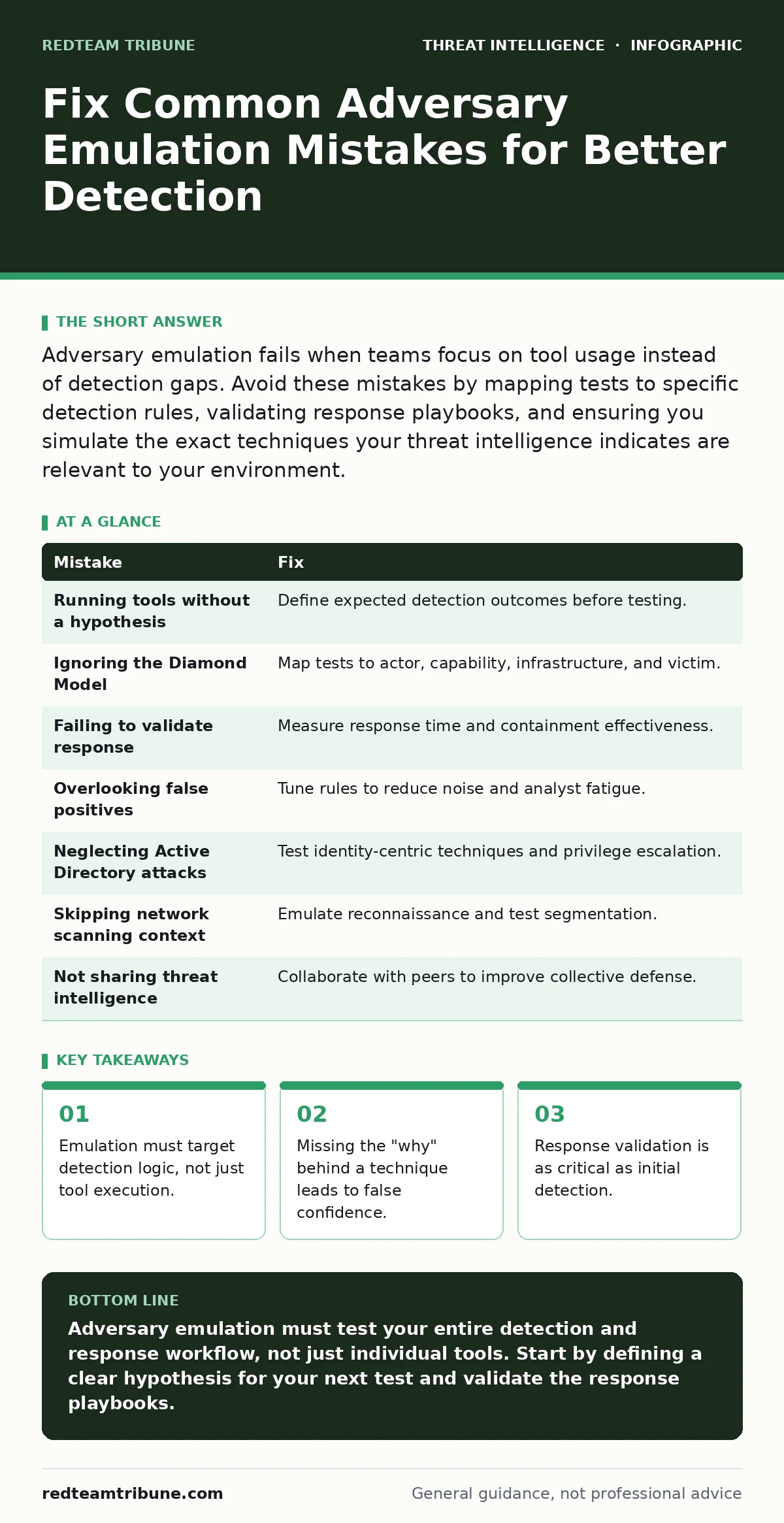
Adversary emulation fails when teams focus on tool usage instead of detection gaps. Avoid these mistakes by mapping tests to specific detection rules, validating response playbooks, and ensuring you simulate the exact techniques your threat intelligence indicates are relevant to your environment.
Mistake 1: Running Tools Without a Hypothesis
Teams often execute attack scripts simply to say they performed a test. This approach treats emulation as a checklist exercise rather than a scientific inquiry. You are not testing whether a tool works; you are testing whether your defenses catch specific behaviors.
Why it hurts:
Without a specific hypothesis, you cannot measure success or failure. If an alert fires, you do not know if it matched the intended behavior or triggered by noise. This ambiguity prevents you from improving your detection engineering processes.
The fix:
Define the exact behavior you expect to detect before running any command. Write a clear statement like "This action should trigger a high-fidelity alert." If the alert does not fire, you have identified a gap. If it fires incorrectly, you have identified a tuning issue.
Mistake 2: Ignoring the Diamond Model of Intrusion Analysis
Many practitioners focus solely on the technique, such as a specific PowerShell command. They neglect the broader context of the actor, capability, infrastructure, and victim. This narrow view misses how adversaries actually operate in the wild.
Why it hurts:
Isolated techniques often look benign in context. An adversary might use a common administrative tool that rarely triggers alerts. By ignoring the full model, you miss the correlation between seemingly unrelated events that would reveal the intrusion.
The fix:
Map your emulation to the Diamond Model of intrusion analysis. Consider how the adversary establishes infrastructure and what capabilities they bring. Simulate the sequence of actions, not just the final exploit. This ensures your detections look for patterns, not just single events.
Mistake 3: Failing to Validate Response Playbooks
Detecting an intrusion is only half the battle. Many teams stop once the alert appears in the console. They assume the security operations center will handle the rest. This assumption is dangerous and often incorrect.
Why it hurts:
A detection is useless if the response is slow or ineffective. You might catch the adversary, but they still maintain access. This gives you a false sense of security while the environment remains compromised.
The fix:
Include response validation in your emulation scope. Measure how long it takes to identify the incident. Track whether the containment steps work as documented. If the response fails, the detection is not complete.
Mistake 4: Overlooking False Positives in Threat Detection
Teams often tune detectors to be highly sensitive to catch every emulation run. This leads to an influx of alerts that are not actual threats. Analysts become desensitized and start ignoring alerts entirely.
Why it hurts:
High noise levels hide real intrusions. When analysts see hundreds of false alerts from emulation, they may dismiss a genuine breach as another test. This fatigue undermines the entire security posture.
The fix:
Balance sensitivity with precision. Review every alert generated by your emulation. If it is a false positive, tune the rule to exclude that specific behavior. This process is core to detection engineering. It ensures your detectors remain useful in production.
Mistake 5: Neglecting Active Directory Attacks
Many emulation programs focus on endpoint compromises or web application attacks. They ignore the identity layer, which is often the crown jewel of the network. This oversight leaves a massive blind spot in your defenses.
Why it hurts:
Adversaries prioritize identity theft to move laterally and maintain persistence. If you do not test defenses against Active Directory attacks, you leave your most critical assets exposed. You may have strong perimeter defenses but weak internal controls.
The fix:
Include identity-centric techniques in your emulation plan. Test for privilege escalation and credential dumping. Ensure you have visibility into directory services. This aligns with best practices for securing the identity layer.
See also: Threat Intelligence Sharing Mistakes and How to Fix Them · Dark web threat intelligence implementation steps for early warnings
Mistake 6: Skipping Network Scanning Context
Some teams emulate attacks without considering how the adversary discovered the target. They jump straight to exploitation. This ignores the reconnaissance phase that often provides early warning signs.
Why it hurts:
Early detection relies on spotting unusual scanning activity. If you do not emulate this phase, you miss the chance to tune your network sensors. You also fail to test whether your segmentation holds up against initial probing.
The fix:
Include network scanning in your emulation scenarios. Test how your sensors handle port sweeps and service enumeration. Verify that your segmentation prevents lateral movement after initial access. This covers the full kill chain.
Mistake 7: Not Sharing Threat Intelligence
Teams often keep their emulation results internal. They do not share findings with peers or industry groups. This limits the collective defense against evolving threats.
Why it hurts:
Isolated insights decay quickly. Adversaries adapt, and your defenses must too. By withholding information, you miss out on external perspectives that could improve your detection logic.
The fix:
Engage in threat intelligence sharing with trusted partners. Share anonymized data about your emulation findings. Learn from others' experiences to refine your own program. This collaborative approach strengthens the entire community.
| Mistake | Fix |
|---|---|
| Running tools without a hypothesis | Define expected detection outcomes before testing. |
| Ignoring the Diamond Model | Map tests to actor, capability, infrastructure, and victim. |
| Failing to validate response | Measure response time and containment effectiveness. |
| Overlooking false positives | Tune rules to reduce noise and analyst fatigue. |
| Neglecting Active Directory attacks | Test identity-centric techniques and privilege escalation. |
| Skipping network scanning context | Emulate reconnaissance and test segmentation. |
| Not sharing threat intelligence | Collaborate with peers to improve collective defense. |
Key takeaways
- Emulation must target detection logic, not just tool execution.
- Missing the "why" behind a technique leads to false confidence.
- Response validation is as critical as initial detection.
Adversary emulation must test your entire detection and response workflow, not just individual tools. Start by defining a clear hypothesis for your next test and validate the response playbooks.
Frequently asked questions
How do I prioritize which techniques to emulate?
Focus on the techniques most relevant to your industry and asset value. Use threat intelligence to identify likely adversaries and their preferred methods.
Can I automate adversary emulation?
Yes. Automation allows for frequent, consistent testing. However, ensure the automation includes validation steps and does not just run scripts without context.
How this guide was produced: written by the RedTeam Tribune editorial team with AI assistance, checked against the public references listed below, and reviewed when the facts change. See our editorial policy or report an error.