How to Write an Access Control Policy That Stops Broken Access Control
Most systems fail because they check permissions only at the start of a session, leaving the middle and end of a request wide open to manipulation.

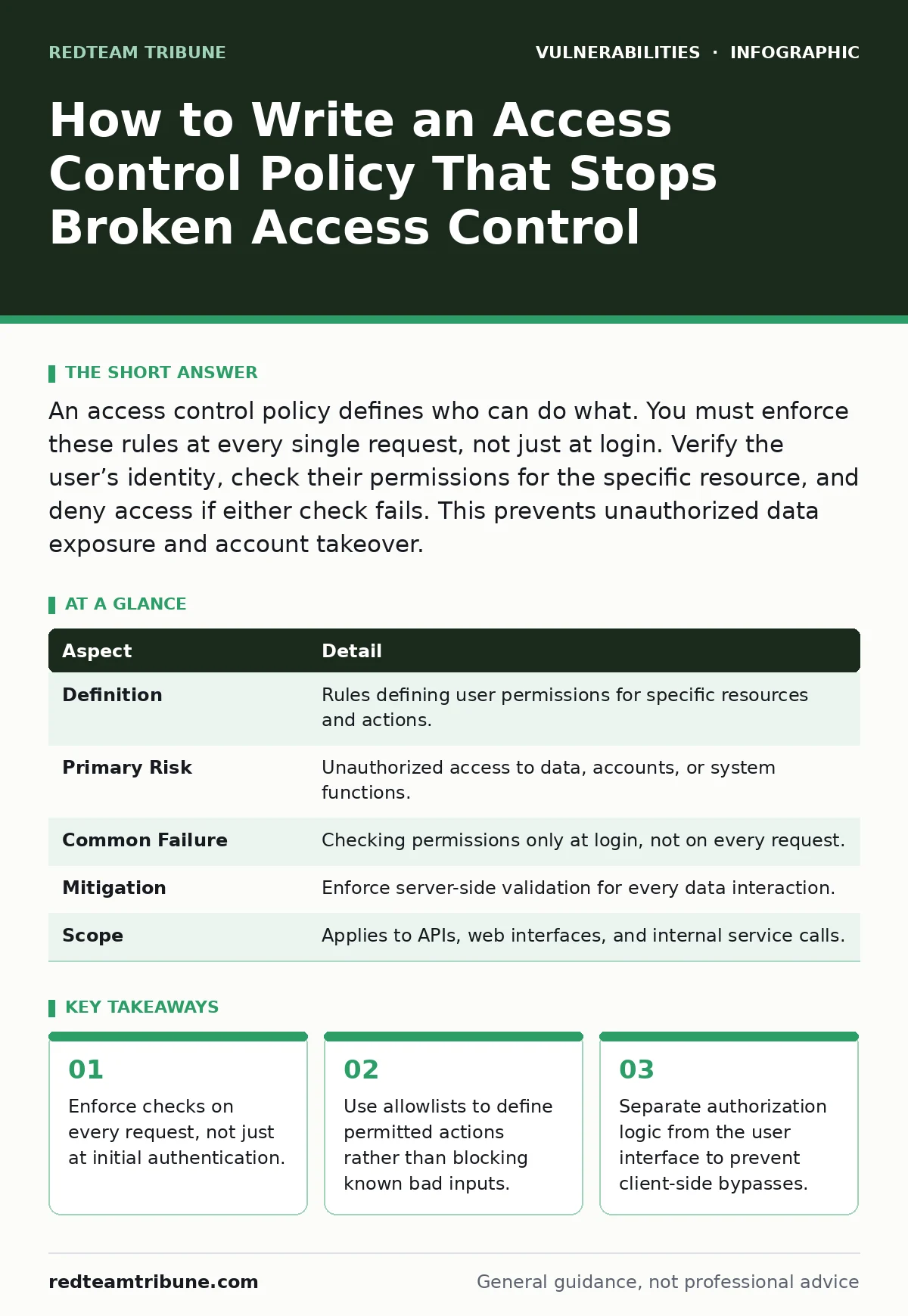
An access control policy defines who can do what. You must enforce these rules at every single request, not just at login. Verify the user’s identity, check their permissions for the specific resource, and deny access if either check fails. This prevents unauthorized data exposure and account takeover.
The Foundation of Secure Systems
Imagine a building where the guard checks your ID at the front door but leaves every interior door unlocked. You have proven who you are, but you can still walk into the server room or the executive suite. This is how many applications handle security. They verify identity at the start but forget to verify permissions for every subsequent action.
An access control policy is the set of rules that determines what a user is allowed to do within a system. It answers two questions: who are you, and what are you allowed to touch. Without a strict policy, any user can potentially access any data, regardless of their role.
Broken access control occurs when these rules are missing, weak, or bypassed. Attackers exploit this gap to view or modify data they should not touch. This is not a rare edge case. It is a fundamental failure in how applications manage trust.
| Aspect | Detail |
|---|---|
| Definition | Rules defining user permissions for specific resources and actions. |
| Primary Risk | Unauthorized access to data, accounts, or system functions. |
| Common Failure | Checking permissions only at login, not on every request. |
| Mitigation | Enforce server-side validation for every data interaction. |
| Scope | Applies to APIs, web interfaces, and internal service calls. |
How Broken Access Control Works
Applications often rely on the browser or mobile app to enforce restrictions. The interface might hide a "Delete" button for regular users. This is a cosmetic restriction, not a security control. The underlying API still allows the action if someone knows the endpoint URL.
An attacker uses a proxy tool to intercept the request. They change the user ID from their own to another user’s ID. They send the request directly to the server. If the server does not check whether the requester owns that ID, it processes the request. The attacker now has access to another user’s data.
This works because the application trusts the client-side input. It assumes that if the UI does not show a feature, the user cannot use it. This assumption is false. Any user can construct a valid request if they know the structure.
Who Is Affected by Policy Failures
Every organization that stores user data is at risk. Small businesses with simple web apps are often the most vulnerable. They lack the resources for rigorous security testing. They rely on default settings that prioritize ease of use over security.
Large enterprises face a different challenge. Their systems are complex, with many interconnected services. An access control policy that works for the main website might not apply to an internal API. Inconsistencies create gaps. Attackers look for these weak links in the chain.
Third-party integrations add another layer of risk. When you connect your app to a payment provider or a social login service, you extend your trust boundary. If the partner’s access controls are weak, your data is exposed. You are responsible for the security of the entire flow, not just your code.
What People Usually Get Wrong
Many developers confuse authentication with authorization. Authentication proves who you are. Authorization proves what you can do. Logging in is not enough. You must check permissions for every action. A common mistake is to grant access based on a session cookie alone, without verifying the specific resource request.
Another error is relying on obscurity. Hiding API endpoints or using complex IDs does not stop attackers. It only delays them. Determined attackers will find the endpoints through directory listing, error messages, or code analysis. Security through obscurity fails when the attacker has time.
Teams often assume that role-based access control is sufficient. They assign a "User" role and assume the system handles the rest. But roles are broad. You need fine-grained checks. A user might be a "User" but still need to be the owner of a specific document to edit it. Generic roles miss these nuances.
Writing an Effective Access Control Policy
An access control policy must be explicit. It should state what is allowed, not what is blocked. Blocklists are incomplete. New attack vectors emerge daily. Allowlists are safer because they only permit known good actions.
Start by mapping your data. Identify every resource in your system. Define who should access each resource. Create rules that link user roles to specific actions on those resources. For example, an admin can delete any user, but a regular user can only delete their own profile.
Implement these rules on the server side. Do not trust any input from the client. Every request must pass through the same validation logic. Use a centralized framework to manage these checks. This ensures consistency across all parts of your application.
Consider related security mechanisms. For instance, insecure deserialization can bypass access controls if you process untrusted data objects. Similarly, mass assignment vulnerabilities allow attackers to set properties like "isAdmin" to true, overriding your policy. You must protect the integrity of the data that drives your decisions.
See also: Tailgating Warning Signs: How to Spot Physical Breach Attempts · Insider Threats: Why Small Teams Bleed Data and How to Stop It
Enforcing Consistency Across Interfaces
Your application likely has multiple interfaces. There is the public website, the mobile app, and internal administrative panels. Each must enforce the same access control policy. If the mobile app allows a feature that the website blocks, you have a vulnerability.
APIs are often the weakest link. They provide direct access to data without a graphical interface. Developers sometimes skip security checks for internal APIs, assuming they are safe. External attackers can reach these endpoints if they are exposed to the internet. Treat every API call as if it comes from an attacker.
Use standard protocols where possible. OAuth 2.0 and OpenID Connect provide frameworks for handling permissions. They help manage tokens and scopes. However, these standards only work if you configure them correctly. Misconfiguration can lead to token misuse, where an attacker uses a valid token to access unauthorized resources.
Testing and Maintenance Strategies
You cannot write a perfect policy on the first try. You must test it. Automated scanners can find obvious issues, like missing authentication headers. But they miss logic errors. You need manual testing to find broken access control.
Penetration testing is essential for finding these gaps. Testers will try to access resources they should not see. They will manipulate parameters and observe the system’s response. If the system fails gracefully, you are protected. If it returns data, you have a breach.
Regularly review your policies. User roles change. Data structures evolve. A policy that was correct a year ago might be outdated today. Keep your documentation up to date. Ensure new developers understand the rules. Training is as important as code.
Beyond Basic Access Controls
Access control is not just about users. Services also need permissions. When one microservice calls another, it must prove its identity. Use service accounts with minimal privileges. Do not use admin credentials for routine tasks.
Consider virtual patching for legacy systems. If you cannot update an application to fix a broken access control flaw, a web application firewall can block malicious requests. This is a temporary measure, not a fix. It buys you time to rewrite the vulnerable code.
Understand vulnerability severity ratings. Broken access control is often rated critical because it leads directly to data breaches. Prioritize fixing these issues over cosmetic bugs. A system with perfect UI but broken access is fundamentally insecure.
Look at Content Security Policy headers. While not a direct access control, they prevent attackers from injecting scripts that steal session tokens. This adds a layer of defense. It makes it harder for attackers to hijack a user’s session to bypass your access rules.
Do not ignore output encoding. If an attacker can inject code, they might manipulate how access decisions are rendered. Proper encoding ensures that data is treated as data, not as executable code. This supports your overall security posture.
Key takeaways
- Enforce checks on every request, not just at initial authentication.
- Use allowlists to define permitted actions rather than blocking known bad inputs.
- Separate authorization logic from the user interface to prevent client-side bypasses.
Frequently asked questions
What is the difference between authentication and authorization?
Authentication verifies who the user is, usually via a password or token. Authorization verifies what the user is allowed to do, based on their role and the specific resource.
How do I prevent IDOR vulnerabilities?
IDOR occurs when users can access data by changing an ID. Prevent this by checking that the user owns the resource or has permission to view it, rather than just trusting the ID provided in the request.
Can client-side security stop broken access control?
No. Client-side checks can be bypassed. All access control logic must run on the server side, where you control the environment and can validate every request.
How often should I review my access control policy?
Review your policy whenever you add new features, change data structures, or update user roles. Regular annual reviews are also recommended to catch drift and ensure compliance with current threats. BOTTOM LINE: Access control failures happen when systems trust users too much after the initial login. Verify permissions on every single request to keep unauthorized users out.
How this guide was produced: written by the RedTeam Tribune editorial team with AI assistance, checked against the public references listed below, and reviewed when the facts change. See our editorial policy or report an error.