MFA Fatigue Attacks: How Approval Bombing Bypasses Security
Attackers exploit human exhaustion by sending rapid authentication prompts, turning your multi-factor protection into a single point of failure through sheer persistence.
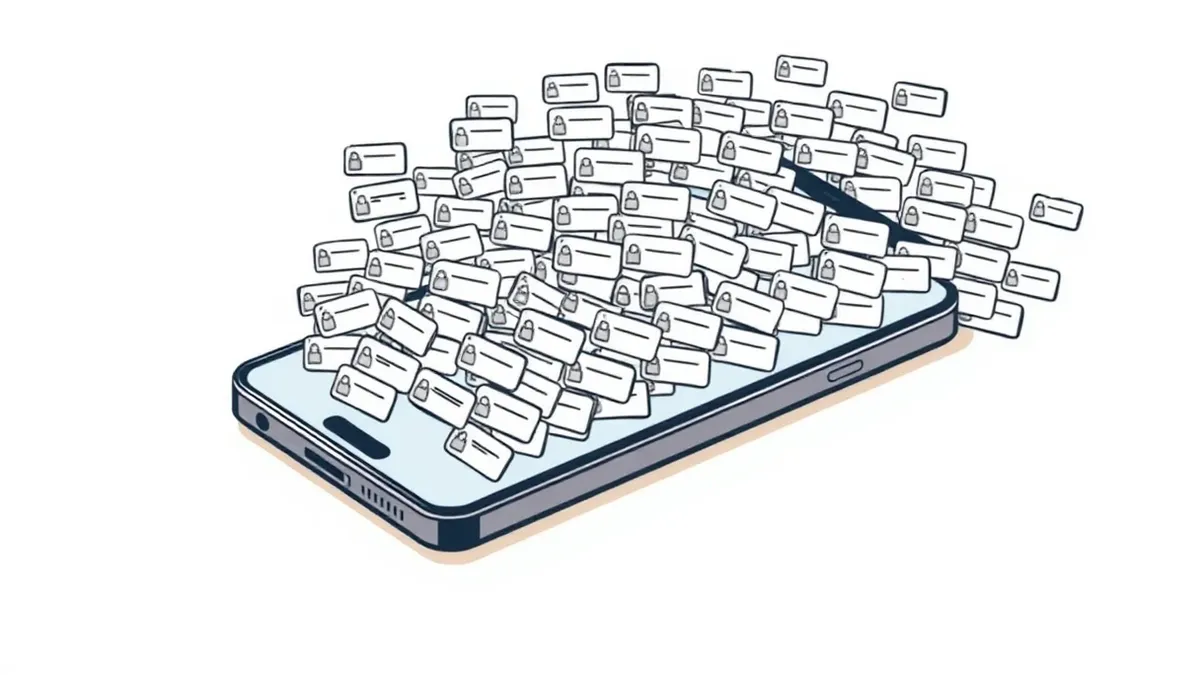
MFA fatigue is a social engineering attack where adversaries spam a user’s device with login prompts. The goal is to induce annoyance or confusion, causing the victim to approve one request by mistake. This bypasses multi-factor authentication without stealing credentials, relying on human error rather than technical exploits.
The Noise That Breaks Security
Imagine your phone vibrating continuously in a quiet room. Each buzz demands immediate attention. After ten vibrations, you feel irritated. After thirty, you feel desperate for silence. You press the button on the screen just to make it stop. You do not read the message. You do not check the sender. You just want the noise to end.
This psychological pressure is the core mechanism of MFA fatigue attacks. The attacker does not need to hack your password. They do not need to install malware on your device. They only need your cooperation. They achieve this by exploiting the design of push-based multi-factor authentication. The system assumes that if you approve a request, you intended to log in. It does not verify your mental state or your willingness to be bothered.
The attack turns a security feature into a liability. Multi-factor authentication was designed to add a layer of defense. It requires something you know and something you have. MFA fatigue attacks exploit the "something you have" layer. They assume that possession of the device equals consent. This assumption fails when the device is used as a harassment tool.
How Approval Bombing Works
The attacker first obtains your username and password. This often happens through credential stuffing or phishing. With these credentials, they attempt to log into your account. The system blocks them and sends a push notification to your phone. This is the standard security process.
The attacker then automates the login attempts. They send a new request every few seconds. Your phone lights up, vibrates, and plays a sound. The prompt asks if you are trying to sign in. You click "Deny" or "Ignore." The attacker sends another request. You deny again. This cycle repeats for minutes or hours.
Eventually, fatigue sets in. Your brain seeks relief from the sensory overload. You see the notification and tap it without reading. You tap "Approve" instead of "Deny." The system sees an approval and grants access. The attacker is now inside. They never guessed your password correctly in a way that bypassed MFA. They waited for you to fail.
| Aspect | Detail |
|---|---|
| Attack Vector | Push notification spam on mobile devices |
| Primary Goal | Induce user error through exhaustion |
| Required Access | Valid username and password |
| Technical Skill | Low; relies on automation tools |
| Detection Difficulty | High; appears as legitimate traffic |
| Mitigation Strategy | Context-aware authentication methods |
Who Is Most Vulnerable
This attack affects anyone using push-based MFA. It is not limited to high-profile targets. Small business owners, remote workers, and home users are all at risk. The vulnerability lies in the technology, not the user's sophistication.
Remote workers are particularly exposed. They often use personal devices for work. They may be in public spaces where notifications are more intrusive. They may be multitasking, making it harder to focus on each prompt. The separation between work and personal life blurs, increasing the chance of a mistaken approval.
Users with many accounts are also at higher risk. They receive frequent login prompts for various services. They become desensitized to the notifications. They start to ignore them or approve them quickly to keep moving. This habit creates a window of opportunity for attackers. The more notifications you receive, the less likely you are to scrutinize each one.
Common Forms of the Attack
Attackers adapt their methods to bypass defenses. The most common form is pure volume. They send requests as fast as the system allows. This overwhelms the user's ability to respond correctly.
Another form is timing. Attackers monitor when you are likely to be distracted. They launch the attack during lunch breaks, commutes, or late at night. They know you are less likely to be attentive. They may also wait for you to be asleep. Some devices wake you with a loud alarm for security prompts. This causes panic. In a panic, users make errors.
Some attackers use a hybrid approach. They combine MFA fatigue with other tactics. They may send a fake support message telling you to approve a pending request. This adds a layer of social engineering. It makes the approval seem like a necessary action. It exploits the user's desire to resolve a perceived problem.
What People Usually Get Wrong
Many users believe that MFA fatigue is a technical exploit. They think the attacker found a loophole in the code. This is incorrect. The system is working as designed. The failure is human. Understanding this distinction changes how you defend against it.
Another common mistake is assuming that disabling push notifications helps. Turning off notifications stops the noise, but it does not stop the attack. The attacker still sends requests. You may miss a legitimate login because you did not see the prompt. You may also miss the fatigue attack, but the risk remains. The attacker can still trick you if you check your phone manually.
Users often think that strong passwords prevent this. Passwords do not stop MFA fatigue. The attacker already has your password. They use it to trigger the prompts. Changing your password resets the game, but it does not fix the underlying vulnerability. You need a different authentication method.
How to Reduce the Risk
The most effective defense is to change how you authenticate. Move away from push notifications. Use number matching. This feature requires you to enter a code displayed on the login screen into your phone. The attacker cannot provide this code. If you do not see the code, you do not approve the request. This breaks the fatigue loop.
Time-limited codes are another option. These codes expire after a short period. They prevent the attacker from holding the prompt open for hours. You must act quickly. This reduces the window for error. It also makes automation harder for the attacker. They cannot spam you indefinitely.
Hardware keys offer the highest security. These are physical devices you plug into your computer. They require a physical touch to approve. An attacker cannot send a remote prompt to a hardware key. This eliminates the fatigue vector entirely. It also protects against phishing. The key only signs requests from the correct website.
The Role of Monitoring
Even with better authentication, you need visibility. Security operations centers monitor for unusual activity. They look for login attempts from new locations or devices. They flag rapid succession of failed attempts. This can indicate a fatigue attack.
However, monitoring has limits. It cannot stop the attack in real-time. It can only alert you after the fact. You must have a plan for response. If you see a spike in login attempts, change your password. Revoke active sessions. This stops the attacker even if they gained access.
Organizations should also review their MFA policies. Not all accounts need the same level of security. High-risk accounts should use hardware keys. Low-risk accounts can use push notifications. This balances security with usability. It reduces the attack surface.
Beyond the Password
MFA fatigue attacks highlight a broader issue. We rely too much on passwords. They are easy to steal. They are easy to guess. They are the foundation of most attacks. Moving away from passwords reduces the risk of fatigue.
Passkeys are the future of authentication. They use public-key cryptography. They link your device to your account. No password is involved. No push notification is needed. You simply use your biometrics or PIN. This method is resistant to fatigue. It is also resistant to phishing.
Adopting passkeys requires effort. You need compatible devices and services. But the security benefit is significant. It removes the human element from the equation. It relies on cryptographic proof instead of user behavior. This is a more reliable model.
Key takeaways
- Approval bombing overwhelms users until they click "Approve" to stop the noise.
- Push notifications lack context, making it hard to distinguish legitimate from malicious requests.
- Number matching and time-limited codes significantly reduce the success rate of these attacks.
MFA fatigue exploits human exhaustion, not technical flaws. Switch to number matching or passkeys to eliminate the risk of accidental approval.
Frequently asked questions
Can MFA fatigue attacks happen on desktop computers?
Yes, if you use a desktop app for MFA. Attackers can send requests to your computer screen. You may ignore them or click the wrong button. Use hardware keys for desktop access.
Does two-factor authentication stop MFA fatigue?
Standard push-based 2FA does not stop it. It is the vector of the attack. You need context-aware 2FA methods like number matching or TOTP codes. These require active input.
How do I know if I was targeted?
Check your login history. Look for attempts from unknown locations. If you see many failed attempts followed by a success, you were likely targeted. Change your password immediately.
Are hardware keys expensive?
They vary in price, but they are a one-time cost. They protect multiple accounts. The cost of a breach is much higher. Consider them a necessary investment for high-value accounts.
How this guide was produced: written by the RedTeam Tribune editorial team with AI assistance, checked against the public references listed below, and reviewed when the facts change. See our editorial policy or report an error.