Overprivileged Cloud Identities: Risks and Protection for Small Businesses
A single unused permission can bypass your entire security stack, turning a minor account into a master key that grants full control over your cloud infrastructure.

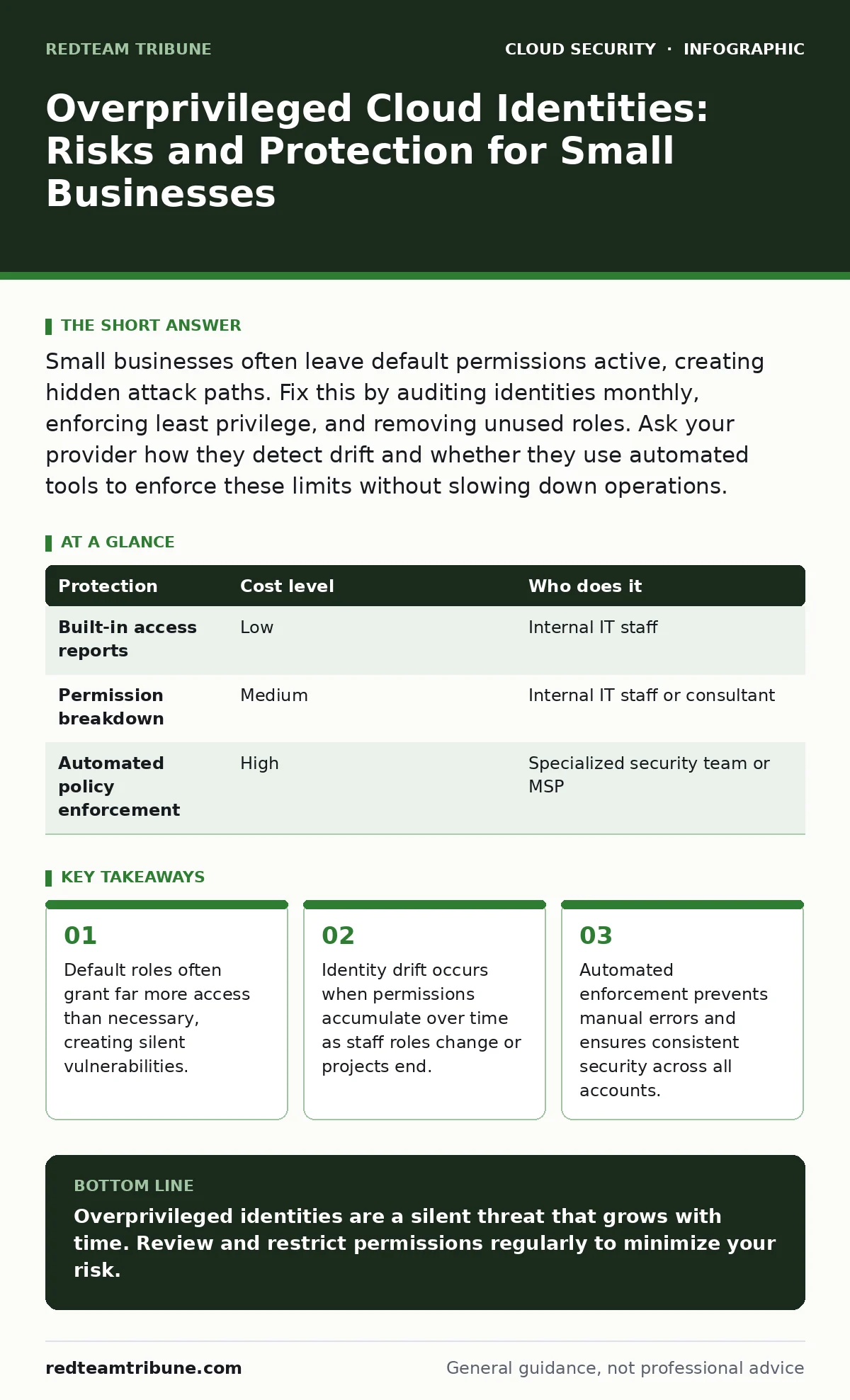
Small businesses often leave default permissions active, creating hidden attack paths. Fix this by auditing identities monthly, enforcing least privilege, and removing unused roles. Ask your provider how they detect drift and whether they use automated tools to enforce these limits without slowing down operations.
The Hidden Cost of Convenience
Small organizations often prioritize speed over security. When launching a new service, it is faster to grant broad permissions than to map out specific needs. This convenience creates a dangerous accumulation of rights. Each identity, whether human or machine, holds a set of permissions that define what actions it can perform. Over time, these permissions expand.
This expansion is rarely intentional. It happens through copy-paste errors, temporary elevations that never expire, or the simple forgetting of old roles. The result is a cloud environment where many identities have more power than they need. This state is known as privilege creep. It is silent, invisible, and highly dangerous.
An attacker does not need to break into your system from the outside. They only need to compromise one identity with excessive rights. Once inside, they can move laterally, access sensitive data, or deploy malicious code. The damage is limited only by the permissions of the compromised identity.
Why Small Teams Are Exposed
Larger enterprises often have dedicated security teams to audit permissions. Small businesses rarely have this luxury. They rely on generalist IT staff who wear many hats. Security audits often fall to the bottom of the priority list. This lack of dedicated oversight allows overprivileged identities to persist for months or even years.
Another factor is the use of default configurations. Cloud providers offer pre-built roles to get started quickly. These roles are often overly permissive by design to ensure compatibility. Small teams rarely review or restrict these defaults. They assume that if the provider suggests it, it is safe. This assumption is incorrect.
The risk compounds when third-party vendors are involved. A marketing agency might need access to storage buckets. A developer might need access to compute resources. Each vendor gets a new identity. If these identities are not reviewed regularly, they become dormant backdoors. They sit quietly until someone decides to misuse them.
Understanding Identity Drift
Identity drift is the gradual accumulation of permissions over time. It is the primary driver of overprivileged accounts. When an employee changes roles, their old permissions often remain. When a project ends, the temporary access granted for that project is rarely revoked. These unused permissions accumulate like digital dust.
This drift affects human users and machine identities alike. Machine identities, such as service accounts, are often granted broad permissions to avoid application errors. Developers prefer this approach because it reduces debugging time. However, it creates high-value targets for attackers. If a service account is compromised, the attacker gains immediate access to whatever that service can do.
To combat drift, you must treat permissions as temporary, not permanent. Every permission should have a reason and an expiration date. Regular reviews are necessary to identify and remove unused rights. This process is tedious but necessary. Without it, your security posture degrades with every passing month.
Low-Cost Protections for Tight Budgets
You do not need expensive tools to start fixing this problem. Many cloud providers offer built-in tools for auditing permissions. These tools are often free or included in basic support plans. Use them to generate access reports. Look for identities that have not been used in the last ninety days. These are prime candidates for review.
Implement the principle of least privilege. This means granting only the permissions necessary to perform a specific task. No more, no less. Start by reviewing your current roles. Identify the broadest permissions and break them down into smaller, specific roles. This reduces the impact of a compromise. If an identity is stolen, the attacker has fewer options.
Automate where possible. Manual reviews are prone to error and inconsistency. Use scripts or built-in automation to enforce policies. For example, you can set up alerts when a new broad permission is granted. This helps you catch mistakes early. Automation also ensures that your security policies are applied consistently across all accounts.
| Protection | Cost level | Who does it |
|---|---|---|
| Built-in access reports | Low | Internal IT staff |
| Permission breakdown | Medium | Internal IT staff or consultant |
| Automated policy enforcement | High | Specialized security team or MSP |
What to Ask Your IT Provider
If you outsource your IT, you must ensure they are managing these risks. Do not assume that basic maintenance includes identity management. Ask specific questions about their processes. How do they audit permissions? How often do they review unused accounts? What happens when an employee leaves?
A good provider will have a documented process for identity lifecycle management. They should be able to explain how they handle onboarding and offboarding. They should also have a way to detect and alert on privilege creep. If they cannot answer these questions, you are at risk.
Consider asking about their use of automated tools. Do they use cloud security posture management (CSPM) tools to continuously monitor your environment? These tools can detect misconfigurations and overprivileged identities in real time. This is far more effective than manual reviews.
See also: Prevent Cloud Storage Leaks: Configuration Hardening Steps · 7 Common CASB Mistakes That Create Blind Spots
The Role of Workload Identity
Workload identity refers to the identities used by applications and services. These are often overlooked in favor of human accounts. However, they are just as important, if not more so. Applications often run with elevated privileges to function correctly. This makes them attractive targets.
Ensure that each workload has its own identity. Do not share identities between applications. This allows you to isolate breaches. If one application is compromised, the others remain safe. Assign only the necessary permissions to each workload. Regularly review these permissions to ensure they are still needed.
Check your cloud landing zones for best practices on workload identity. These frameworks provide guidance on how to structure your environment for security. They often include recommendations for managing machine identities. Following these guidelines can help you avoid common pitfalls.
Moving Beyond Basic Checks
Once you have addressed the basics, look for deeper issues. Identity drift is not just about unused permissions. It is also about permissions that are used infrequently. An identity that is used once a year but has admin rights is still a risk. Consider implementing just-in-time access for these cases.
Just-in-time access grants permissions only when needed. The permissions expire after a set time. This reduces the window of opportunity for attackers. It also helps you identify which permissions are actually necessary. If a user rarely requests a permission, it may not be needed at all.
This approach requires more planning and coordination. It may slow down some operations initially. However, the security benefits are significant. It reduces the attack surface and limits the damage of a breach. For small businesses, this balance of security and usability is critical.
The Long-Term View
Managing overprivileged identities is not a one-time task. It is an ongoing process. New identities are created, roles change, and permissions drift. You must build processes to handle this continuously. Regular audits, automated enforcement, and clear policies are key.
Consider integrating identity management into your broader security strategy. If you are adopting DevSecOps, ensure that identity checks are part of your development pipeline. This catches issues early, before they reach production. It also educates developers on the importance of least privilege.
Remember that security is a trade-off. Too much restriction slows down work. Too little permission invites risk. Finding the right balance requires constant attention. But the cost of a breach is far higher than the cost of management. Stay proactive, stay informed, and keep your permissions tight.
Key takeaways
- Default roles often grant far more access than necessary, creating silent vulnerabilities.
- Identity drift occurs when permissions accumulate over time as staff roles change or projects end.
- Automated enforcement prevents manual errors and ensures consistent security across all accounts.
Overprivileged identities are a silent threat that grows with time. Review and restrict permissions regularly to minimize your risk.
Frequently asked questions
How often should I review cloud permissions?
Review permissions at least quarterly. Increase frequency for high-risk accounts or those with broad access.
What is the difference between a user and a service account?
A user is a human identity. A service account is a machine identity used by applications. Both need strict permission controls.
Can I automate permission reviews?
Yes. Most cloud providers offer tools to automate audits and enforce policies. Use these to reduce manual effort.
What if I don't have an IT team?
Consider hiring a managed service provider. Ensure they have a clear process for identity management and regular audits.
How this guide was produced: written by the RedTeam Tribune editorial team with AI assistance, checked against the public references listed below, and reviewed when the facts change. See our editorial policy or report an error.