Overprivileged Cloud Identities: How to Find and Fix Excess Access
Most cloud breaches originate from existing accounts with unnecessary permissions, not from external hackers guessing weak passwords.

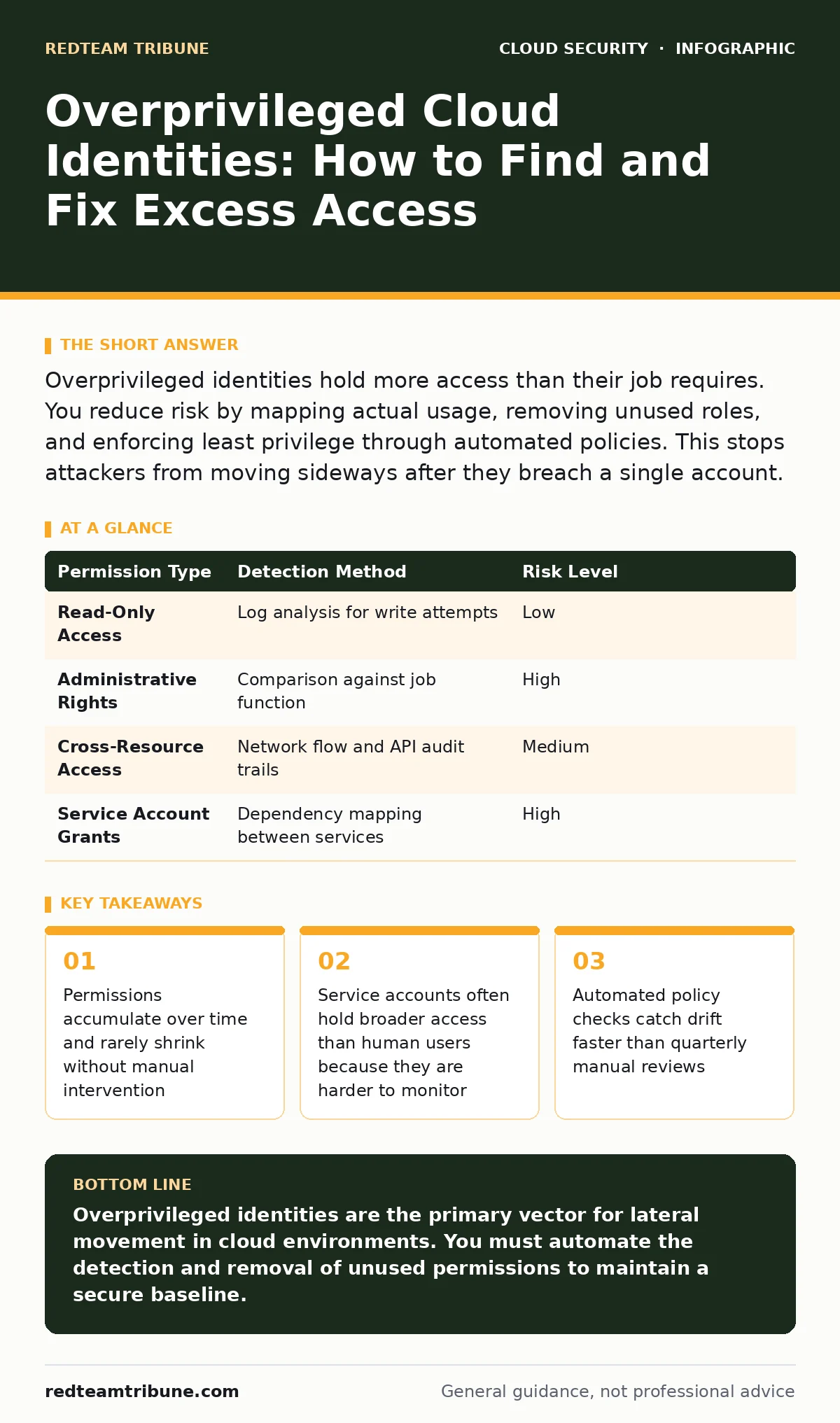
Overprivileged identities hold more access than their job requires. You reduce risk by mapping actual usage, removing unused roles, and enforcing least privilege through automated policies. This stops attackers from moving sideways after they breach a single account.
What defines an overprivileged cloud identity?
An overprivileged cloud identity is any user, service, or application account that holds permissions exceeding its current operational needs. Cloud platforms grant access through roles or policies that bundle multiple rights. When you assign a broad role to simplify setup, the identity gains write access to resources it only needs to read. This excess creates a hidden attack surface. An attacker who compromises that account inherits every right the role contains, not just the ones the identity actually uses.
Why do permissions drift upward over time?
Permissions drift because cloud environments are dynamic and access requests are additive. When a project starts, teams ask for minimum access. When an emergency occurs, they request emergency admin rights to fix a broken deployment. After the crisis, those rights often remain active. The original requester forgets to revoke them. The system records the grant but not the expiration. Over months, the identity accumulates rights from every incident it ever helped resolve.
How can you detect excessive access without breaking services?
You detect excessive access by comparing assigned permissions against actual usage logs. Cloud platforms record every API call an identity makes. You analyze these logs to find rights that are never exercised. If an identity has permission to delete databases but only reads them, the delete right is excessive. You flag these gaps for review. This method reveals hidden excess without requiring you to guess what each identity does. It relies on observed behavior rather than documented intent.
| Permission Type | Detection Method | Risk Level |
|---|---|---|
| Read-Only Access | Log analysis for write attempts | Low |
| Administrative Rights | Comparison against job function | High |
| Cross-Resource Access | Network flow and API audit trails | Medium |
| Service Account Grants | Dependency mapping between services | High |
What is the hidden cost of broad service account roles?
Service accounts often hold broader access than human users because they automate complex workflows. Developers grant these accounts wide permissions to ensure scripts do not fail during deployment. The hidden cost is that these accounts rarely have interactive login protections. They lack multi-factor authentication because machines cannot type codes. If an attacker steals the credentials for a service account, they bypass the strongest human safeguards. The account becomes a silent backdoor into critical infrastructure.
How does group membership complicate privilege management?
Group membership complicates management because permissions stack across nested groups. An identity may belong to a project group, a department group, and a role-based group. Each group adds its own set of rights. The final effective permission is the union of all three. You cannot see the full picture by looking at one group alone. An identity might appear to have low access in its primary group but hold admin rights through a secondary membership. This layering hides excess access from casual audits.
See also: Prevent Denial-of-Wallet Attacks in Cloud Environments · 7 Common CASB Mistakes That Create Blind Spots
Why do manual audits fail to catch drift?
Manual audits fail because they are periodic and static. They capture a snapshot of permissions at a single moment. Drift happens continuously between audits. A new permission granted on Tuesday is invisible to an audit run on Friday. Manual reviews also suffer from human error and fatigue. Reviewers skip complex roles or assume previous approvals still hold. The process becomes a checkbox exercise rather than a security control. Automation provides continuous monitoring that catches changes as they occur.
How do you enforce least privilege without slowing development?
You enforce least privilege by integrating policy checks into the deployment pipeline. Use tools that validate permission requests against defined baselines before they are applied. If a request exceeds the baseline, the system flags it for review or blocks it. This shifts security left in the development process. Developers receive immediate feedback on their access requests. They learn to request only what they need. The system prevents excess from entering the environment in the first place.
What role does automation play in remediation?
Automation plays the role of continuous correction. Once you identify excessive permissions, manual remediation is slow and error-prone. Automated scripts can revoke unused rights or downgrade roles to read-only. These scripts run on a schedule or trigger based on log analysis. They ensure that the environment stays aligned with policy. Automation also documents every change, creating an audit trail. This reduces the workload on security teams and ensures consistent enforcement across the entire cloud estate.
How does this relate to broader cloud security strategies?
Managing overprivileged identities supports broader strategies like cloud landing zones and DevSecOps. A well-structured landing zone defines default permission boundaries that prevent excess from the start. DevSecOps practices embed permission checks into the development lifecycle, ensuring that new services launch with minimal access. These approaches complement technical controls by establishing cultural and architectural norms. They reduce the volume of excess permissions that manual tools must later clean up.
Key takeaways
- Permissions accumulate over time and rarely shrink without manual intervention
- Service accounts often hold broader access than human users because they are harder to monitor
- Automated policy checks catch drift faster than quarterly manual reviews
Overprivileged identities are the primary vector for lateral movement in cloud environments. You must automate the detection and removal of unused permissions to maintain a secure baseline.
Frequently asked questions
How often should I review cloud permissions?
You should review permissions continuously through automated tools rather than relying on periodic manual audits. Continuous monitoring catches drift as it happens.
Can I use role-based access control to fix this?
Role-based access control helps by standardizing permissions, but it does not prevent excess if the roles themselves are too broad. You must also review the content of each role.
What is the first step to reducing privilege creep?
The first step is to map all identities to their actual usage logs. Identify permissions that are granted but never used, then create a plan to revoke them.
Do service accounts need the same scrutiny as human accounts?
Service accounts need even more scrutiny because they often lack interactive safeguards. They should have the minimum permissions required to perform their specific automated tasks.
How this guide was produced: written by the RedTeam Tribune editorial team with AI assistance, checked against the public references listed below, and reviewed when the facts change. See our editorial policy or report an error.