How Cloud Compliance Automation Actually Works Behind the Scenes
Compliance is not a static checklist but a continuous feedback loop where policy definitions trigger automated enforcement actions against infrastructure state.
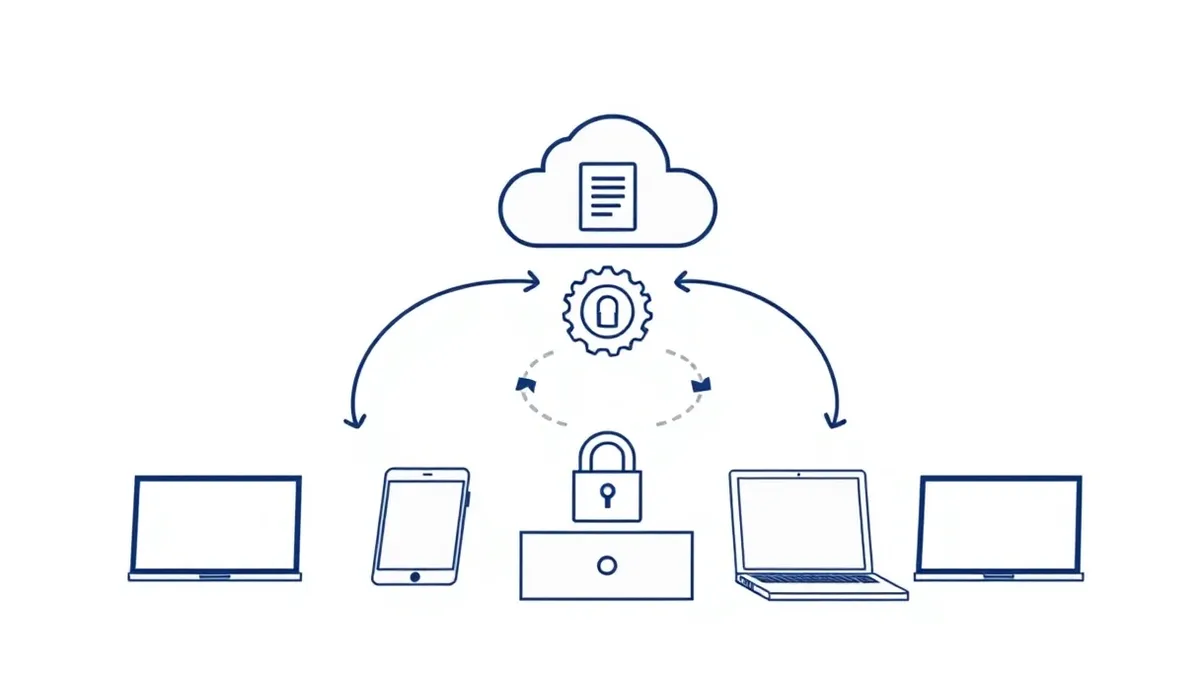
Cloud compliance operates by continuously scanning infrastructure configurations against defined policy rules. When a mismatch occurs, the system flags the resource for remediation or automatically corrects it. This process runs in the background, ensuring that security standards are maintained even as infrastructure changes dynamically.
The Policy Definition Layer
Compliance begins with translating abstract regulatory requirements into machine-readable rules. You must define what a compliant state looks for every resource type. This involves mapping high-level standards to specific configuration parameters. For example, a rule might state that all storage buckets must have public access blocked.
This translation is often the most difficult step. Regulations are written in natural language, while infrastructure is defined in code. You need a framework that allows you to write policies in a declarative format. This ensures that the intent is clear and consistent across different cloud providers.
The Continuous Discovery Engine
Once policies are defined, the system must know what resources exist. The discovery engine scans the cloud environment to build an inventory. It uses cloud provider APIs to list all active resources. This includes virtual machines, databases, network interfaces, and identity accounts.
This scanning happens at regular intervals. The frequency depends on the criticality of the resources. A high-frequency scan catches changes quickly but consumes more API calls. You must balance the need for visibility with the cost of API usage.
Imagine a scenario where a developer creates a new resource outside of the standard provisioning process. The discovery engine will pick this up during the next scan. It adds the resource to the inventory without manual intervention.
The State Comparison Mechanism
With an inventory and a set of rules, the system compares the actual state against the desired state. This is the core of compliance automation. The engine checks each resource against the relevant policies. It identifies any deviations or drifts from the defined standards.
This comparison is not a one-time event. It runs continuously. As resources change, the engine re-evaluates them. This ensures that temporary changes are detected and addressed. It also helps in identifying patterns of non-compliance.
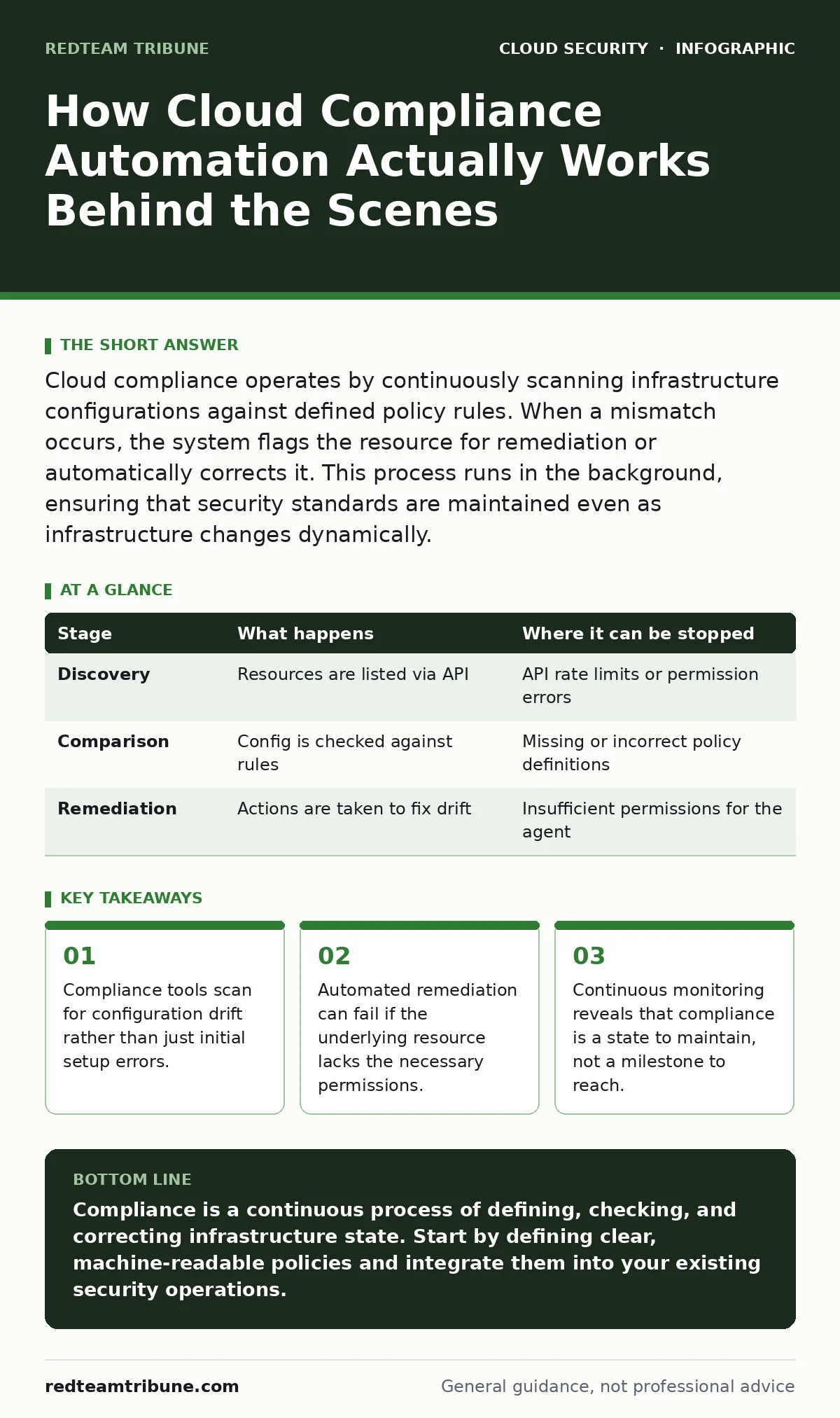
| Stage | What happens | Where it can be stopped |
|---|---|---|
| Discovery | Resources are listed via API | API rate limits or permission errors |
| Comparison | Config is checked against rules | Missing or incorrect policy definitions |
| Remediation | Actions are taken to fix drift | Insufficient permissions for the agent |
Automated Remediation Actions
When a non-compliant resource is identified, the system can take action. This is where automation provides significant value. The system can automatically correct the configuration. For example, it might block public access on a storage bucket.
However, automatic remediation carries risks. If the system corrects a configuration that is necessary for an application, it can cause downtime. You must define clear boundaries for automated actions. Some violations should only trigger alerts for manual review.
The Feedback and Reporting Loop
Compliance is not just about fixing issues. It is also about understanding the overall posture. The system generates reports that summarize compliance status. These reports help you track trends over time. They also provide evidence for audits.
You should use these reports to refine your policies. If a rule is frequently triggered, it might be too strict. If it is rarely triggered, it might be ineffective. Continuous improvement is key to maintaining a strong security posture.
This loop connects back to the policy definition layer. Insights from reporting inform better policy creation. This creates a cycle of continuous improvement. It ensures that your compliance program evolves with your infrastructure.
See also: Overprivileged Cloud Identities: How to Find and Fix Excess Access · 7 Common CASB Mistakes That Create Blind Spots
Limits of Automated Compliance
Automation has its limits. It cannot interpret intent. A configuration might be technically compliant but still risky. For example, a resource might be encrypted, but the keys might be stored insecurely. Automation checks the box, but it does not assess the broader context.
You also face the problem of shadow IT. Resources created outside of the managed environment will not be scanned. This creates blind spots in your compliance coverage. You must have processes to discover and bring these resources under management.
Integrating with Security Operations
Compliance tools should not operate in isolation. They must integrate with your broader security operations. This includes integration with cloud security posture management (CSPM) tools. CSPM provides a holistic view of your security health.
You should also connect compliance alerts to your incident response processes. This ensures that non-compliant resources are treated as potential security incidents. It allows for faster response and mitigation.
Integrating with DevSecOps practices is also beneficial. By shifting compliance checks left into the development pipeline, you catch issues early. This reduces the cost and effort of remediation. It also fosters a culture of security within development teams.
Managing Identity and Access Risks
Compliance is heavily dependent on identity management. Overprivileged cloud identities can lead to accidental non-compliance. If a user has too many permissions, they can change configurations that violate policies.
You must implement strict access controls. This includes using Kubernetes RBAC for containerized workloads. It also involves regular reviews of user permissions. The principle of least privilege should guide all access decisions.
Denial-of-wallet attacks are another risk. If an attacker gains access to your cloud account, they can provision expensive resources. This can lead to significant financial loss. Compliance tools should monitor for unusual provisioning activity.
The Role of Security Assessments
Regular cloud security assessments are necessary to validate your compliance program. These assessments go beyond automated checks. They involve manual testing and analysis. They help identify gaps that automation might miss.
You should conduct these assessments periodically. They provide an independent view of your security posture. They also help you prepare for external audits.
Assessments should cover a wide range of areas. This includes network security, identity management, and data protection. By taking a comprehensive approach, you ensure that all aspects of your security are covered.
Key takeaways
- Compliance tools scan for configuration drift rather than just initial setup errors.
- Automated remediation can fail if the underlying resource lacks the necessary permissions.
- Continuous monitoring reveals that compliance is a state to maintain, not a milestone to reach.
Compliance is a continuous process of defining, checking, and correcting infrastructure state. Start by defining clear, machine-readable policies and integrate them into your existing security operations.
Frequently asked questions
How often should compliance scans run?
The frequency depends on your risk tolerance and change rate. Critical assets should be scanned continuously, while less critical ones can be scanned less frequently.
Can compliance tools prevent data breaches?
No. Compliance tools ensure configurations meet standards. They do not protect against all types of attacks, such as application-level exploits.
What is the difference between compliance and security?
Compliance is about meeting specific rules. Security is about protecting assets. Compliance is a subset of security, but not all security measures are compliance requirements.
How do I handle shadow IT in compliance?
Use discovery tools to find unmanaged resources. Then, bring them under management or decommission them if they are not needed.
How this guide was produced: written by the RedTeam Tribune editorial team with AI assistance, checked against the public references listed below, and reviewed when the facts change. See our editorial policy or report an error.