DNS Rebinding Explained: How Attackers Bypass Browser Security
DNS rebinding tricks your browser into trusting a malicious site as a local service, bypassing same-origin policy protections without any software installation.
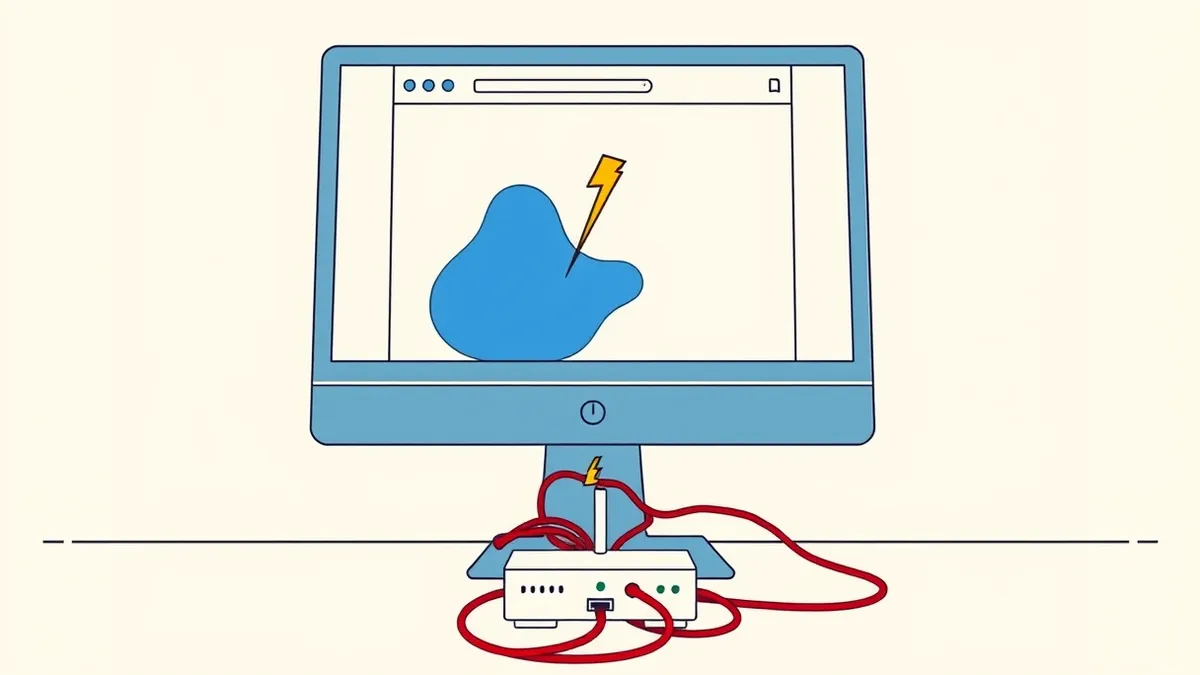
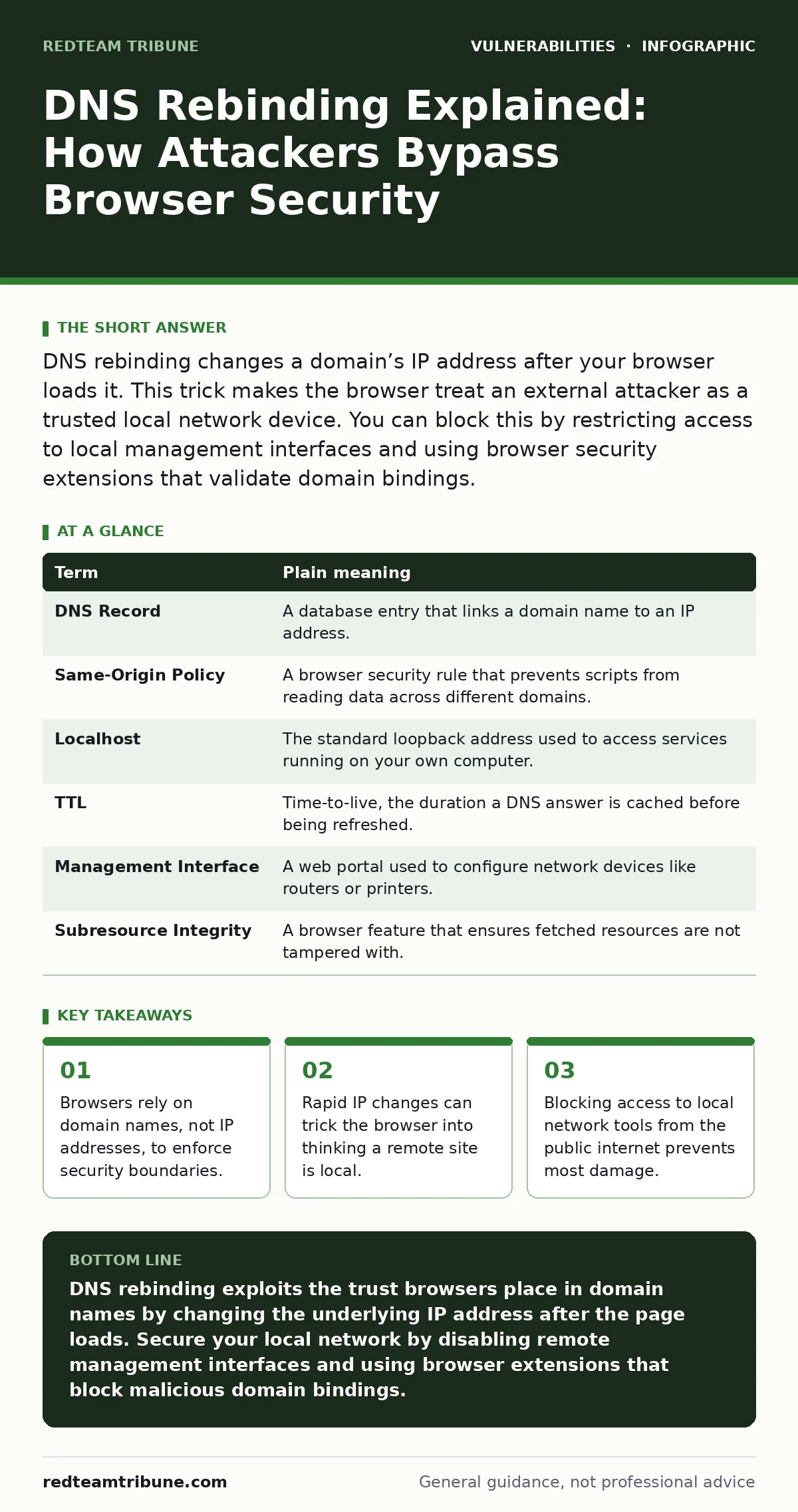
DNS rebinding changes a domain’s IP address after your browser loads it. This trick makes the browser treat an external attacker as a trusted local network device. You can block this by restricting access to local management interfaces and using browser security extensions that validate domain bindings.
How the Address Book Trick Works
Imagine you invite a friend to your house for dinner. You give them your street address, which is the domain name. When they arrive, the mail carrier delivers a note saying your house number has changed to a neighbor’s address. Your friend knocks on the neighbor’s door, but because they hold your invitation, the neighbor treats them like they are inside your home. They gain access to your private rooms. DNS rebinding uses this same deception. The browser trusts the domain name, not the actual location.
The Core Mechanism of the Attack
Your computer uses the Domain Name System to translate human-readable names into numeric IP addresses. Browsers enforce the same-origin policy, which blocks websites from accessing data on different domains. This policy relies on the domain name remaining constant. An attacker registers a domain that initially points to their own server. Once your browser loads the page, the attacker changes the DNS record to point to your local network address, such as 192.168.1.1. The browser still thinks it is talking to the original domain, so it allows the script to interact with your local router or smart home device.
Key Terms You Need to Know
Understanding the terminology helps you recognize where the failure occurs. The following table defines the components involved in this specific vulnerability class.
| Term | Plain meaning |
|---|---|
| DNS Record | A database entry that links a domain name to an IP address. |
| Same-Origin Policy | A browser security rule that prevents scripts from reading data across different domains. |
| Localhost | The standard loopback address used to access services running on your own computer. |
| TTL | Time-to-live, the duration a DNS answer is cached before being refreshed. |
| Management Interface | A web portal used to configure network devices like routers or printers. |
| Subresource Integrity | A browser feature that ensures fetched resources are not tampered with. |
Why Standard Defenses Fail
Most users assume that firewalls protect them from all external threats. Firewalls block unsolicited incoming connections, but they do not stop your browser from initiating outbound requests. The attack starts with your browser asking for a webpage. The firewall sees this as legitimate traffic. The danger lies in the timing. The attacker controls the DNS response time. They can set a very short TTL, forcing the browser to ask for the new IP address while the page is still loading. This creates a race condition similar to time-of-check to time-of-use (TOCTOU) bugs, where the state changes between the verification and the execution.
The Hidden Cost of Convenience
Many home devices, such as IoT cameras and smart thermostats, expose web interfaces for configuration. These interfaces often run on predictable local IP addresses. If you port-forward these devices to the public internet for remote access, you create a direct path for rebinding attacks. Even without port forwarding, an attacker inside your network can use rebinding to pivot from a compromised guest device to your main router. This is why broken access control is often the final step in a successful attack. The rebinding bypasses the browser’s sandbox, but the attacker still needs credentials or a vulnerability in the device’s web server to execute commands.
Practical Safety Habits for Users
You can reduce your risk by changing how you interact with local network services. First, disable remote management on your router and IoT devices unless absolutely necessary. Use a separate virtual local area network for guest devices. Second, install a browser extension that blocks known rebinding domains. These tools maintain a blacklist of domains frequently used in rebinding attacks. Third, keep your browser updated. Modern browsers are adding features to detect and block rapid DNS changes. This is similar to how you would patch hardcoded secrets in source code to prevent static analysis from revealing keys.
Try This Now: 3 Steps to Secure Your Network
- [ ] Audit your router settings: Log into your router’s administration panel. Disable any feature labeled "Remote Management" or "WAN Access." Ensure the admin interface is only accessible from the local Wi-Fi or Ethernet connection.
- [ ] Isolate guest devices: Create a separate guest network for visitors and IoT devices. This prevents a compromised smart bulb from scanning your main network for vulnerable services like vulnerabilities in self-hosted GitLab instances or other local servers.
- [ ] Enable DNS security extensions: Install a reputable browser extension that blocks DNS rebinding. Look for tools that enforce strict same-origin policy checks and block requests to localhost from external domains.
The Broader Security Context
DNS rebinding highlights a fundamental flaw in how browsers identify trust. The system relies on names, which are mutable, rather than cryptographic identities. This is why certificate pinning and other strict verification methods are gaining traction. For developers, understanding this attack helps in designing APIs that do not rely solely on origin headers for security. It also underscores the importance of robust logging. If you suspect a rebinding attack, your server logs may show requests from unexpected IP addresses for the same session. Analyzing these patterns can help you identify proof-of-concept exploits being tested against your infrastructure.
Key takeaways
- Browsers rely on domain names, not IP addresses, to enforce security boundaries.
- Rapid IP changes can trick the browser into thinking a remote site is local.
- Blocking access to local network tools from the public internet prevents most damage.
DNS rebinding exploits the trust browsers place in domain names by changing the underlying IP address after the page loads. Secure your local network by disabling remote management interfaces and using browser extensions that block malicious domain bindings.
Frequently asked questions
Can antivirus software stop DNS rebinding?
Antivirus software typically scans for malware files and does not monitor browser DNS resolution in real time. It cannot stop the browser from loading a page that changes its target IP address.
Does HTTPS prevent DNS rebinding?
HTTPS encrypts the data in transit but does not validate the domain’s target IP address against the certificate. The browser still trusts the domain name, allowing the rebinding to occur within the secure connection.
Are mobile browsers vulnerable to this attack?
Mobile browsers are also vulnerable if they cache DNS records. However, mobile operating systems often have stricter sandboxing, which limits what an attacker can do once the rebinding succeeds.
How do I know if my device has been attacked?
Look for unexpected configuration changes on your router or IoT devices. Check for unknown devices connected to your network and review login logs for failed authentication attempts from local IPs.
How this guide was produced: written by the RedTeam Tribune editorial team with AI assistance, checked against the public references listed below, and reviewed when the facts change. See our editorial policy or report an error.