Hardcoded Secrets Mistakes: 7 Code Errors That Leak Credentials
Hardcoded secrets persist in binary files and git history even after removal, creating a permanent attack surface that standard scanning often misses.

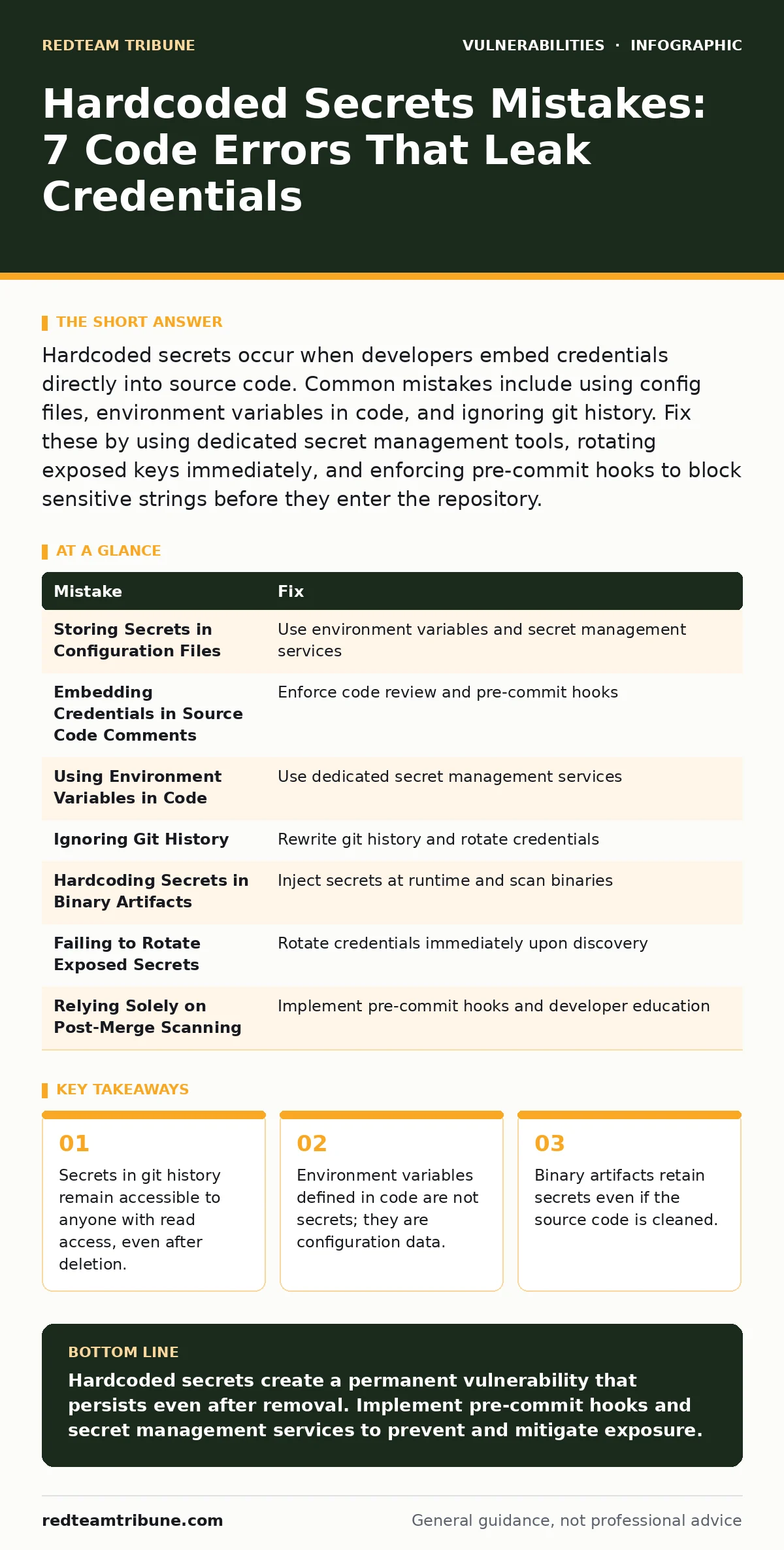
Hardcoded secrets occur when developers embed credentials directly into source code. Common mistakes include using config files, environment variables in code, and ignoring git history. Fix these by using dedicated secret management tools, rotating exposed keys immediately, and enforcing pre-commit hooks to block sensitive strings before they enter the repository.
Mistake 1: Storing Secrets in Configuration Files
Developers often treat configuration files as safe havens for credentials. This approach fails when these files are committed to version control systems. Configuration files are designed to be readable by the application, but they are also readable by anyone with repository access.
Why it hurts:
Configuration files are frequently included in public repositories by accident. Attackers scan these files for API keys, database passwords, and SSH keys. Once found, these credentials provide immediate lateral movement capabilities. The damage compounds because configuration files often contain multiple secrets for different services, creating a high-value target for automated scanners.
The fix:
Use environment variables for configuration data. Load these variables at runtime from a secure source. Never write secrets directly into configuration files that are tracked by version control. Implement file exclusion rules in your version control system to prevent accidental commits of sensitive configuration files.
Mistake 2: Embedding Credentials in Source Code Comments
Comments are intended for documentation, not storage. Developers sometimes paste temporary credentials into comments for testing or debugging purposes. These comments are rarely removed before merging code into the main branch. They become permanent records of sensitive data within the codebase.
Why it hurts:
Comments are indexed by code search engines and static analysis tools. Attackers use these indices to find leaked credentials. Even if the comment is removed later, the secret remains in the version history. This creates a long-term liability that is difficult to detect and remediate. The presence of secrets in comments also indicates a lack of disciplined development practices.
The fix:
Enforce code review policies that specifically check for secrets in comments. Use pre-commit hooks to scan for patterns that resemble credentials. Educate developers that comments are not secure storage. Remove any existing secrets from comments and rotate the affected credentials immediately. Treat comments as public documentation.
Mistake 3: Using Environment Variables in Code
Environment variables are often mistaken for secret management. Developers define environment variables in their code or deployment scripts. This provides a false sense of security because the variable name is visible, but the value is not. However, the value is still stored in plaintext somewhere.
Why it hurts:
Environment variables are accessible to any process running on the same system. If an attacker gains access to the application, they can read these variables. They are also exposed in crash dumps and logs. This makes them vulnerable to local privilege escalation attacks. The security benefit of environment variables is minimal if they are not protected by a dedicated secret management system.
The fix:
Use a dedicated secret management service. These services encrypt secrets at rest and in transit. They provide fine-grained access controls and audit logs. Integrate the secret management service with your application code. Retrieve secrets at runtime rather than storing them in environment variables. This approach aligns with best practices for secure configuration management. See our guide on broken access control for related permission issues.
Mistake 4: Ignoring Git History
Deleting a secret from the current source code does not remove it from the git history. The secret remains in previous commits. Attackers can traverse the history to find these deleted secrets. This is a common oversight that leaves organizations vulnerable long after the initial mistake.
Why it hurts:
Git history is immutable by design. Removing a file from the current branch does not erase its previous versions. Attackers can clone the repository and search through all commits. This exposes secrets that were thought to be deleted. The longer the history, the more difficult it is to ensure complete removal. This creates a persistent risk that standard scanning tools often miss.
The fix:
Use git history rewriting tools to remove secrets from all commits. This process requires forcing a push to the remote repository. Ensure all clones of the repository are updated. Rotate the exposed credentials immediately. Implement pre-commit hooks to prevent future occurrences. Consider using a separate repository for sensitive configuration data.
Mistake 5: Hardcoding Secrets in Binary Artifacts
Secrets can be embedded in compiled binary files. This occurs when developers link libraries or assets that contain credentials. These binaries are often distributed to customers or deployed in production environments. The secrets are accessible to anyone who can decompile or inspect the binary.
Why it hurts:
Binary files are harder to scan than source code. Standard static analysis tools may not detect secrets in compiled formats. Attackers can reverse engineer the binary to extract the secrets. This provides a direct path to compromise downstream systems. The risk is amplified because binaries are often shared widely, increasing the exposure surface.
The fix:
Implement a build process that injects secrets at runtime. Do not compile secrets into the binary. Use external configuration files or secret management services. Scan binary artifacts for known secret patterns before distribution. Ensure that the build environment does not contain sensitive data. This approach prevents secrets from being baked into the final product.
Mistake 6: Failing to Rotate Exposed Secrets
Discovering a hardcoded secret is only the first step. Many organizations fail to rotate the exposed credentials. They remove the secret from the code but continue to use the same key. This leaves the system vulnerable to attackers who have already accessed the secret.
Why it hurts:
An exposed secret is compromised by definition. Continuing to use it assumes that no one has seen it. This is a dangerous assumption. Attackers may have already used the secret to gain access. Rotating the secret invalidates the attacker's access. Failure to rotate extends the window of vulnerability and increases the potential damage.
The fix:
Rotate all exposed secrets immediately upon discovery. Generate new credentials and update all systems that use them. Monitor for unauthorized access using the old credentials. Implement a process for regular secret rotation. This reduces the impact of any future exposure. Treat every discovered secret as compromised.
Mistake 7: Relying Solely on Post-Merge Scanning
Scanning for secrets after code is merged is too late. The secret has already entered the repository. It is visible to all contributors. Post-merge scanning detects the problem but does not prevent it. This reactive approach allows secrets to persist in the codebase.
Why it hurts:
Post-merge scanning creates a delay between introduction and detection. During this delay, the secret is exposed. It may be used by attackers or cloned by other developers. The longer the delay, the greater the risk. Reactive scanning also fails to address the root cause of the leakage. It treats the symptom rather than the disease.
The fix:
Implement pre-commit hooks that scan for secrets before code is committed. This prevents secrets from entering the repository. Combine this with post-merge scanning for defense in depth. Educate developers on the importance of pre-commit checks. This proactive approach stops secrets at the source. See our guide on virtual patching for similar proactive strategies.
| Mistake | Fix |
|---|---|
| Storing Secrets in Configuration Files | Use environment variables and secret management services |
| Embedding Credentials in Source Code Comments | Enforce code review and pre-commit hooks |
| Using Environment Variables in Code | Use dedicated secret management services |
| Ignoring Git History | Rewrite git history and rotate credentials |
| Hardcoding Secrets in Binary Artifacts | Inject secrets at runtime and scan binaries |
| Failing to Rotate Exposed Secrets | Rotate credentials immediately upon discovery |
| Relying Solely on Post-Merge Scanning | Implement pre-commit hooks and developer education |
Key takeaways
- Secrets in git history remain accessible to anyone with read access, even after deletion.
- Environment variables defined in code are not secrets; they are configuration data.
- Binary artifacts retain secrets even if the source code is cleaned.
- Pre-commit hooks prevent leakage but do not remediate existing exposure.
Hardcoded secrets create a permanent vulnerability that persists even after removal. Implement pre-commit hooks and secret management services to prevent and mitigate exposure.
Frequently asked questions
How do I find hardcoded secrets in my existing codebase?
Use static application security testing tools that scan for common secret patterns. Run these tools on your entire repository history.
Can I use a .env file for secrets?
No, .env files are configuration files. They must be excluded from version control. Use a secret management service for production environments.
What is the difference between a secret and a configuration variable?
Secrets are sensitive data like passwords and keys. Configuration variables are non-sensitive settings like server addresses. Treat them differently in your code.
How often should I rotate secrets?
Rotate secrets immediately upon exposure. Implement regular rotation schedules for active secrets to reduce risk.
How this guide was produced: written by the RedTeam Tribune editorial team with AI assistance, checked against the public references listed below, and reviewed when the facts change. See our editorial policy or report an error.