Directory Listing Exposure: What It Is and How to Stop It
Default server configurations often serve file indexes when index files are missing, handing attackers a map of your internal structure without authentication.
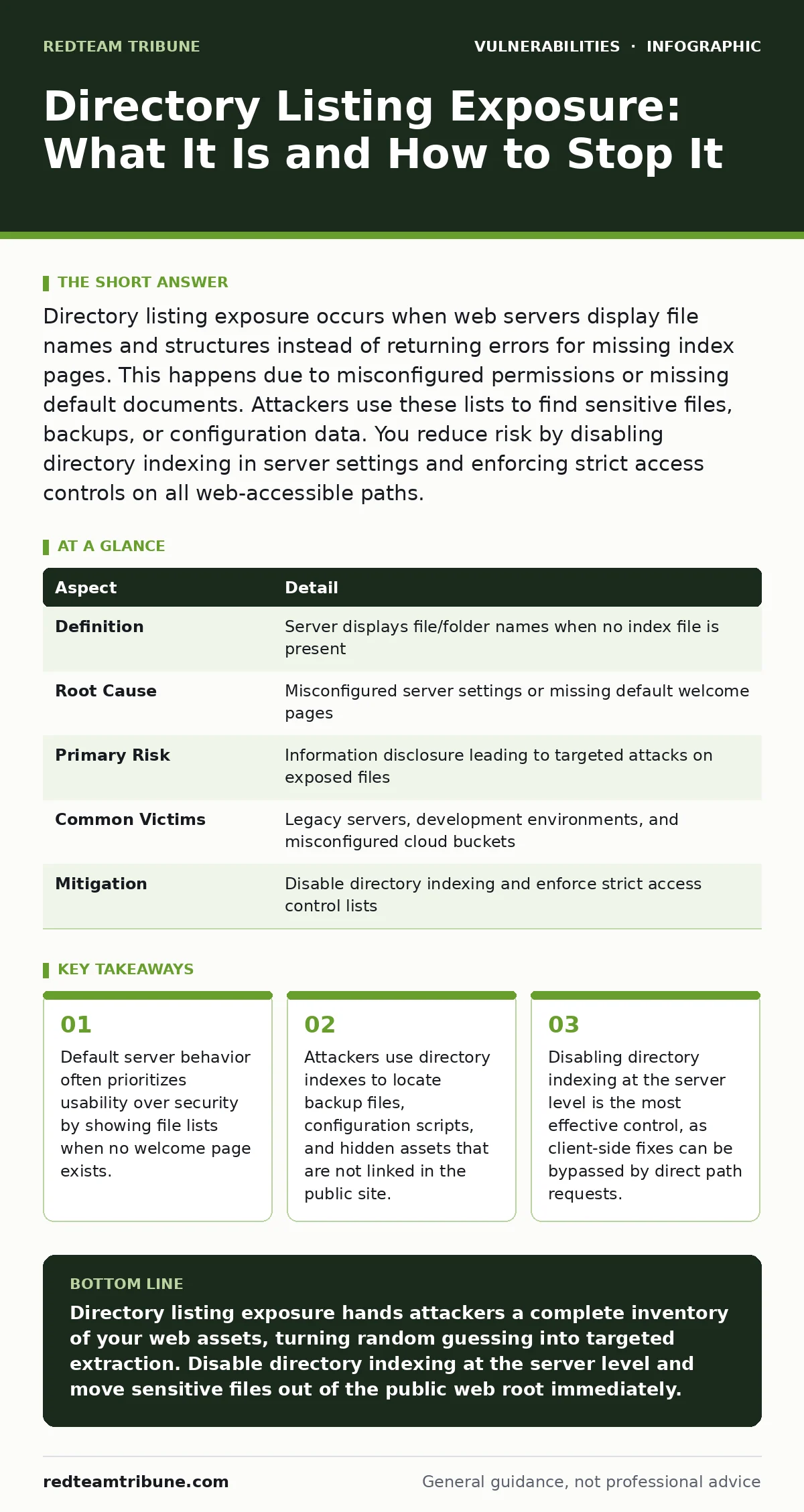
Directory listing exposure occurs when web servers display file names and structures instead of returning errors for missing index pages. This happens due to misconfigured permissions or missing default documents. Attackers use these lists to find sensitive files, backups, or configuration data. You reduce risk by disabling directory indexing in server settings and enforcing strict access controls on all web-accessible paths.
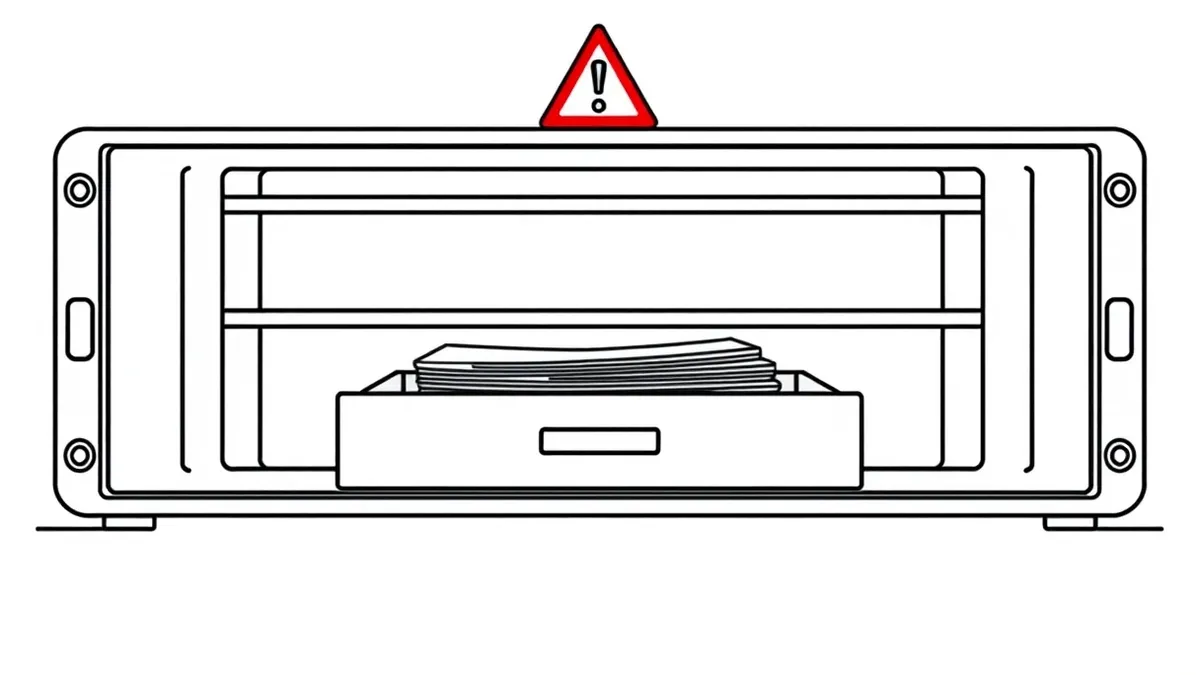
The Open Drawer Analogy
Imagine a library with an open drawer on the front desk. The librarian does not hand you every book, but the drawer contains a list of every title on the shelf. A casual visitor might ignore it. A thief studies the list to find the rare first editions. Directory listing exposure works the same way. It does not give attackers the content of your files immediately. It gives them the map. They see which files exist, what they are named, and how they are organized. This information drastically reduces the effort required to find valuable targets.
At a Glance
| Aspect | Detail |
|---|---|
| Definition | Server displays file/folder names when no index file is present |
| Root Cause | Misconfigured server settings or missing default welcome pages |
| Primary Risk | Information disclosure leading to targeted attacks on exposed files |
| Common Victims | Legacy servers, development environments, and misconfigured cloud buckets |
| Mitigation | Disable directory indexing and enforce strict access control lists |
How Directory Listing Happens
Web servers are designed to serve content efficiently. When you request a folder, the server looks for a default file, usually named index.html or index.php. If that file exists, the server sends it to the browser. If it does not exist, the server behavior depends on its configuration. Many servers are set to show a directory listing by default.
This feature helps developers debug their site structure during the build phase. It is convenient for humans. It is dangerous for security. The server sends an HTML page containing links to every file in that directory. This includes hidden files, backup copies, and configuration scripts. The server does not care if the files are sensitive. It only cares that they are in the requested path.
Who Is Affected
Any organization hosting web content is at risk. Small businesses using shared hosting often inherit default settings from their provider. Large enterprises face risk through legacy systems that were configured years ago and never updated. Development environments are particularly vulnerable. Engineers often enable directory listing to quickly check uploaded assets. They forget to disable it before moving the code to production. Cloud storage buckets also suffer from this issue. If a bucket allows public read access and lacks a default object, the storage provider may return a list of objects. This exposes internal data structures to anyone who guesses the bucket URL.
Common Forms of Exposure
Directory listing appears in several forms depending on the technology stack. Apache servers use the Indexes option in the Options directive. If this option is enabled, Apache generates a directory listing. Nginx uses the autoindex directive. When set to on, Nginx displays file lists. Internet Information Services (IIS) has directory browsing enabled by default in some older versions.
Each server has its own syntax and default behavior. Some applications also generate their own listings. Content management systems may expose plugin directories if misconfigured. File upload components often create temporary directories that are accessible via the web root. These directories rarely contain index files. They contain raw uploads. Attackers scan for these paths to find executable scripts or database dumps.
See also: How to Write an Access Control Policy That Stops Broken Access Control · Secure Output Encoding: Stop Injection Attacks Now
What People Usually Get Wrong
Many teams believe that hiding files is enough. They rename sensitive files with obscure names or add a dot prefix to make them hidden. This provides only obscurity. Attackers do not need to guess the exact name if they have a directory listing. They see the hidden files clearly. Another common mistake is relying on robots.txt to block access. This file is a polite request to search engines. It is not a security control. Malicious bots ignore it. It actually helps attackers by listing the directories they should not scan. Teams also assume that if a file is not linked from the main site, it is safe. Direct path traversal allows anyone to request any file if the server permits it.
The Hidden Cost of Convenience
The convenience of directory listing creates a hidden cost in incident response. When a breach occurs, investigators must determine what was exposed. If directory listing was enabled, attackers had a complete inventory of your assets. This allows them to target specific high-value files rather than guessing. It turns a brute-force attack into a surgical strike. The cost is not just the data loss. It is the time spent analyzing which files were viewed and downloaded. You must assume that any file visible in a directory listing was read by an attacker. This expands the scope of the investigation significantly.
How to Reduce the Risk
The primary defense is disabling directory indexing at the server level. This removes the ability to list files for any directory. If a user requests a folder without an index file, the server returns a 403 Forbidden or 404 Not Found error. This breaks the map. You must apply this setting globally. Do not rely on per-directory configurations. Human error will leave gaps.
Use configuration management tools to enforce these settings across all servers. You should also restrict access to sensitive directories using access control lists. Even if indexing is disabled, direct requests for specific files can succeed. Ensure that configuration files, logs, and backups are not in the web root at all. Move them to a non-public location.
Beyond Basic Indexing
Directory listing is often the first step in a larger attack chain. Attackers use the exposed files to find other vulnerabilities. They might find a configuration file that reveals database credentials. They might find an old admin panel that has known flaws. This is why addressing directory listing is part of a broader strategy.
You should also review your output encoding practices to prevent data leakage. Consider how API vulnerabilities might expose similar data structures. Implementing Content Security Policy can help restrict where resources are loaded from, but it does not prevent directory listing. Virtual patching can provide temporary protection while you fix the server configuration.
The Role of Access Control
Disabling indexing is not enough if your server allows unrestricted access to all files. You must define which directories are accessible. Use the principle of least privilege. Only the directories that need to serve static content should be exposed. Everything else should be blocked. This includes upload directories. If users can upload files, those files should be stored outside the web root or served through a controlled script. The script can check file types and permissions before sending the content. This prevents direct access to uploaded executables or scripts. It also prevents directory listing of those uploads.
Summary of Controls
You need a layered approach to stop directory listing exposure. First, disable indexing at the server level. This is the most critical step. Second, ensure every public directory has a default index file as a fallback. Third, move sensitive files out of the web root entirely. Fourth, use access controls to restrict which paths are accessible. Fifth, monitor for changes in server configuration. Drift from secure settings is common. Automated checks catch these changes before attackers do. This approach reduces the attack surface significantly. It removes the map that attackers rely on.
Key takeaways
- Default server behavior often prioritizes usability over security by showing file lists when no welcome page exists.
- Attackers use directory indexes to locate backup files, configuration scripts, and hidden assets that are not linked in the public site.
- Disabling directory indexing at the server level is the most effective control, as client-side fixes can be bypassed by direct path requests.
Directory listing exposure hands attackers a complete inventory of your web assets, turning random guessing into targeted extraction. Disable directory indexing at the server level and move sensitive files out of the public web root immediately.
Frequently asked questions
Does HTTPS prevent directory listing?
No, HTTPS encrypts the data in transit but does not change server configuration. The server still generates the directory listing and sends it securely to the attacker.
Can a firewall stop directory listing?
A web application firewall can block requests that look like directory traversal, but it is easier to fix the server configuration. Relying on the firewall adds complexity and potential false positives.
Is directory listing a legal violation?
It can be, depending on the data exposed. If personal data or regulated information is accessible via directory listing, it may violate privacy laws and compliance standards like GDPR or HIPAA.
How do I check if my site has directory listing?
Request a directory URL that you know does not have an index file. If you see a list of files and folders, directory listing is enabled. If you get a 403 or 404 error, it is likely disabled.
How this guide was produced: written by the RedTeam Tribune editorial team with AI assistance, checked against the public references listed below, and reviewed when the facts change. See our editorial policy or report an error.