XDR Misconfigurations: 7 Common Errors That Blind Your Security Stack
Most extended detection and response failures stem from configuration drift and alert fatigue, not from the software’s inability to detect threats.

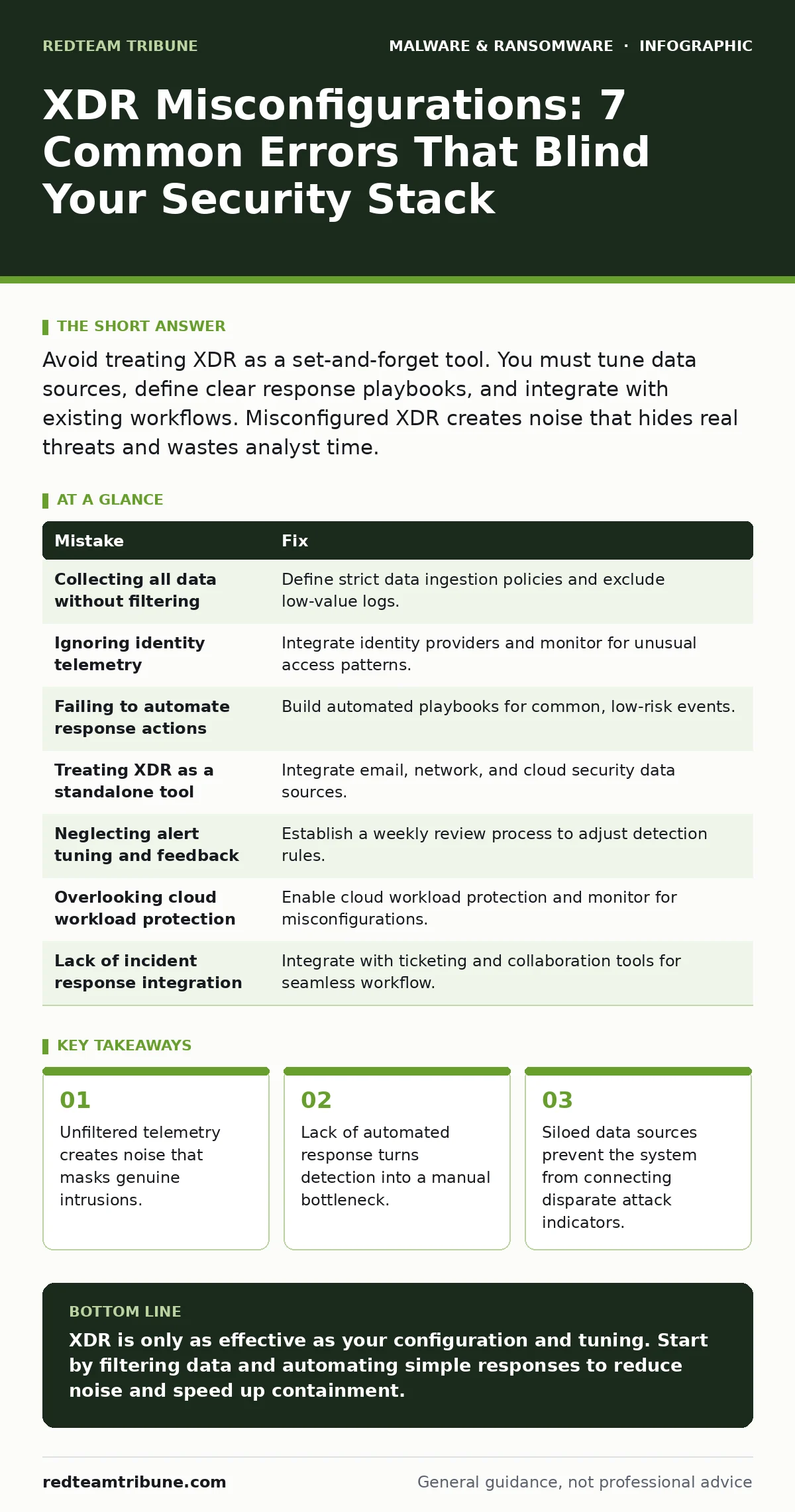
Avoid treating XDR as a set-and-forget tool. You must tune data sources, define clear response playbooks, and integrate with existing workflows. Misconfigured XDR creates noise that hides real threats and wastes analyst time.
Extended detection and response (XDR) aggregates data from endpoints, networks, and cloud environments to provide a unified view of security threats. It promises to reduce the complexity of managing separate security tools. However, the technology only works if you configure it correctly. Many organizations deploy the software but fail to tune the underlying logic. This results in a system that generates noise rather than intelligence.
Mistake 1: Collecting All Data Without Filtering
You might assume that more data equals better security. In reality, ingesting every log entry without filtering overwhelms the platform. The system struggles to correlate events when faced with massive volumes of benign traffic. This is a classic case of signal-to-noise ratio failure.
Why it hurts: Analysts spend hours reviewing false positives instead of investigating real threats. The backlog grows until critical alerts are missed entirely. The platform’s correlation engine becomes sluggish, delaying detection times.
The fix: Define strict data ingestion policies. Prioritize high-fidelity telemetry from endpoints and identity providers. Exclude low-value logs from routine monitoring. Review these filters monthly to ensure they align with your current environment.
Mistake 2: Ignoring Identity Telemetry
Many teams focus heavily on endpoint and network data. They treat identity as a secondary concern. This is a dangerous oversight because modern attacks often start with compromised credentials. Identity is the new perimeter.
Why it hurts: An attacker with valid credentials can move laterally without triggering traditional network alerts. The XDR platform sees authorized activity and ignores it. You miss the initial access point and the lateral movement phase.
The fix: Integrate your identity provider with the XDR platform. Enable logging for privileged actions and unusual login patterns. Create detection rules that flag impossible travel or after-hours access. This connects identity events to endpoint behaviors.
Mistake 3: Failing to Automate Response Actions
Detecting a threat is only half the battle. If your team must manually investigate every alert, you will burn out. Automation is not optional in high-volume environments. It is the difference between containing a breach and losing control.
Why it hurts: Manual response introduces human error and delay. An attacker can exfiltrate data or encrypt files while analysts debate the next step. The window for effective containment closes rapidly.
The fix: Build automated playbooks for common, low-risk events. For example, automatically isolate an endpoint if it exhibits known ransomware behavior. Use attack surface reduction rules to block common exploitation techniques automatically. Reserve manual intervention for complex, high-impact incidents.
Mistake 4: Treating XDR as a Standalone Tool
XDR is designed to correlate data from multiple sources. Using it only for endpoint data defeats its purpose. It becomes just another endpoint detection and response (EDR) tool with a fancy name. You miss the broader context of the attack.
Why it hurts: You cannot see how an email phishing attempt leads to a compromised server. The lack of cross-platform correlation hides the attack chain. You respond to symptoms rather than the root cause.
The fix: Integrate email security, network traffic analysis, and cloud security posture management. Ensure data flows freely between these sources and the XDR platform. This allows the system to connect a suspicious email to a malicious process on a workstation.
Mistake 5: Neglecting Alert Tuning and Feedback Loops
Initial detection rules are often generic. They are not tailored to your specific environment. Over time, these rules generate irrelevant alerts. Without regular tuning, the system becomes useless.
Why it hurts: Alert fatigue sets in. Analysts begin to ignore warnings, assuming they are false positives. Real threats slip through the cracks unnoticed. The trust in the platform erodes.
The fix: Establish a weekly review process for alerts. Analyze false positives and adjust rules accordingly. Create a feedback loop where analysts can tag alerts as noise. This continuous improvement keeps the detection engine sharp.
See also: 7 Mistakes That Expose You to Dark Web Search Engines · What Is Virtual Patching: How It Works Without Code Changes
Mistake 6: Overlooking Cloud Workload Protection
Many organizations focus on on-premises infrastructure. They neglect cloud workloads in their XDR strategy. This creates a blind spot in hybrid environments. Attackers exploit this gap to pivot between cloud and on-prem systems.
Why it hurts: A compromised cloud instance can be used to attack internal networks. The XDR platform lacks visibility into cloud-native threats. You cannot defend what you cannot see.
The fix: Enable cloud workload protection modules. Monitor for misconfigurations and unusual API calls. Integrate cloud security data with the XDR platform. This ensures a unified view of your entire infrastructure.
Mistake 7: Lack of Incident Response Integration
Detection without response is incomplete. Many teams fail to integrate XDR with their ticketing and collaboration tools. This creates a disconnect between detection and action.
Why it hurts: Information is siloed. Analysts must switch between multiple applications to manage an incident. This increases response time and reduces coordination. Critical context is lost in the shuffle.
The fix: Integrate XDR with your case management and communication platforms. Ensure that alerts create tickets automatically. Include relevant context and recommended actions in the ticket. This streamlines the response process and keeps the team aligned.
| Mistake | Fix |
|---|---|
| Collecting all data without filtering | Define strict data ingestion policies and exclude low-value logs. |
| Ignoring identity telemetry | Integrate identity providers and monitor for unusual access patterns. |
| Failing to automate response actions | Build automated playbooks for common, low-risk events. |
| Treating XDR as a standalone tool | Integrate email, network, and cloud security data sources. |
| Neglecting alert tuning and feedback | Establish a weekly review process to adjust detection rules. |
| Overlooking cloud workload protection | Enable cloud workload protection and monitor for misconfigurations. |
| Lack of incident response integration | Integrate with ticketing and collaboration tools for seamless workflow. |
Key takeaways
- Unfiltered telemetry creates noise that masks genuine intrusions.
- Lack of automated response turns detection into a manual bottleneck.
- Siloed data sources prevent the system from connecting disparate attack indicators.
XDR is only as effective as your configuration and tuning. Start by filtering data and automating simple responses to reduce noise and speed up containment.
Frequently asked questions
How often should I review my XDR detection rules?
Review rules weekly to address false positives and adjust for changes in your environment. This keeps the system accurate and relevant.
Can XDR replace all other security tools?
No. XDR aggregates data from other tools. It enhances their effectiveness but does not replace the need for specialized security controls.
What is the biggest risk of poor XDR configuration?
Alert fatigue. When analysts are overwhelmed by noise, they miss real threats. This leads to delayed response and increased damage.
How do I measure the effectiveness of my XDR setup?
Track metrics like mean time to detect (MTTD) and mean time to respond (MTTR). Also, monitor the ratio of false positives to true positives.
How this guide was produced: written by the RedTeam Tribune editorial team with AI assistance, checked against the public references listed below, and reviewed when the facts change. See our editorial policy or report an error.