Multi-Region Failover Checklist for Cloud Resilience
Geographic redundancy fails when shared dependencies create single points of failure that collapse every region simultaneously during a regional outage.
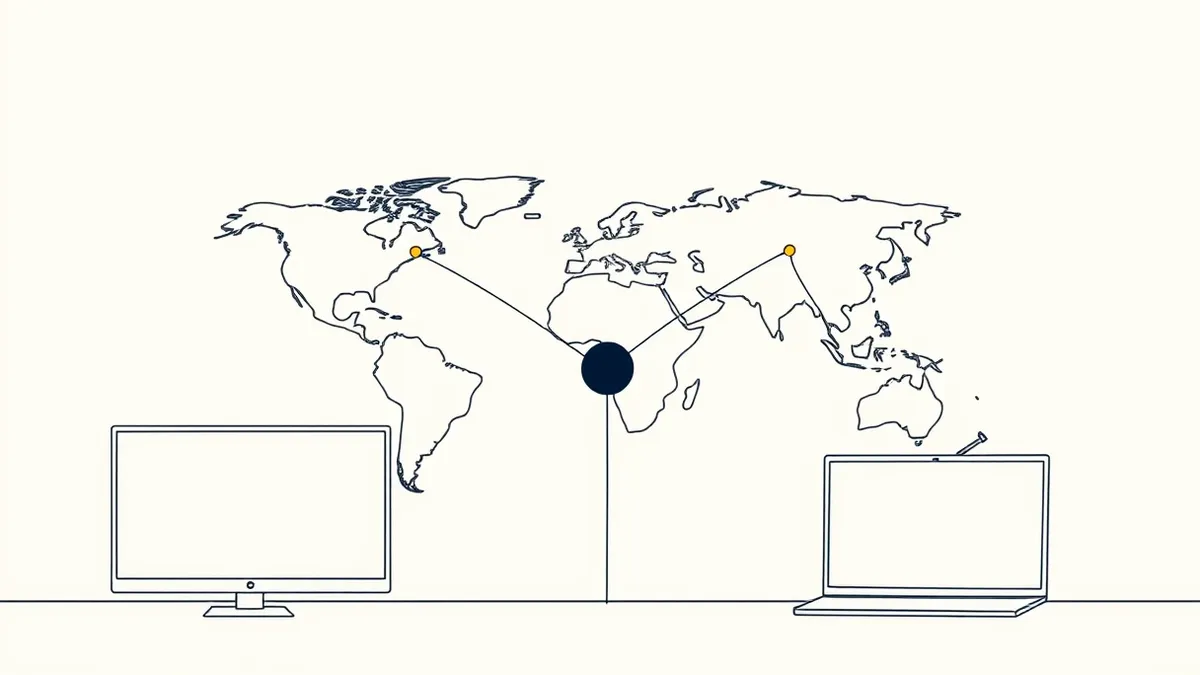
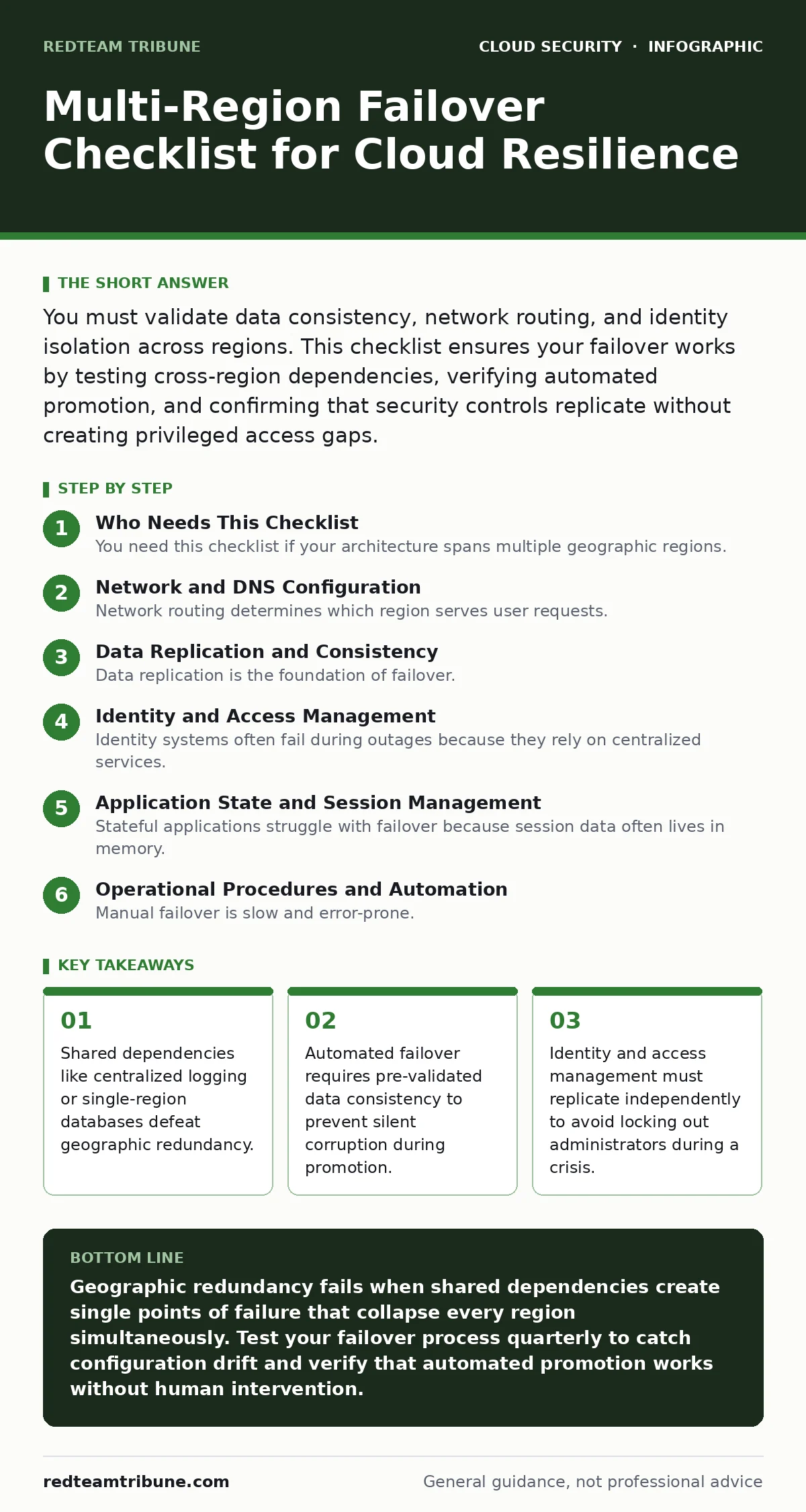
You must validate data consistency, network routing, and identity isolation across regions. This checklist ensures your failover works by testing cross-region dependencies, verifying automated promotion, and confirming that security controls replicate without creating privileged access gaps.
Who Needs This Checklist
You need this checklist if your architecture spans multiple geographic regions. Geographic redundancy is useless if a single failure propagates across all locations. This list targets architects and operators who manage complex cloud environments. It forces you to verify that your failover mechanism works in isolation. You use this list before and after every major infrastructure change. It prevents the common mistake of assuming replication equals availability.
Network and DNS Configuration
Network routing determines which region serves user requests. If DNS fails to update, users hit black holes. You must verify that health checks trigger failover automatically. Manual intervention during an outage causes unacceptable delays.
- Configure low-time-to-live DNS records: Short TTLs allow faster propagation of new IP addresses during a switch.
- Verify global load balancer health checks: Health checks must detect application-level failures, not just network connectivity.
- Test cross-region latency thresholds: Ensure applications function within acceptable performance limits when routed to distant regions.
- Validate DNS failover logic: Confirm that secondary records activate only when primary endpoints are truly unreachable.
Data Replication and Consistency
Data replication is the foundation of failover. If the secondary region holds stale data, your application breaks upon promotion. You must define acceptable data loss windows clearly. Synchronous replication reduces latency but increases cost. Asynchronous replication risks data loss but improves performance. Choose based on business tolerance.
- Define recovery point objectives: Specify exactly how much recent data loss is acceptable during a regional failure.
- Verify asynchronous replication lag: Monitor the delay between primary and secondary databases to ensure it stays within limits.
- Test database promotion procedures: Promote the secondary database to primary status to confirm it accepts writes immediately.
- Check snapshot frequency and retention: Ensure enough snapshots exist to restore data to a known good state.
See our guide on cloud data exfiltration to understand how replication streams can be intercepted if not encrypted in transit.
Identity and Access Management
Identity systems often fail during outages because they rely on centralized services. If your primary identity provider goes down, users cannot log in. You must ensure identity services are distributed or cached locally. Privileged access must remain available even if standard authentication fails.
- Decouple identity from regional databases: Ensure authentication services operate independently of application data stores.
- Verify break-glass account isolation: Emergency accounts must not rely on the same authentication infrastructure as standard users.
- Test role assumption across regions: Confirm that service accounts can assume roles in the secondary region without interruption.
- Audit cross-region permissions: Ensure that failover processes have the least privilege required to promote services.
Refer to our guide on federated identity to learn how external identity providers can serve as a fallback authentication source.
Application State and Session Management
Stateful applications struggle with failover because session data often lives in memory. If a region fails, active sessions die. You must externalize session state to a shared, durable store. This store must be accessible from all regions. Without this, users lose their work and must re-authenticate.
- Externalize session storage: Store session data in a distributed cache accessible from all regions, not in local memory.
- Verify idempotent operations: Ensure that retried requests do not create duplicate records or charges during a switch.
- Test connection draining: Confirm that active connections are closed gracefully before traffic shifts to the new region.
- Validate static asset replication: Ensure that images, scripts, and stylesheets are available in the secondary region immediately.
See also: Overprivileged Cloud Identities: How to Find and Fix Excess Access · 7 Common CASB Mistakes That Create Blind Spots
Operational Procedures and Automation
Manual failover is slow and error-prone. You must automate the promotion process to reduce mean time to recovery. Automation requires rigorous testing because scripts can fail silently. You must monitor the health of the automation itself. If the automation tool fails, you have no failover.
- Script region promotion steps: Automate the sequence of database promotion, DNS updates, and service scaling.
- Test automation in isolation: Run failover scripts in a sandbox to verify they complete without human intervention.
- Verify alerting and notification paths: Ensure that operators receive alerts even if the primary monitoring system is down.
- Document rollback procedures: Define clear steps to revert to the primary region once it becomes stable again.
See our guide on DevSecOps to integrate these failover tests into your continuous integration pipeline.
Security Control Replication
Security controls must replicate with the application. If firewall rules or encryption keys do not follow the traffic, your secondary region is exposed. You must verify that security groups, network policies, and encryption settings are identical across regions. Divergence creates attack surfaces.
- Verify encryption key availability: Ensure that keys stored in a vault are accessible from the secondary region during failover.
- Check firewall rule parity: Confirm that network security groups and firewall rules match exactly between regions.
- Test logging destination redundancy: Ensure that audit logs continue to flow even if the primary logging region is offline.
- Validate vulnerability scanning coverage: Ensure that security scanning tools cover both primary and secondary environments.
Refer to our guide on access key rotation to ensure that credentials used by failover scripts do not expire during an outage.
Validation and Continuous Testing
A failover plan is only as good as its last test. You must test failover regularly to catch drift. Configuration drift occurs when changes are made to one region but not the other. Regular tests expose these discrepancies before a real outage. You must treat tests as production events.
- Schedule quarterly failover drills: Execute full failover procedures to verify end-to-end functionality and team readiness.
- Monitor configuration drift: Use automated tools to detect and alert on differences between primary and secondary regions.
- Review incident post-mortems: Analyze past outages to identify gaps in the failover process and update procedures.
- Verify third-party service availability: Confirm that external APIs and services used by your application are available in the secondary region.
See our guide on workload identity to ensure that service accounts used in the secondary region have appropriate permissions.
Key takeaways
- Shared dependencies like centralized logging or single-region databases defeat geographic redundancy.
- Automated failover requires pre-validated data consistency to prevent silent corruption during promotion.
- Identity and access management must replicate independently to avoid locking out administrators during a crisis.
Geographic redundancy fails when shared dependencies create single points of failure that collapse every region simultaneously. Test your failover process quarterly to catch configuration drift and verify that automated promotion works without human intervention.
Frequently asked questions
How often should I test multi-region failover?
You should test failover at least quarterly. More frequent testing is required if you make significant infrastructure changes. Regular testing exposes configuration drift and ensures team readiness.
Can I use the same database for all regions?
No, a single database creates a single point of failure. You must replicate data to a secondary region. The secondary database must be promotable to primary status independently.
What is the biggest risk in multi-region failover?
The biggest risk is shared dependencies. If logging, identity, or configuration management relies on a single region, that region's failure disables the entire system.
How do I handle session data during failover?
You must externalize session data to a distributed cache. Storing sessions in local memory causes data loss when a region fails. Distributed caches ensure session continuity across regions.
How this guide was produced: written by the RedTeam Tribune editorial team with AI assistance, checked against the public references listed below, and reviewed when the facts change. See our editorial policy or report an error.