Spot Keyloggers Early: Warning Signs and Removal Steps
Keyloggers often hide in plain sight, causing subtle input delays and unexpected cursor jumps that most users ignore until data is gone.

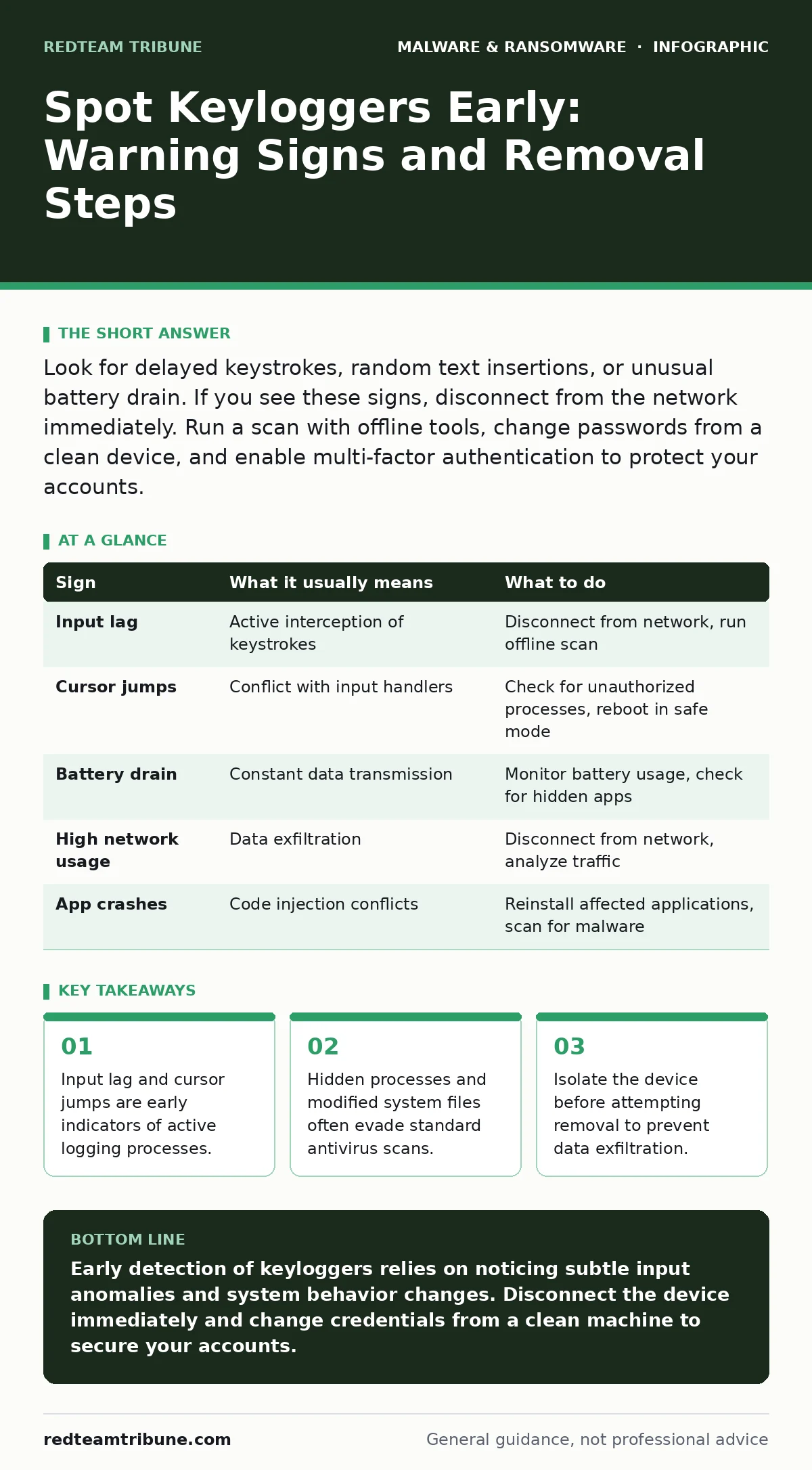
Look for delayed keystrokes, random text insertions, or unusual battery drain. If you see these signs, disconnect from the network immediately. Run a scan with offline tools, change passwords from a clean device, and enable multi-factor authentication to protect your accounts.
The First Signs You Will Notice
The most obvious signs of a keylogger appear in how your computer responds to your typing. You will notice a slight delay between pressing a key and seeing the character on screen. This lag happens because the malicious software intercepts the input signal before sending it to the operating system.
Your cursor may jump to random positions or text may appear in fields without your input. This occurs when the keylogger attempts to paste previously captured data or when its processes conflict with normal input handlers. If you type a password and see different characters appear, the keylogger is actively recording and potentially altering your input.
Unexpected pop-ups or windows that close immediately after opening can also signal presence. These are often components of the malware checking for updates or attempting to establish a connection with a command and control server. While these signs are noticeable, they are easy to attribute to hardware failure or driver issues.
Subtle Indicators That Are Easy to Miss
Not all keyloggers cause visible disruptions. Many modern variants are designed to run silently in the background, consuming minimal resources. You might notice your battery draining faster than usual on a laptop or mobile device. This happens because the malware is constantly recording input and transmitting data, even when the screen is off.
Check for processes in your task manager that have no description or generic names. Keyloggers often disguise themselves as legitimate system processes to avoid detection. Look for high network usage when you are not actively using the internet. This outbound traffic is often the stolen data being sent to the attacker.
Another subtle sign is the failure of certain applications to launch. Some keyloggers inject code into legitimate programs, causing them to crash or behave erratically. If a specific application consistently fails, it may be a conflict with the malicious code. These signs require a deeper look into system behavior and resource usage.
What to Do When You See a Sign
If you suspect a keylogger, your first step is to disconnect the device from the network. Unplug the Ethernet cable or turn off Wi-Fi and Bluetooth. This prevents the malware from sending your captured data to the attacker. Do not attempt to use the device for sensitive tasks while it is connected.
Next, boot the device into safe mode. This mode loads only essential system drivers and services, preventing most malware from running. From here, you can run a scan with security software. Use offline scanning tools if possible, as these are less likely to be detected by sophisticated malware.
Change your passwords from a different, clean device. Do not change them on the infected machine, as the keylogger will capture the new credentials. Enable multi-factor authentication on all critical accounts. This adds an extra layer of security, making it harder for attackers to access your accounts even if they have your password.
Understanding the Mechanism
Keyloggers work by intercepting signals between the keyboard and the operating system. They can be software-based, installed via malware, or hardware-based, attached physically to the USB port. Software keyloggers are more common and often spread through phishing emails or malicious downloads.
Some keyloggers use API hooks to capture keystrokes at the application level. This method allows them to record input in specific programs, such as banking apps or email clients. Others use driver-level access, which gives them control over the entire input system. This makes them harder to detect and remove.
The data captured is usually stored locally or sent directly to a remote server. If stored locally, the attacker must access the device to retrieve it. If sent remotely, the attacker can collect data in real-time. Understanding this mechanism helps you choose the right removal and prevention strategies.
| Sign | What it usually means | What to do |
|---|---|---|
| Input lag | Active interception of keystrokes | Disconnect from network, run offline scan |
| Cursor jumps | Conflict with input handlers | Check for unauthorized processes, reboot in safe mode |
| Battery drain | Constant data transmission | Monitor battery usage, check for hidden apps |
| High network usage | Data exfiltration | Disconnect from network, analyze traffic |
| App crashes | Code injection conflicts | Reinstall affected applications, scan for malware |
Hidden Costs and Complications
Removing a keylogger is not always straightforward. Some variants install multiple components across the system. Deleting one file may not remove the entire threat. You may need to restore the system to a previous state to ensure complete removal.
Another complication is persistence. Keyloggers often modify system settings to restart automatically after a reboot. This makes them resilient against simple deletion. You must check startup items and scheduled tasks for any suspicious entries.
The risk of data exposure remains even after removal. If the keylogger captured your passwords, you must assume they are compromised. Changing passwords is necessary, but you should also monitor your accounts for unusual activity. Consider using a password manager to generate strong, unique passwords for each account.
Prevention and Long-Term Security
Preventing keyloggers requires a layered approach. Keep your operating system and applications up to date. Updates often patch vulnerabilities that malware uses to install itself. Use a reputable antivirus solution that includes real-time protection.
Be cautious with email attachments and links. Many keyloggers are distributed through phishing emails. If you are unsure about an attachment, do not open it. Use email attachment scanning services to check for malicious content before opening files.
Regularly review your installed applications and startup items. Uninstall any programs you do not recognize or use. This reduces the attack surface and makes it harder for malware to hide. Consider using extended detection and response (XDR) solutions for advanced threat monitoring. These tools can detect anomalies in system behavior that traditional antivirus might miss.
Related Topics to Explore
Understanding keyloggers is just one part of malware defense. You should also learn about malware obfuscation techniques, which help attackers hide their code. Knowing how malware removes malware from an Android phone is useful if you suspect mobile keyloggers.
For broader threat monitoring, extended detection and response (XDR) provides visibility across your entire network. If you handle payments, understand point-of-sale malware, which targets transaction data. Email attachment scanning is a critical defense against the initial infection vector.
Dynamic malware analysis helps researchers understand how malware behaves in a controlled environment. This knowledge informs better detection methods. Android malware is a growing concern, so stay informed about specific threats to mobile devices. Macro malware in documents is another common delivery method for keyloggers.
Key takeaways
- Input lag and cursor jumps are early indicators of active logging processes.
- Hidden processes and modified system files often evade standard antivirus scans.
- Isolate the device before attempting removal to prevent data exfiltration.
Early detection of keyloggers relies on noticing subtle input anomalies and system behavior changes. Disconnect the device immediately and change credentials from a clean machine to secure your accounts.
Frequently asked questions
Can a keylogger steal my credit card number?
Yes, if you type your card number on an infected device, the keylogger can capture it. Always use secure, tokenized payment methods when possible.
Do antivirus programs detect all keyloggers?
No, some advanced keyloggers evade detection by hiding as legitimate processes or using obfuscation. Regular updates and manual checks are necessary.
Can a keylogger be installed without my permission?
Yes, through drive-by downloads or vulnerable software. Keeping your system updated reduces this risk significantly.
How do I know if my keylogger is removed?
Run multiple scans with different tools, check startup items, and monitor system behavior. If issues persist, consider a system restore.
How this guide was produced: written by the RedTeam Tribune editorial team with AI assistance, checked against the public references listed below, and reviewed when the facts change. See our editorial policy or report an error.