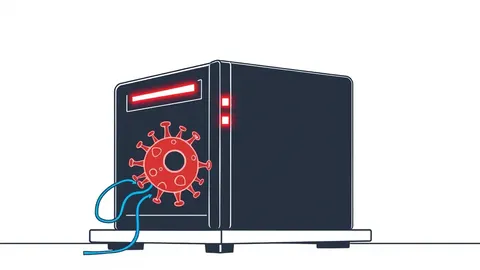
Point-of-Sale Malware Warning Signs: Detect Skimming Before Payment Data Is Stolen
Point-of-sale malware often hides in plain sight by altering legitimate system processes rather than installing new, obvious programs that trigger standard alerts.
Look for unexpected memory usage spikes, modified executable files, and anomalous network traffic from terminal devices. Isolate the infected machine immediately, preserve volatile memory for analysis, and reset all credentials. Check for signs of data exfiltration to understand the full scope of the compromise.
The Silent Memory Resident
Point-of-sale malware rarely announces itself with pop-ups or system crashes. Instead, it operates in the background, targeting the memory space of the terminal. This approach allows the malicious code to capture payment card data as it passes through the system during a transaction. You might notice the system running slower than usual, but this is often attributed to aging hardware or heavy network traffic.
The malware injects itself into legitimate processes, such as the payment application or the operating system kernel. This technique, known as process injection, makes the malicious code appear as part of a trusted program. Standard file-based scans often miss these threats because there is no new, suspicious file sitting on the hard drive. The threat lives only in the random access memory, vanishing when the machine restarts.
Visible Anomalies on the Terminal
Some signs are harder to ignore if you look at the user interface closely. You may notice the payment screen refreshing unexpectedly or displaying slightly different branding. These visual glitches are often the result of the malware overlaying its own interface on top of the legitimate application. The goal is to trick the cashier into continuing the transaction while the skimmer records the magnetic stripe or chip data.
Imagine a scenario where the receipt printer jams frequently or prints blank receipts. This could be a sign that the malware is intercepting the print command to hide its activity or to prevent a record of the tampered transaction from being created. Other times, you might see unknown processes running in the task manager. These processes often have names that mimic legitimate system services to avoid detection.
Network Traffic That Does Not Fit
The most reliable indicator of active point-of-sale malware is unusual network behavior. Terminals should only communicate with specific servers for payment processing and inventory management. If you see the terminal attempting to connect to external IP addresses or domains that are not part of your payment gateway, data is likely being exfiltrated. This traffic often occurs in small, irregular bursts to blend in with normal web browsing or cloud sync activities.
Suppose you notice the terminal sending large amounts of data during off-hours. Payment terminals should be idle or only performing routine updates at these times. Large outbound transfers suggest that stolen data is being staged for removal. This is where understanding attack surface reduction rules becomes valuable, as restricting outbound connections can block this exfiltration path. Without these restrictions, the malware has a free highway to the attacker’s server.
Subtle File System Changes
File system forensics can reveal the footprint of the intrusion. Look for recently modified system files or payment application executables. Attackers often patch the legitimate software to include their skimming code. This means the file hash, a unique digital fingerprint, will differ from the vendor’s original version. If you compare the current hash against the known good hash from the vendor, any discrepancy indicates tampering.
Another subtle sign is the presence of new, hidden folders in temporary directories. These folders may contain configuration files for the malware or logs of stolen transactions. The malware uses these files to maintain persistence and to store data before sending it out. Checking for these artifacts requires regular integrity monitoring, not just one-time scans.
Immediate Response Protocol
When you suspect an infection, speed is critical. Do not attempt to clean the machine while it is connected to the network. The malware may be actively sending data to an external server. Disconnect the terminal from the network immediately by pulling the Ethernet cable or disabling Wi-Fi. This stops the exfiltration but does not remove the malware.
Preserve the state of the machine for forensic analysis. If possible, capture a memory dump before shutting down. This snapshot may contain the malicious code that resides only in RAM. Do not reboot the machine, as this will erase the volatile memory and destroy potential evidence. Contact your payment processor and security team to assess the impact and determine if a card brand notification is required.
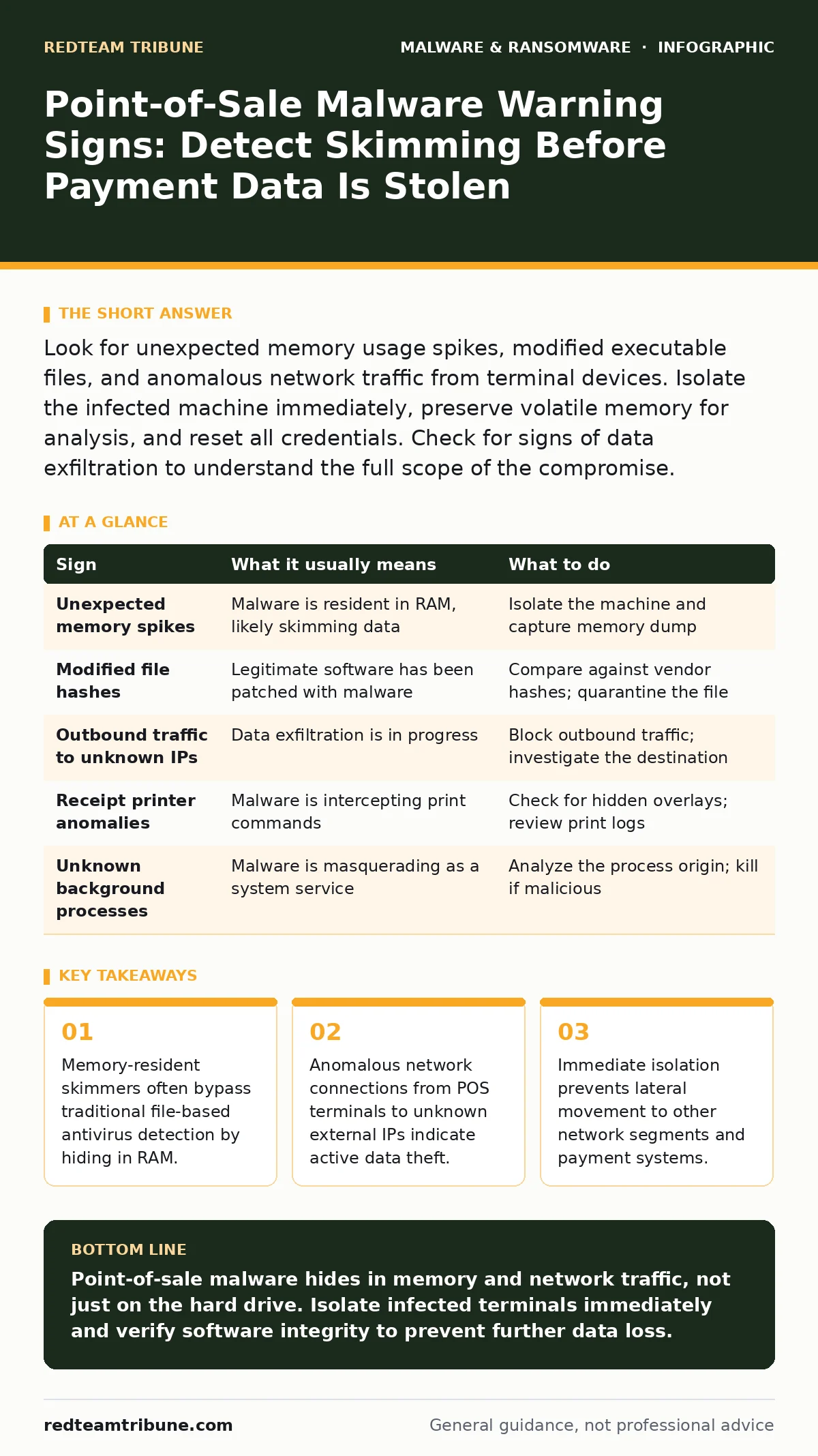
| Sign | What it usually means | What to do |
|---|---|---|
| Unexpected memory spikes | Malware is resident in RAM, likely skimming data | Isolate the machine and capture memory dump |
| Modified file hashes | Legitimate software has been patched with malware | Compare against vendor hashes; quarantine the file |
| Outbound traffic to unknown IPs | Data exfiltration is in progress | Block outbound traffic; investigate the destination |
| Receipt printer anomalies | Malware is intercepting print commands | Check for hidden overlays; review print logs |
| Unknown background processes | Malware is masquerading as a system service | Analyze the process origin; kill if malicious |
Long-Term Prevention Strategies
Preventing reinfection requires more than just removing the malware. You must ensure that the attack vector is closed. If the malware entered via a compromised vendor update, you need to verify the integrity of all software sources. Implementing strict code signing verification ensures that only authorized updates are installed. This prevents attackers from injecting malicious code into legitimate software updates.
Regular patching of the operating system and payment applications is necessary to close known vulnerabilities. However, patching alone is not enough. You need to monitor for behavioral anomalies, not just known signatures. This is why understanding malware obfuscation techniques is helpful; attackers constantly change the appearance of their code to evade detection. Behavioral analysis looks for what the code does, not what it looks like.
The Cost of Delay
Delaying response increases the volume of stolen data and the potential liability. Every second the malware remains connected to the network, more payment cards are compromised. This can lead to significant fines and loss of customer trust. Proactive monitoring and rapid incident response are the only effective defenses against this type of threat.
For organizations managing multiple locations, centralized logging and monitoring are indispensable. They allow you to spot anomalies across the entire network quickly. If you are dealing with mobile payment devices, be aware that Android malware can also target point-of-sale applications on tablets and phones. The principles of isolation and integrity checking apply equally to these devices.
Key takeaways
- Memory-resident skimmers often bypass traditional file-based antivirus detection by hiding in RAM.
- Anomalous network connections from POS terminals to unknown external IPs indicate active data theft.
- Immediate isolation prevents lateral movement to other network segments and payment systems.
Point-of-sale malware hides in memory and network traffic, not just on the hard drive. Isolate infected terminals immediately and verify software integrity to prevent further data loss.
Frequently asked questions
Can antivirus software detect point-of-sale malware?
Traditional antivirus may miss memory-resident skimmers because they do not leave a file signature. Behavioral analysis and endpoint detection and response tools are more effective for this type of threat.
How do I know if my payment terminal is infected?
Look for unusual network connections, modified system files, and unexpected performance issues. Compare file hashes against vendor-provided baselines to detect tampering.
Should I reboot the infected machine to clear the malware?
No, rebooting erases the malware from memory, destroying forensic evidence. Isolate the machine first, capture a memory dump, and then follow your incident response plan.
Is point-of-sale malware a form of ransomware?
No, point-of-sale malware is designed to steal data silently. Unlike **screen locker ransomware**, which blocks access to demand payment, skimmers aim to remain undetected for as long as possible.
How this guide was produced: written by the RedTeam Tribune editorial team with AI assistance, checked against the public references listed below, and reviewed when the facts change. See our editorial policy or report an error.