Macro Security Settings Checklist to Stop Document Exploits
Disabling all macros without exceptions breaks legitimate business workflows, while allowing them without scrutiny exposes endpoints to silent data theft and ransomware deployment.
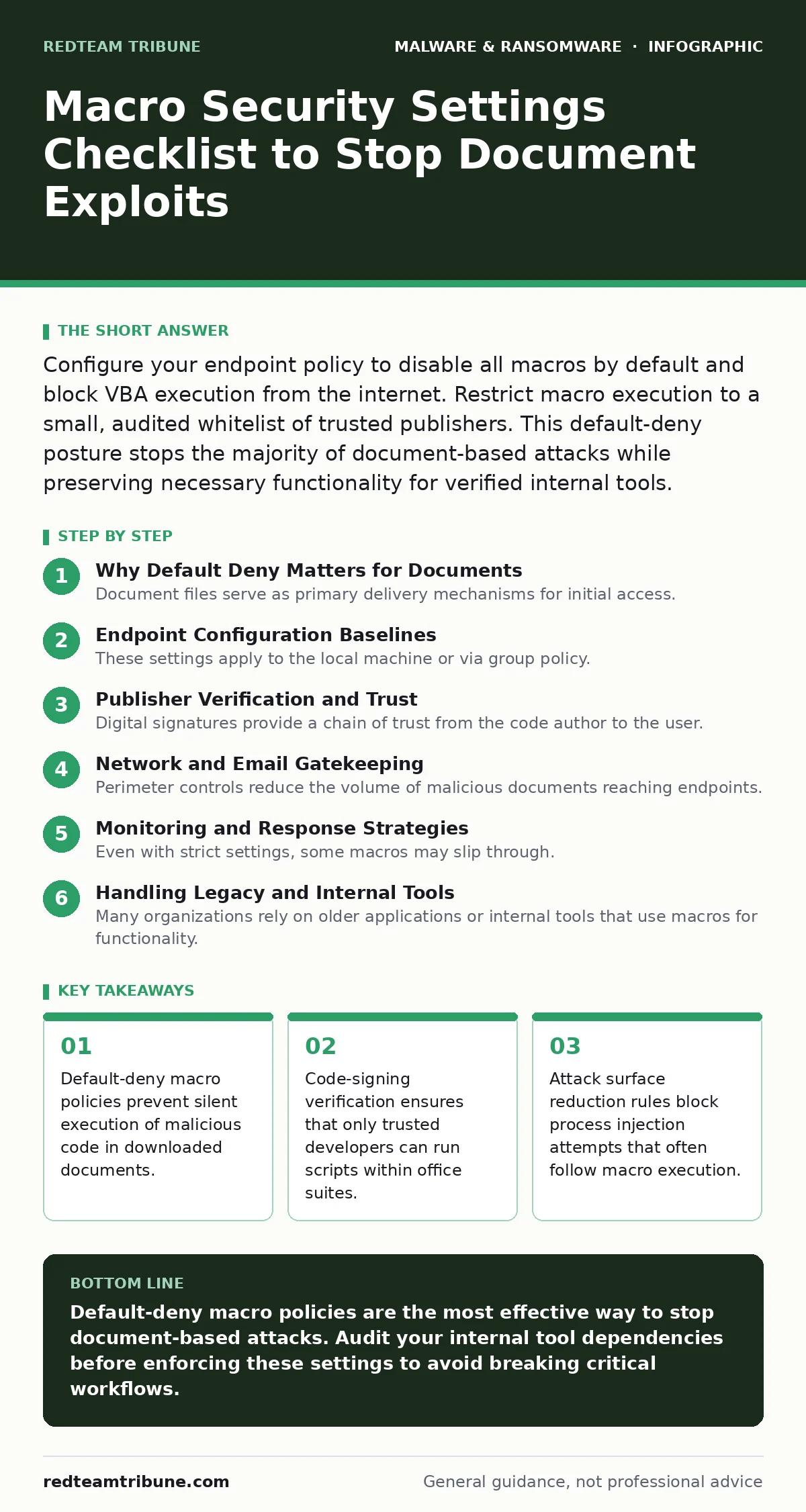
Configure your endpoint policy to disable all macros by default and block VBA execution from the internet. Restrict macro execution to a small, audited whitelist of trusted publishers. This default-deny posture stops the majority of document-based attacks while preserving necessary functionality for verified internal tools.
Why Default Deny Matters for Documents
Document files serve as primary delivery mechanisms for initial access. Attackers embed scripts that execute automatically upon opening or when a user enables content. You must treat every untrusted document as hostile. The standard approach of prompting users to enable macros fails because social engineering tricks victims into clicking "Enable." A default-deny policy removes this human variable. This posture forces a deliberate action to run code, shifting the burden from user vigilance to system enforcement.
Endpoint Configuration Baselines
These settings apply to the local machine or via group policy. They form the first line of defense before network controls engage.
- Disable all macros without notification: This prevents silent execution and stops attacks that rely on hidden code behind images or shapes.
- Disable all macros except digitally signed: This ensures only code from verified publishers runs, blocking unsigned malicious scripts.
- Block macros in downloaded files: This stops execution of scripts embedded in files received via email or web browsers.
- Restrict VBA execution to trusted locations: This limits where scripts can run, preventing execution from temporary or user-writable folders.
Publisher Verification and Trust
Digital signatures provide a chain of trust from the code author to the user. You must validate this chain rigorously. A signed macro proves the code has not been altered since signing. It does not prove the code is safe, only that the author is who they claim to be. You must maintain a strict allowlist of trusted publishers. Any organization using internal macros must implement a code-signing certificate infrastructure. This adds administrative overhead but prevents unauthorized script execution.
- Verify certificate validity: This ensures the signing certificate has not expired or been revoked by the issuing authority.
- Check certificate chain of trust: This confirms the root certificate is trusted by your operating system or enterprise policy.
- Audit signed macros regularly: This catches scenarios where a trusted publisher’s account is compromised and used to sign malware.
Network and Email Gatekeeping
Perimeter controls reduce the volume of malicious documents reaching endpoints. Email gateways should strip or quarantine files with embedded scripts. Web proxies should block known malicious document hashes. These controls complement endpoint settings. They do not replace the need for local enforcement, as attackers often use legitimate channels to bypass perimeter filters.
- Quarantine email attachments with macros: This prevents users from receiving executable code via standard email channels.
- Block macro-enabled templates from the internet: This stops attackers from exploiting default template locations to inject code.
- Inspect web downloads for script content: This detects and blocks macro-laden files before they reach the user’s device.
Monitoring and Response Strategies
Even with strict settings, some macros may slip through. You need visibility into macro execution events. Log every instance where a user enables macros or where a signed macro runs unexpectedly. Correlate these logs with process creation events. Look for commands like PowerShell or cmd.exe launched from office applications. These are strong indicators of compromise.
- Log macro enable events: This provides an audit trail for forensic analysis and anomaly detection.
- Monitor for process injection: This detects when a macro attempts to spawn a new process to execute further payloads.
- Alert on unsigned macro execution: This highlights potential policy violations or misconfigurations that need immediate attention.
Handling Legacy and Internal Tools
Many organizations rely on older applications or internal tools that use macros for functionality. Disabling all macros breaks these workflows. You must identify these dependencies before enforcing strict policies. Work with application owners to migrate away from macros where possible. If migration is not feasible, ensure these tools are properly signed and hosted in trusted locations. Document these exceptions clearly. Review them quarterly to remove unnecessary allowances.
- Inventory macro-dependent applications: This identifies which business processes will be impacted by strict macro policies.
- Sign internal macro tools: This allows legitimate internal scripts to run under a default-deny policy.
- Document macro exceptions: This ensures transparency and accountability for any deviations from the security baseline.
Integrating with Broader Security Controls
Macro security does not exist in isolation. It works best when combined with other defense layers. Use attack surface reduction rules to block common exploitation techniques. Integrate macro execution logs with your extended detection and response (XDR) platform. This provides context for alerts and improves response times. Consider how macro malware interacts with other threats like keyloggers or screen locker ransomware. A holistic approach reduces risk more effectively than isolated controls.
- Enable attack surface reduction rules: This blocks common post-exploitation techniques used after macro execution.
- Integrate with XDR platforms: This correlates macro events with other security telemetry for better threat detection.
- Review macro policy regularly: This ensures settings remain effective against evolving threats and changing business needs.
Key takeaways
- Default-deny macro policies prevent silent execution of malicious code in downloaded documents.
- Code-signing verification ensures that only trusted developers can run scripts within office suites.
- Attack surface reduction rules block process injection attempts that often follow macro execution.
Default-deny macro policies are the most effective way to stop document-based attacks. Audit your internal tool dependencies before enforcing these settings to avoid breaking critical workflows.
Frequently asked questions
Should I disable all macros completely?
Disabling all macros is the safest posture but may break legitimate business tools. Use a signed-only policy if you rely on internal macros.
How do I know if a macro is safe?
You cannot know for sure without analyzing the code. Trust only macros signed by verified publishers and reviewed by your security team.
Do cloud office suites have macro risks?
Yes, cloud-based office applications support macros. Apply the same security policies to cloud environments as you do to on-premises systems.
What if a user needs to run an unsigned macro?
Do not allow it. Request the author to sign the macro or migrate the functionality to a more secure scripting environment.
How this guide was produced: written by the RedTeam Tribune editorial team with AI assistance, checked against the public references listed below, and reviewed when the facts change. See our editorial policy or report an error.