Web Cache Poisoning: Risks and Protection for Small Businesses
Attackers inject malicious code into shared caches, forcing every visitor to execute the payload without touching your server directly.
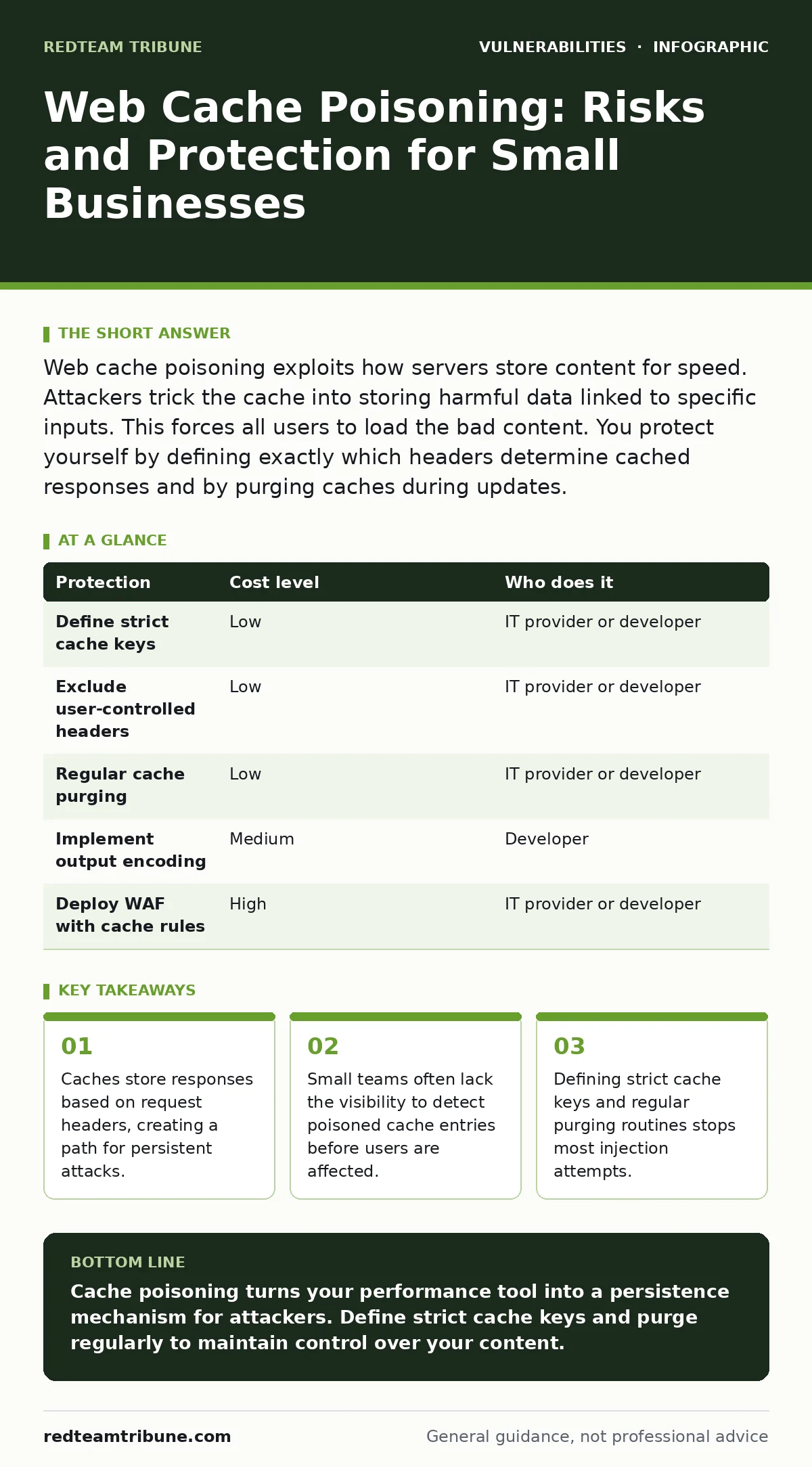
Web cache poisoning exploits how servers store content for speed. Attackers trick the cache into storing harmful data linked to specific inputs. This forces all users to load the bad content. You protect yourself by defining exactly which headers determine cached responses and by purging caches during updates.
The Silent Injection
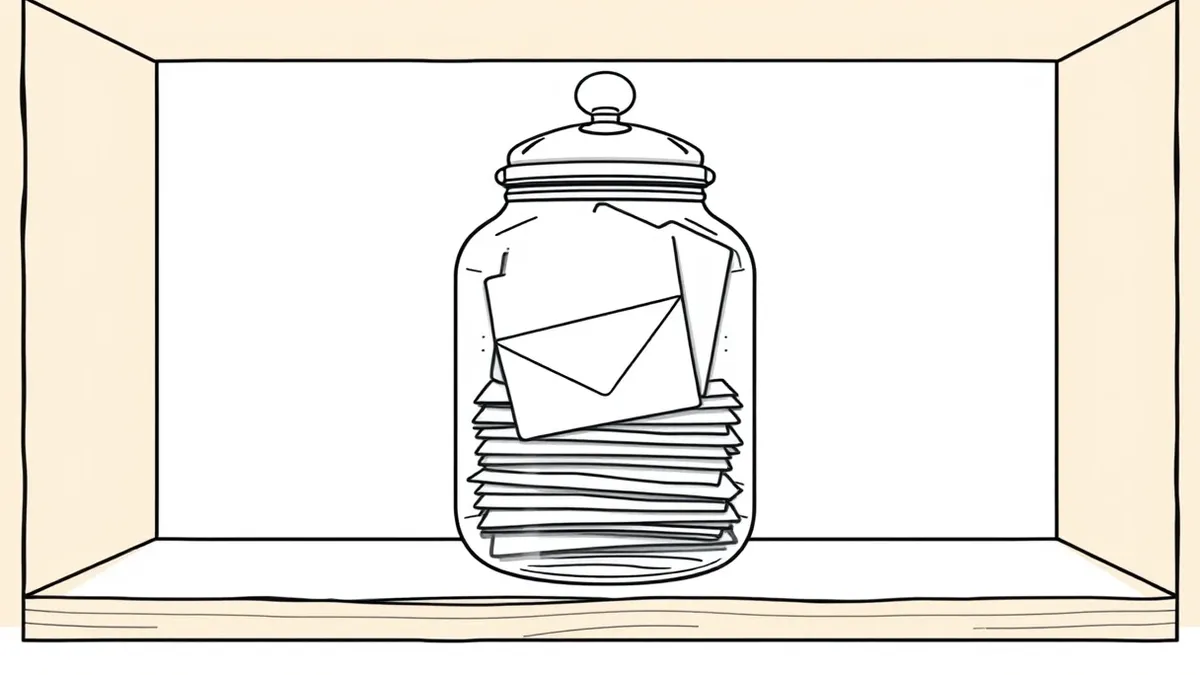
Web cache poisoning exploits the mechanism servers use to serve content quickly. A web cache stores copies of web pages to reduce load times and server strain. When a user requests a page, the cache checks if it already has a stored version. If the stored version matches the request, the cache serves it immediately.
The danger arises when the cache stores content based on unexpected inputs. Attackers craft requests that include malicious data in headers or query parameters. If the server includes this data in the response and the cache saves it, the poison persists. Subsequent users who trigger the same cache key receive the malicious content.
This is distinct from standard injection attacks. In a typical cross-site scripting attack, the bad code lives in your database or session. In cache poisoning, the bad code lives in the shared storage layer. It bypasses many traditional application firewalls because the traffic looks like normal caching behavior.
Why Small Organisations Are Exposed
Small teams often rely on managed hosting or content delivery networks for performance. These services handle caching automatically to keep sites fast. The configuration defaults are usually designed for general compatibility, not security. This creates a blind spot for organizations without dedicated infrastructure engineers.
You may assume that using a reputable provider eliminates risk. The provider manages the hardware, but you manage the application logic. If your application sends back data based on user input, and the cache stores that response, you have created a vector for abuse. The gap between application behavior and cache configuration is where the vulnerability hides.
Another factor is the lack of monitoring. Large enterprises often have tools that log cache hits and misses in detail. Small businesses rarely do. You might not know your cache is serving poisoned content until users report strange behavior or security scanners flag the site. By then, the attacker may have already used the cache to distribute malware or steal credentials.
Understanding Cache Keys
A cache key is the unique identifier used to store and retrieve cached content. It usually consists of the URL and specific HTTP headers. If two requests have the same cache key, the cache assumes they want the same response. Attackers manipulate this assumption.
Suppose your site accepts a header called X-Forwarded-Host. If your application echoes this header back in the page title, and the cache uses this header in its key, an attacker can poison the cache. They send a request with a malicious X-Forwarded-Host value. The cache stores the response with that value. Anyone else sending a request with that same header gets the poisoned page.
The non-obvious consequence here is that the server itself might be secure. The server processes the request correctly. The issue is that the cache remembers the wrong answer for a specific question. This means standard input validation on the server side might not prevent the cache from storing the bad data. You must align your cache key definition with your security model.
Low-Cost Protections for Limited Teams
You do not need expensive hardware to mitigate this risk. The most effective defense is configuration. You must define exactly which headers influence the cache. Most caching layers allow you to specify a whitelist of headers to include in the cache key.
Exclude headers that users can control but do not affect the page content. Headers like User-Agent or Accept-Language are common sources of cache poisoning. If your application does not change the HTML based on these headers, do not let them be part of the cache key. This shrinks the attack surface significantly.
Another low-cost measure is regular cache purging. If you update your application, you should clear the cache. This removes any potentially poisoned entries. While this does not stop an active attack, it limits the window of exposure. It also helps you recover quickly if you suspect a compromise.
| Protection | Cost level | Who does it |
|---|---|---|
| Define strict cache keys | Low | IT provider or developer |
| Exclude user-controlled headers | Low | IT provider or developer |
| Regular cache purging | Low | IT provider or developer |
| Implement output encoding | Medium | Developer |
| Deploy WAF with cache rules | High | IT provider or developer |
What to Ask Your IT Provider
Your IT provider manages the infrastructure that hosts your cache. You need to verify that they understand cache-specific risks. Do not just ask if they have security. Ask about the mechanics of their caching layer.
- How are cache keys defined for our application?
- Which HTTP headers are included in the cache key?
- Can we exclude specific headers from the cache key?
- How do we purge the cache when we deploy updates?
- Do you monitor for unusual cache hit patterns?
If your provider cannot answer these questions, they may not be managing your cache security. They might be relying on defaults. This is a significant risk for any business handling user data. You need a partner who understands that caching is not just about speed.
The Hidden Cost of Speed
Caching improves performance, but it introduces complexity. The trade-off is between speed and control. When you cache content, you lose some control over what each user sees. You are assuming that users with similar requests want the same response.
This assumption fails when attackers exploit it. The hidden cost is the time spent investigating and remediating a cache poisoning incident. You may need to clear global caches, update configurations, and notify users. This downtime can be costly for small businesses that rely on constant availability.
You must weigh the performance benefits against the security overhead. For many small businesses, the default caching settings are too broad. Tightening these settings might slightly increase server load, but it reduces the risk of persistent attacks. This is a worthwhile trade-off for most organizations.
Integrating with Broader Security
Cache poisoning is one part of a larger security picture. It often works in tandem with other vulnerabilities. For example, an attacker might use output encoding failures to inject the malicious script in the first place. If your application properly encodes all output, the injected script may not execute, even if the cache stores it.
You should also consider change management for security patches. When you patch your application, you must ensure the cache is cleared. If you patch a vulnerability but leave old cached content, users may still see the vulnerable version. This renders the patch ineffective for cached pages.
While mass assignment vulnerabilities and business logic flaws are different issues, they share a common theme: trusting user input too much. Cache poisoning exploits the trust the cache places in the server's response. Treating all user input as untrusted, including in headers, is a consistent security posture.
Final Steps for Mitigation
Start by auditing your current cache configuration. Identify which headers are used in cache keys. Remove any that are not strictly necessary for content variation. This single step can eliminate most common attack vectors.
Next, establish a routine for cache purging. Make it part of your deployment process. This ensures that stale or potentially poisoned content does not linger. Finally, educate your development team. They need to understand how their code interacts with the caching layer.
Key takeaways
- Caches store responses based on request headers, creating a path for persistent attacks.
- Small teams often lack the visibility to detect poisoned cache entries before users are affected.
- Defining strict cache keys and regular purging routines stops most injection attempts.
Cache poisoning turns your performance tool into a persistence mechanism for attackers. Define strict cache keys and purge regularly to maintain control over your content.
Frequently asked questions
Can a CDN prevent web cache poisoning?
A CDN can help by allowing you to configure strict cache rules, but it does not prevent poisoning if the configuration allows user-controlled headers to influence cached content.
How do I know if my cache is poisoned?
You can test by sending requests with unique headers and checking if subsequent requests with the same headers return the modified content. Security scanners can also detect this behavior.
Is web cache poisoning a server-side issue?
It is an interaction between the server and the cache. The server may be secure, but if it sends back content based on user input that the cache stores, the risk exists.
Do I need to hire a specialist to fix this?
Not necessarily. Many fixes involve configuration changes that your IT provider or developer can make. However, a specialist can help audit your setup for complex applications.
How this guide was produced: written by the RedTeam Tribune editorial team with AI assistance, checked against the public references listed below, and reviewed when the facts change. See our editorial policy or report an error.