Stop CORS Misconfigurations: Practical Prevention Measures
Wildcard origins in CORS headers expose your API to any website, turning your service into an open proxy for attackers to steal user sessions.

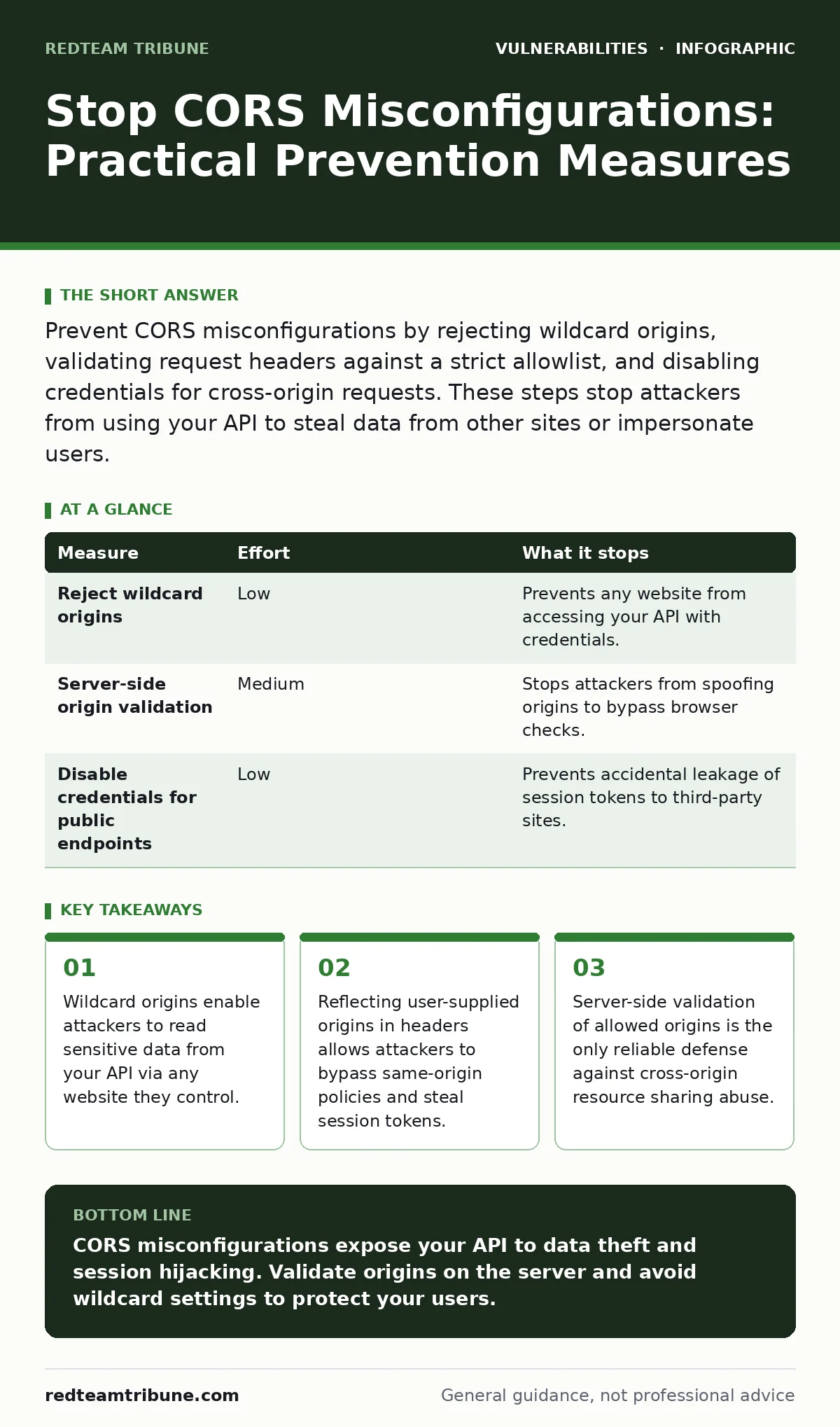
Prevent CORS misconfigurations by rejecting wildcard origins, validating request headers against a strict allowlist, and disabling credentials for cross-origin requests. These steps stop attackers from using your API to steal data from other sites or impersonate users.
Why CORS Misconfigurations Happen
Cross-Origin Resource Sharing (CORS) is a browser security feature that relaxes the same-origin policy. It allows a server to specify which domains can access its resources. Developers often misconfigure CORS to make debugging easier or to support multiple frontend applications. This convenience creates significant security risks when applied to production systems.
Imagine a developer adds a wildcard origin to allow all domains to access an API. This setting tells the browser to ignore origin checks entirely. The browser then allows any website to read the response from your API. This breaks the primary security boundary of the web. The server trusts the browser to enforce restrictions, but the browser sends the credentials if the header allows it.
The Danger of Wildcard Origins
The most common mistake is using an asterisk as the allowed origin. This wildcard value tells the browser that any website can access the resource. While this might seem convenient for public APIs, it becomes dangerous when credentials are involved. Browsers will not send cookies or HTTP authentication headers if the origin is a wildcard and the request includes credentials.
However, attackers can exploit this by using JSONP or other techniques to bypass the restriction. They can also force users to make unauthenticated requests that reveal sensitive information. If your API returns data that is not strictly public, a wildcard origin exposes it to the entire internet. You must never use a wildcard for endpoints that handle user-specific data.
Validating Origins on the Server
Relying on the browser to enforce CORS rules is insufficient. You must validate the origin on the server before sending the response. The server should check the incoming Origin header against a predefined list of allowed domains. If the origin is not on the list, the server should reject the request or omit the CORS headers.
This server-side check prevents attackers from tricking the browser into sending requests to malicious sites. It also protects against scenarios where the browser behavior changes or is bypassed. You should maintain a strict allowlist of domains that are permitted to make cross-origin requests. This list should be reviewed regularly to ensure it only includes trusted sources.
| Measure | Effort | What it stops |
|---|---|---|
| Reject wildcard origins | Low | Prevents any website from accessing your API with credentials. |
| Server-side origin validation | Medium | Stops attackers from spoofing origins to bypass browser checks. |
| Disable credentials for public endpoints | Low | Prevents accidental leakage of session tokens to third-party sites. |
Handling Credentials and Sessions
When an API requires authentication, the CORS configuration becomes more critical. The Access-Control-Allow-Credentials header tells the browser to include cookies and HTTP authentication headers in cross-origin requests. If this header is set to true, the server must specify an exact origin, not a wildcard.
Suppose an attacker creates a website that sends a request to your API. If your server responds with a wildcard origin and allows credentials, the browser will block the request. However, if the server reflects the attacker's origin in the response, the browser will allow the request and send the user's session cookie. The attacker can then read the response and steal the user's session. This is why reflecting origins is dangerous.
Preventing Origin Reflection Attacks
Origin reflection occurs when the server reads the Origin header from the request and includes it in the Access-Control-Allow-Origin response header. This dynamic approach seems flexible but is inherently insecure. An attacker can send a request from their malicious site, and your server will approve that origin.
To prevent this, you must validate the Origin header against a static allowlist. If the origin is not on the list, you should not include the Access-Control-Allow-Origin header. This forces the browser to block the request. You should also consider using the Origin header alone for validation, rather than the Referer header, as the Origin header is more reliable and less prone to manipulation.
Quick Wins for Immediate Protection
You can reduce risk quickly by auditing your current CORS configuration. Start by identifying any endpoints that use wildcard origins. Replace these with specific allowed origins or remove the CORS headers if cross-origin access is not required. Next, ensure that credentials are only allowed for trusted origins.
Another quick win is to disable CORS for public endpoints that do not require authentication. If an endpoint does not need to send cookies or authentication headers, you can use a wildcard origin safely. However, you must ensure that the response does not contain sensitive data. This separation of concerns simplifies your security posture.
What Does Not Work
Some measures provide a false sense of security. For example, relying solely on the browser to enforce CORS rules is ineffective. Attackers can bypass browser restrictions using proxies or other techniques. Similarly, using complex JavaScript logic to validate origins on the client side is unreliable.
Another ineffective measure is assuming that CORS protects against all cross-site attacks. CORS only controls browser behavior. It does not prevent attackers from making direct requests to your API using tools like curl or Postman. You must implement server-side authentication and authorization to protect against these attacks. See our guide on API vulnerabilities for more details on securing your endpoints.
Final Checklist for Today
Start by reviewing your server configuration files. Look for any instances of wildcard origins in CORS headers. Replace these with specific allowed origins. Next, check your application code for any logic that reflects the Origin header. Remove this logic and replace it with a static allowlist.
Finally, test your configuration by sending requests from different origins. Verify that the server rejects requests from unauthorized origins. This manual testing helps ensure that your server-side validation is working correctly. You should also monitor your logs for any unusual CORS-related activity.
- Replace wildcard origins with specific allowed domains.
- Remove origin reflection logic from server code.
- Test CORS configuration with unauthorized origins.
Key takeaways
- Wildcard origins enable attackers to read sensitive data from your API via any website they control.
- Reflecting user-supplied origins in headers allows attackers to bypass same-origin policies and steal session tokens.
- Server-side validation of allowed origins is the only reliable defense against cross-origin resource sharing abuse.
CORS misconfigurations expose your API to data theft and session hijacking. Validate origins on the server and avoid wildcard settings to protect your users.
Frequently asked questions
Can I use CORS to protect my API from all attacks?
No, CORS only controls browser behavior. It does not prevent direct API requests or other types of attacks.
How do I know if my CORS configuration is secure?
Test your configuration by sending requests from different origins. Ensure that only trusted origins are allowed.
What is the difference between Origin and Referer headers?
The Origin header contains only the scheme, host, and port. The Referer header contains the full URL. Origin is more reliable for CORS validation.
How this guide was produced: written by the RedTeam Tribune editorial team with AI assistance, checked against the public references listed below, and reviewed when the facts change. See our editorial policy or report an error.