Spot Unsafe YAML Deserialization: Warning Signs and Fixes
Unsafe YAML deserialization allows attackers to execute arbitrary code by injecting objects that the parser treats as executable instructions rather than data.
Look for unexpected process spawns, file writes, or network calls after parsing YAML. Check if your parser supports tags or constructors. Disable tag resolution and use safe loading functions to prevent code execution from untrusted input.
How Unsafe YAML Deserialization Works
YAML is a human-readable data serialization standard that supports complex data types. Unlike simple formats like JSON, YAML allows the definition of custom objects and constructors. This feature enables a parser to instantiate specific classes during the loading process. An attacker exploits this by embedding a tag that references a system command or a dangerous class. The parser executes the command while converting the text into an in-memory object. This mechanism turns a data file into a remote code execution vector.
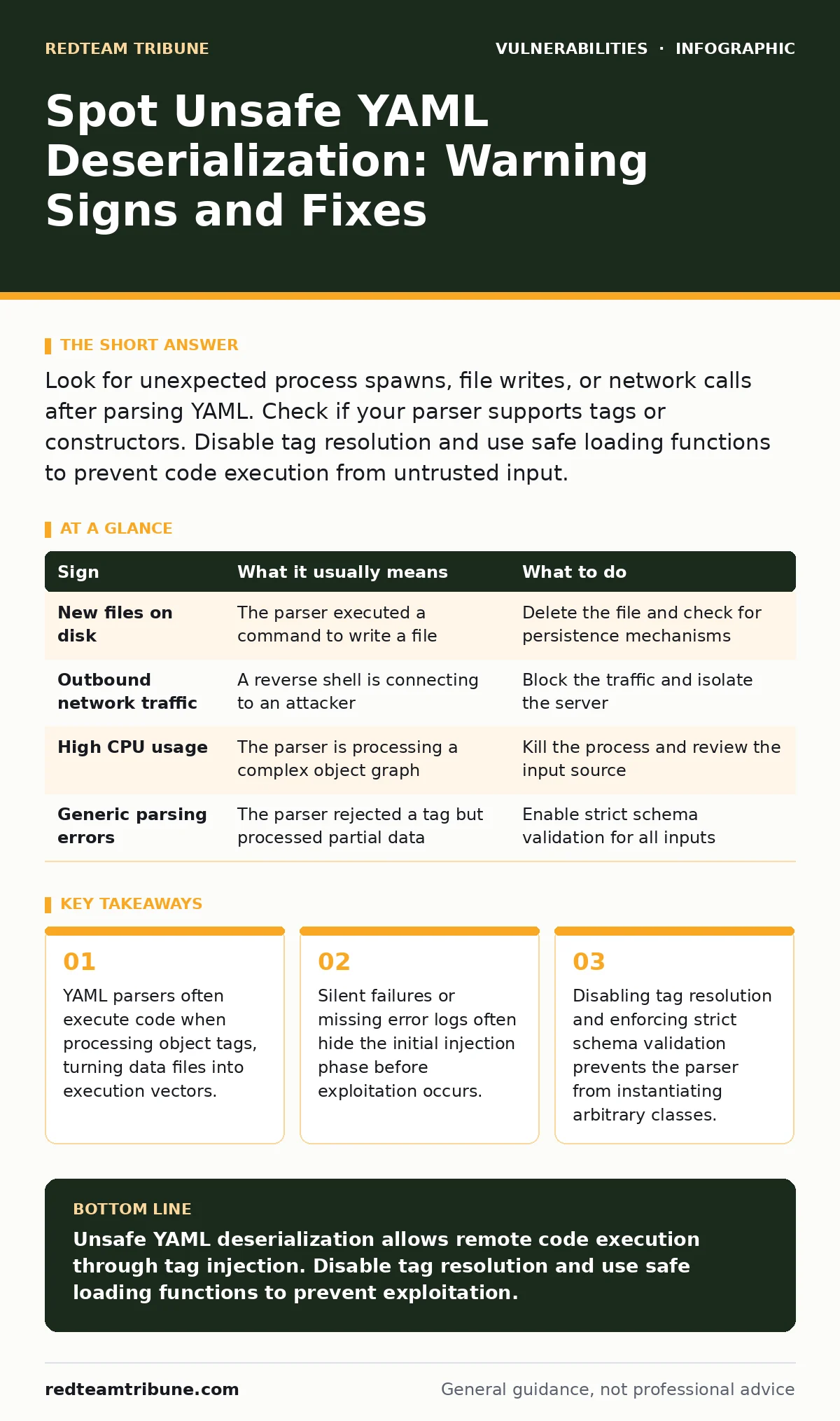
First Signs of Unsafe YAML Deserialization
You notice immediate system behavior changes when an unsafe YAML payload executes. The most obvious sign is the creation of new files in writable directories. An attacker often writes a reverse shell script or a web shell to the disk. You may also see unexpected outbound network connections from the application server. These connections typically target an external IP address controlled by the attacker. Process lists reveal new child processes that the application did not initiate. These processes often run shell commands or script interpreters. Monitoring tools alert on these anomalies because they deviate from baseline application behavior.
Signs That Are Easy to Miss
Subtle indicators require deeper inspection of application logic and logs. You might observe increased CPU usage without a corresponding increase in legitimate traffic. The deserialization process itself can be resource-intensive if the attacker forces the parser to instantiate complex object graphs. Memory leaks occur when the parser fails to clean up the instantiated objects. These leaks degrade performance over time rather than causing an immediate crash. Error logs may show generic parsing errors that mask the underlying injection attempt. The application might reject the payload but still process part of it, leading to partial state corruption.
The Hidden Cost of Tag Resolution
Many developers assume that YAML is safe because it is widely used for configuration files. They overlook the fact that tag resolution is enabled by default in many libraries. This default setting allows the parser to recognize and execute custom type tags. The hidden cost is that every YAML file becomes a potential execution vector. You must explicitly disable tag resolution to prevent the parser from instantiating arbitrary classes. This step requires updating configuration files and validating all input sources. The effort is small compared to the risk of remote code execution.
What to Do When You See One
Immediate containment stops the active exploitation. Isolate the affected server from the network to prevent lateral movement. Kill the suspicious processes identified in your monitoring tools. Remove any files written by the attacker during the initial breach. Review the application logs to identify the source of the malicious YAML input. Determine if the attacker gained persistent access through backdoors or new user accounts. Reset credentials for any accounts that were active on the compromised system. This immediate response prevents further damage while you plan a long-term fix.
Mitigation Strategies for YAML Parsers
Prevention requires changing how your application handles YAML input. Use safe loading functions that ignore tags and constructors. These functions treat all input as plain data types like strings and numbers. They do not instantiate objects or execute code during parsing. If your application requires complex data structures, define a strict schema. Validate the input against this schema before passing it to the parser. This approach ensures that only expected data types are processed. It blocks attempts to inject executable objects through tags.
| Sign | What it usually means | What to do |
|---|---|---|
| New files on disk | The parser executed a command to write a file | Delete the file and check for persistence mechanisms |
| Outbound network traffic | A reverse shell is connecting to an attacker | Block the traffic and isolate the server |
| High CPU usage | The parser is processing a complex object graph | Kill the process and review the input source |
| Generic parsing errors | The parser rejected a tag but processed partial data | Enable strict schema validation for all inputs |
Related Vulnerability Context
Unsafe YAML deserialization shares characteristics with other injection flaws. It resembles SQL injection in that it abuses a parser to execute unintended commands. However, it targets the application runtime rather than the database engine. You should also review your understanding of insecure deserialization, as the underlying mechanism is similar. Both vulnerabilities arise from trusting untrusted data during the reconstruction of objects. Understanding these patterns helps you identify similar risks in other libraries.
Long-Term Prevention Measures
Integrate static analysis tools into your development pipeline. These tools detect the use of unsafe loading functions in your codebase. They alert developers before the code reaches production. Conduct regular code reviews focused on data handling routines. Ensure that all team members understand the risks of dynamic object instantiation. Train developers to use safe defaults and explicit validation. This cultural shift reduces the likelihood of introducing new vulnerabilities. Regular updates to your libraries ensure you benefit from security patches.
Key takeaways
- YAML parsers often execute code when processing object tags, turning data files into execution vectors.
- Silent failures or missing error logs often hide the initial injection phase before exploitation occurs.
- Disabling tag resolution and enforcing strict schema validation prevents the parser from instantiating arbitrary classes.
Unsafe YAML deserialization allows remote code execution through tag injection. Disable tag resolution and use safe loading functions to prevent exploitation.
Frequently asked questions
Is JSON safe from deserialization attacks?
JSON does not support custom tags or constructors, making it inherently safer for data serialization.
Can I use YAML for configuration files safely?
Yes, if you use a parser that disables tag resolution and validates input against a strict schema.
How do I detect YAML injection in logs?
Look for tags or constructors in log entries that record the raw YAML input before parsing.
Does updating the library fix the vulnerability?
Updating may provide safer defaults, but you must still configure the parser to disable tag resolution.
How this guide was produced: written by the RedTeam Tribune editorial team with AI assistance, checked against the public references listed below, and reviewed when the facts change. See our editorial policy or report an error.